elasticsearch-reset-password
Sets a new password for a built-in Elasticsearch user such as
elasticorkibana_system, either random or chosen by you.
Syntax
sudo /usr/share/elasticsearch/bin/elasticsearch-reset-password -u USER [-i] [-b] [--url URL]
Options
| Option | Description |
|---|---|
-u USER |
The user, e.g. elastic or kibana_system |
-i |
Enter the new password yourself instead of a random one |
-a |
Generate a random password (the default) |
-b |
Batch mode: don't ask for confirmation |
--url URL |
Address of the node, if it isn't https://localhost:9200 |
The tool needs a running node and changes the password through the API. OpenSearch has no such tool; there you change users in the security plugin (internal_users.yml or the REST API).
Examples
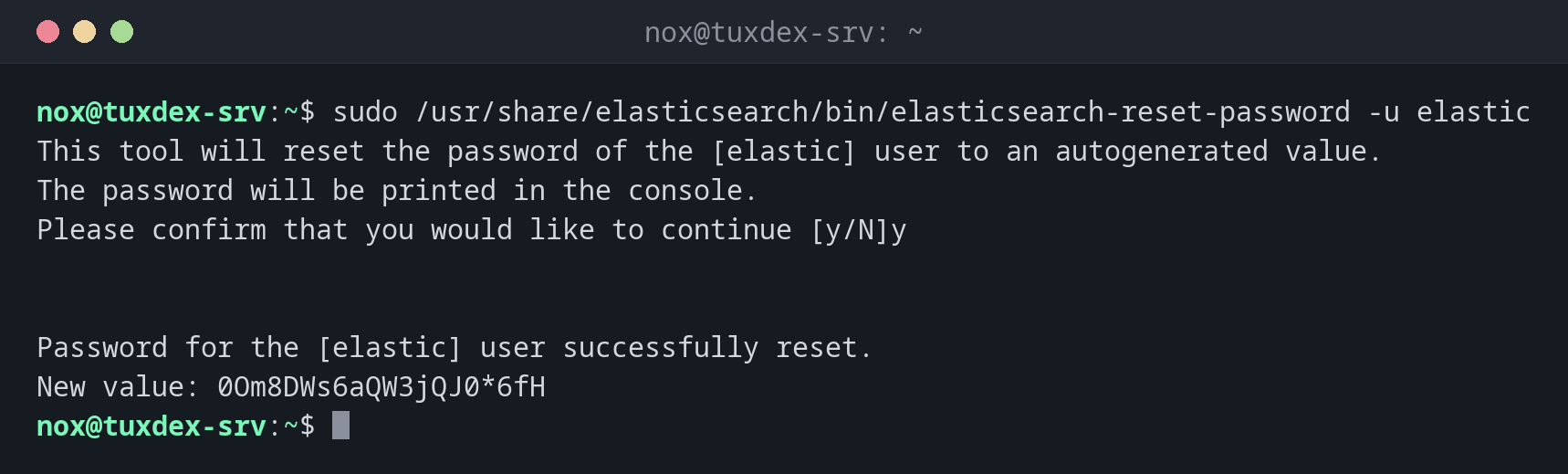
A new random password for elastic:
sudo /usr/share/elasticsearch/bin/elasticsearch-reset-password -u elastic
This tool will reset the password of the [elastic] user to an autogenerated value.
The password will be printed in the console.
Please confirm that you would like to continue [y/N]y


Password for the [elastic] user successfully reset.
New value: 0Om8DWs6aQW3jQJ0*6fH
Choose the password yourself:
sudo /usr/share/elasticsearch/bin/elasticsearch-reset-password -u kibana_system -i
This tool will reset the password of the [kibana_system] user.
You will be prompted to enter the password.
Please confirm that you would like to continue [y/N]y


Enter password for [kibana_system]:
Re-enter password for [kibana_system]:
Password for the [kibana_system] user successfully reset.
Test the new password:
curl --cacert /etc/elasticsearch/certs/http_ca.crt -u elastic https://localhost:9200
Enter host password for user 'elastic':
{
  "name" : "tuxdex-srv",
  "cluster_name" : "tuxdex",
  "cluster_uuid" : "NM9hQs7WTTqYnq8CmJT6kQ",
  "version" : {
    "number" : "9.1.0",
    "build_flavor" : "default",
    "build_type" : "deb",
    "build_hash" : "00e7d33bf08f1476229d9d1642e2da46cfebdd53",
    "build_date" : "2025-07-23T22:09:53.891289976Z",
    "build_snapshot" : false,
    "lucene_version" : "10.2.2",
    "minimum_wire_compatibility_version" : "8.19.0",
    "minimum_index_compatibility_version" : "8.0.0"
  },
  "tagline" : "You Know, for Search"
}
Without credentials the API refuses:
curl -s --cacert /etc/elasticsearch/certs/http_ca.crt https://localhost:9200/_cluster/health | jq -r .error.reason
missing authentication credentials for REST request [/_cluster/health]
When do I need it?
- Right after the installation, if the password shown during setup is lost
- When an admin leaves who knew the
elasticpassword - To set the password for
kibana_systembefore connecting Kibana
Don't work as elastic every day
elastic is a superuser. Create personal users with suitable roles in Kibana or via the
API, and keep elastic for emergencies in your password manager.
Applications break
If an application or Logstash uses the reset user, it can't connect any more until its configuration has the new password. Check which services use the user first.
Distribution differences
| Debian | Ubuntu | RHEL | Arch | |
|---|---|---|---|---|
| Installation | APT repository of Elastic | APT repository of Elastic | YUM repository of Elastic | AUR or container |
| Path | /usr/share/elasticsearch/bin/ |
/usr/share/elasticsearch/bin/ |
/usr/share/elasticsearch/bin/ |
depends on the package |