tar
Packs files and directories into one archive and unpacks it again, keeping permissions, owners and dates. Combined with a compressor, it is the standard backup format on Linux.
Syntax
tar [OPTION]... [FILE]...
Remember the order: c create, x extract, t list. f must be followed directly by the file name.
Options
| Option | Description |
|---|---|
-c |
Create an archive |
-x |
Extract an archive |
-t |
List the content |
-f FILE |
The archive file, always needed |
-v |
List the files while working |
-z, -j, -J, --zstd |
Compress with gzip, bzip2, xz or zstd |
-C DIR |
Change to this directory first, e.g. to extract into it |
--exclude=PATTERN |
Skip matching files |
-p |
Keep permissions when extracting (default for root) |
Examples
Pack a directory into a compressed archive:
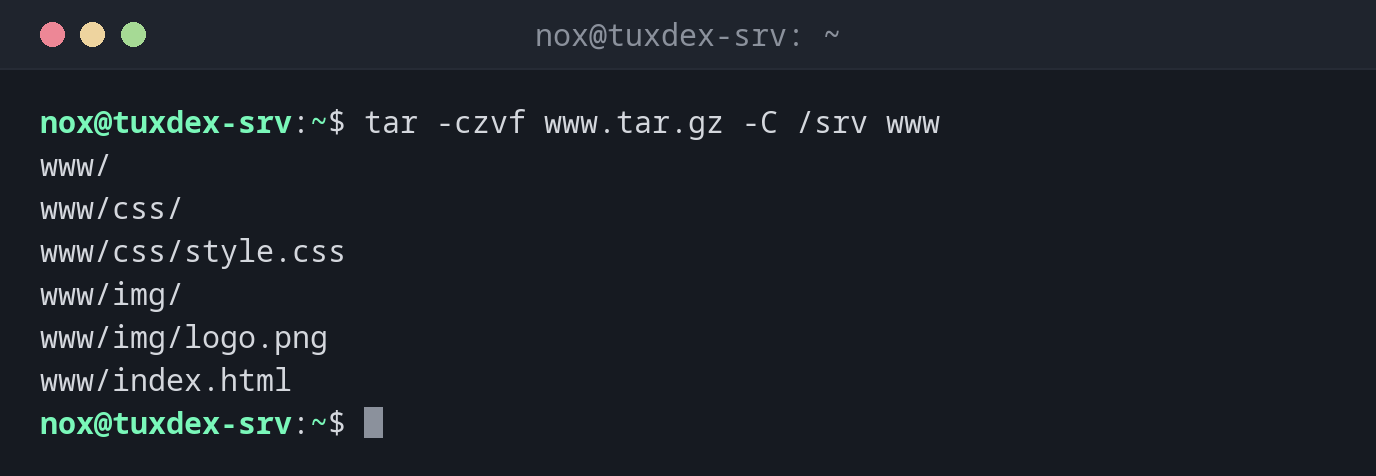
tar -czvf www.tar.gz -C /srv www
www/
www/css/
www/css/style.css
www/img/
www/img/logo.png
www/index.html
Show the content of an archive:
tar -tzvf www.tar.gz
drwxr-xr-x nox/nox           0 2026-10-26 10:15 www/
drwxr-xr-x nox/nox           0 2026-10-26 10:15 www/css/
-rw-r--r-- nox/nox        3092 2026-10-26 10:15 www/css/style.css
drwxr-xr-x nox/nox           0 2026-10-26 10:15 www/img/
-rw-r--r-- nox/nox       40000 2026-10-26 10:15 www/img/logo.png
-rw-r--r-- nox/nox       28893 2026-10-26 10:15 www/index.html
Extract into a different directory:
mkdir -p /tmp/restore
tar -xzvf www.tar.gz -C /tmp/restore
www/
www/css/
www/css/style.css
www/img/
www/img/logo.png
www/index.html
Extract a single file:
tar -xzvf www.tar.gz -C /tmp/restore www/css/style.css
www/css/style.css
Create a zstd archive without the images:
tar --zstd -cf www.tar.zst --exclude=www/img -C /srv www
tar -tf www.tar.zst
www/
www/css/
www/css/style.css
www/index.html
Compare an archive with the files on disk:
tar -dzf www.tar.gz -C /srv
www/index.html: Mod time differs
www/index.html: Size differs
index.html was changed after the backup.
When do I need it?
- For backups of directories, for example
/etc,/srv/wwwor a home directory - To move a directory with all permissions to another server
- To unpack software that is distributed as
.tar.gzor.tar.xz
Relative paths in the archive
Change into the parent directory with -C or cd before archiving. Then the archive
contains www/... instead of home/nox/srv/www/..., and you can unpack it anywhere.
Extracting overwrites
tar -x overwrites existing files without asking. Check the content with tar -tf
first, and extract into an empty directory with -C if you are unsure.