git commit
Saves the staged changes as a new commit in the history of the repository.
Syntax
git commit [-a] [-m "MESSAGE"] [--amend]
Options
| Option | Description |
|---|---|
-m MESSAGE |
Commit message on the command line, otherwise the editor opens |
-a, --all |
Commit all changed tracked files, without git add first (no new files) |
--amend |
Replace the last commit, for example to add a forgotten file |
--no-edit |
With --amend: keep the message |
-v, --verbose |
Show the changes in the editor while you write the message |
Examples
Commit the staged changes:
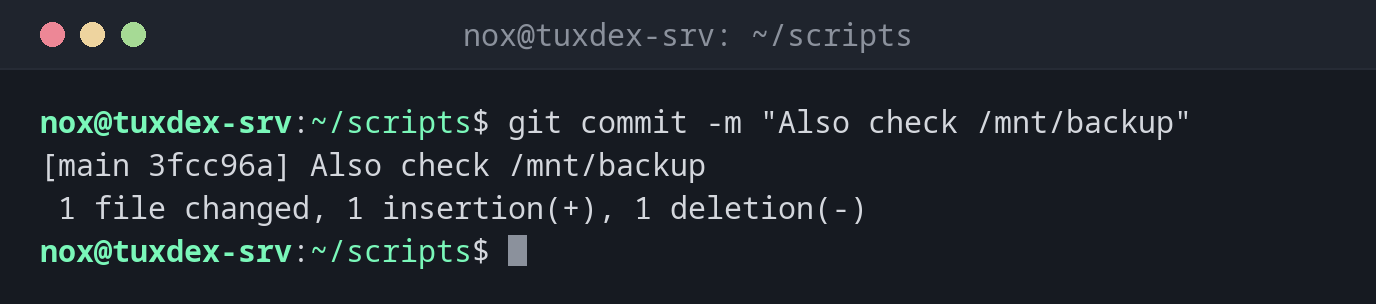
git commit -m "Also check /mnt/backup"
[main 3fcc96a] Also check /mnt/backup
 1 file changed, 1 insertion(+), 1 deletion(-)
3fcc96a is the start of the commit's ID (hash), by which you can address it later.
Add and commit all changed files in one step:
git commit -am "Run backup with lower priority"
[main c31bfe7] Run backup with lower priority
 1 file changed, 1 insertion(+), 1 deletion(-)
Add a forgotten file to the last commit:
git add check-services.sh
git commit --amend --no-edit
[main a41c7e2] Add service check
 Date: Mon Oct 26 10:12:40 2026 +0100
 2 files changed, 4 insertions(+)
 create mode 100755 check-services.sh
Write a longer message in the editor:
git commit
# Please enter the commit message for your changes. Lines starting
# with '#' will be ignored, and an empty message aborts the commit.
#
# On branch main
# Your branch is up to date with 'origin/main'.
#
# Changes to be committed:
#       modified:   check-disk.sh
#
Write the summary in the first line, leave the second line empty and add the details below. Save and close the editor to create the commit.
When do I need it?
- After every logical change, such as a fixed bug or a new setting
- Before a risky change, so you have a state you can go back to
- To fix the last commit before you push it, with
--amend
Small and often
One commit per change makes the history readable, and you can undo exactly one change later. A commit costs nothing.
--amend only before pushing
--amend creates a new commit and replaces the old one. If the old one is already on
the server, your history no longer matches the server's and the next push is rejected.
Related commands
git add · git status · git log · git push