zless
Opens gzip-compressed files in
less, so you can scroll and search them without unpacking.
Syntax
zless [LESS_OPTION]... FILE...
Options
zless passes all options on to less. The most useful ones:
| Option | Description |
|---|---|
-N |
Show line numbers |
-S |
Cut off long lines instead of wrapping them |
-i |
Ignore upper and lower case when searching |
+/PATTERN |
Start at the first match of PATTERN |
+G |
Start at the end of the file |
Inside zless, all keys of less work: / to search, N for the next
match, Q to quit.
Examples
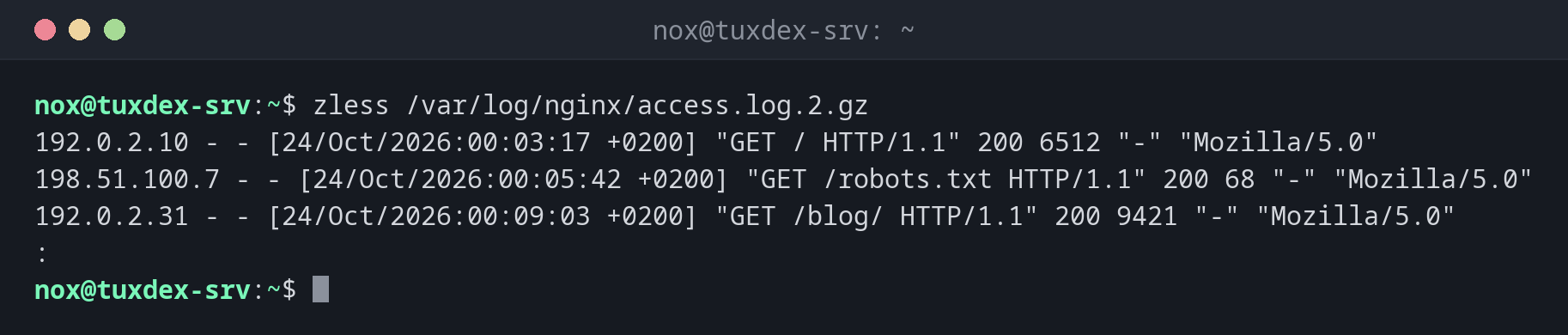
Browse a rotated log:
zless /var/log/nginx/access.log.2.gz
192.0.2.10 - - [24/Oct/2026:00:03:17 +0200] "GET / HTTP/1.1" 200 6512 "-" "Mozilla/5.0"
198.51.100.7 - - [24/Oct/2026:00:05:42 +0200] "GET /robots.txt HTTP/1.1" 200 68 "-" "Mozilla/5.0"
192.0.2.31 - - [24/Oct/2026:00:09:03 +0200] "GET /blog/ HTTP/1.1" 200 9421 "-" "Mozilla/5.0"
:
Jump straight to the first server error:
zless +/' 500 ' /var/log/nginx/access.log.2.gz
198.51.100.23 - - [24/Oct/2026:14:22:09 +0200] "POST /api/orders HTTP/1.1" 500 182 "-" "Mozilla/5.0"
192.0.2.10 - - [24/Oct/2026:14:22:10 +0200] "GET / HTTP/1.1" 200 6512 "-" "Mozilla/5.0"
:
Start at the end of an old log:
zless +G /var/log/nginx/access.log.2.gz
192.0.2.55 - - [24/Oct/2026:23:58:41 +0200] "GET / HTTP/1.1" 200 6512 "-" "curl/8.14.1"
198.51.100.23 - - [24/Oct/2026:23:59:02 +0200] "GET /login HTTP/1.1" 200 2841 "-" "Mozilla/5.0"
(END)
When do I need it?
- To search older, rotated logs for an error that happened a few days ago
- To browse compressed backups, dumps or exports page by page
- When
zcatwould print too much at once
less can often do this too
Debian, Ubuntu and RHEL set up lesspipe for interactive shells. There, a plain
less access.log.2.gz shows the unpacked content as well. In scripts or on other
systems, zless is the reliable way.
Large compressed files
zless unpacks the file on the fly. Jumping to the end (G) of a very large file
can take a while, because everything before it has to be unpacked first.