sudo
Runs a single command with the rights of
rootor another user, with your own password and a log entry for every command.
Syntax
sudo [OPTION]... COMMAND
Options
| Option | Description |
|---|---|
-u USER |
Run the command as USER instead of root |
-i |
Start a login shell as root (or as -u USER) |
-s |
Start a shell as root, but stay in the current directory |
-l |
Show which commands you may run with sudo |
-e FILE |
Edit a file safely as root (same as sudoedit) |
-k |
Forget the cached password, ask again next time |
-v |
Refresh the cached password without running a command |
Examples
Run a command as root:
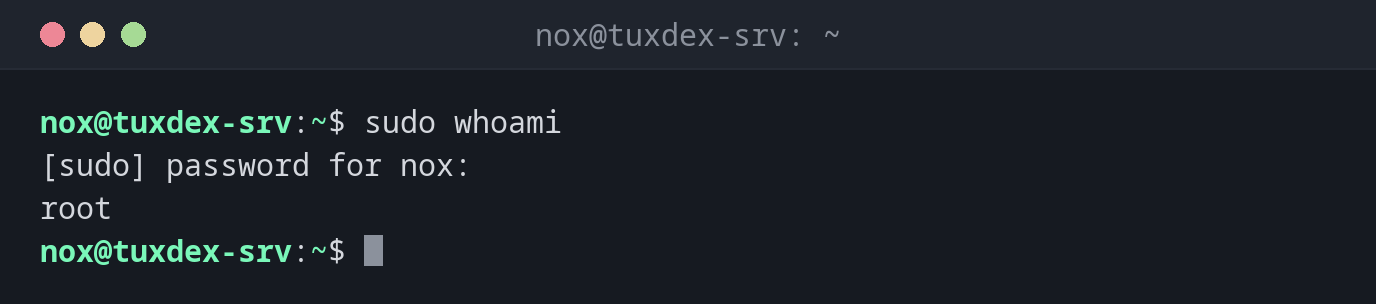
sudo whoami
[sudo] password for nox:
root
You type your own password. For the next 15 minutes, sudo doesn't ask again.
Show what you are allowed to do:
sudo -l
Matching Defaults entries for nox on tuxdex-srv:
    env_reset, mail_badpass, secure_path=/usr/local/sbin\:/usr/local/bin\:/usr/sbin\:/usr/bin\:/sbin\:/bin, use_pty

User nox may run the following commands on tuxdex-srv:
    (ALL : ALL) ALL
(ALL : ALL) ALL means: every command, as every user and every group.
Run a command as another user:
sudo -u www-data whoami
www-data
Open a root shell for several commands:
sudo -i
pwd
/root
Close the root shell with exit as soon as you are done.
A user without sudo rights:
sudo whoami
[sudo] password for alice:
alice is not in the sudoers file.
The attempt is logged. Add the user to the admin group (see below) if they should be
allowed to use sudo.
When do I need it?
- For every admin task: installing packages, restarting services, editing files in
/etc - To run something as a service user, for example
sudo -u postgres psql - To test whether a service user can read a file:
sudo -u www-data cat FILE - To give users exactly the rights they need, without sharing the root password
Repeat the last command with sudo
Forgot sudo? sudo !! repeats the previous command with sudo in front of it.
Edit files with sudo -e
sudo -e /etc/hosts opens a copy of the file in your own editor with your settings,
and only writes it back as root when you save. That is safer than running the whole
editor as root.
Redirections don't run as root
sudo echo text > /etc/file fails, because the redirection > is done by your own
shell. Use echo text | sudo tee /etc/file instead.
Distribution differences
| Debian | Ubuntu | RHEL | Arch | |
|---|---|---|---|---|
sudo installed |
if the root password was left empty during installation | yes | yes | no |
| Admin group | sudo |
sudo |
wheel |
wheel (rule commented out in /etc/sudoers) |
| Give a user admin rights | sudo adduser alice sudo |
sudo adduser alice sudo |
sudo usermod -aG wheel alice |
usermod -aG wheel alice, then enable %wheel with visudo |