last
Shows the login history: who logged in when, from where and for how long, plus reboots.
Syntax
last [OPTION]... [USER]...
Options
| Option | Description |
|---|---|
-n, --limit NUMBER |
Show only the last NUMBER entries |
-s, --since TIME |
Show only entries since TIME (e.g. 2026-10-25) |
-t, --until TIME |
Show only entries until TIME |
-p, --present TIME |
Show who was logged in at TIME |
-F, --fulltimes |
Print full login and logout times including the year |
-i, --ip |
Show IP addresses instead of host names |
-x, --system |
Also show system shutdown entries |
-R, --nohostname |
Hide the host name column |
--time-format FORMAT |
Time format: notime, short, full or iso |
Examples
Show the login history:
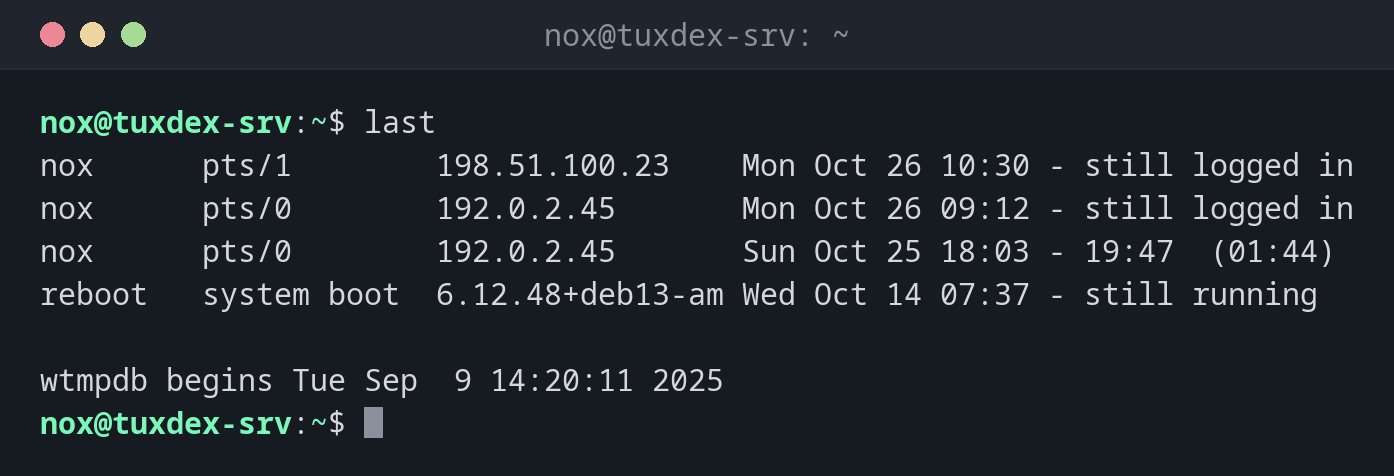
last
nox      pts/1        198.51.100.23    Mon Oct 26 10:30 - still logged in
nox      pts/0        192.0.2.45       Mon Oct 26 09:12 - still logged in
nox      pts/0        192.0.2.45       Sun Oct 25 18:03 - 19:47  (01:44)
reboot   system boot  6.12.48+deb13-am Wed Oct 14 07:37 - still running

wtmpdb begins Tue Sep  9 14:20:11 2025
The newest entries come first. For reboot, the third column shows the kernel that
was booted.
Show only the last 3 entries:
last -n 3
nox      pts/1        198.51.100.23    Mon Oct 26 10:30 - still logged in
nox      pts/0        192.0.2.45       Mon Oct 26 09:12 - still logged in
nox      pts/0        192.0.2.45       Sun Oct 25 18:03 - 19:47  (01:44)

wtmpdb begins Tue Sep  9 14:20:11 2025
Show the logins of one user only:
last nox
nox      pts/1        198.51.100.23    Mon Oct 26 10:30 - still logged in
nox      pts/0        192.0.2.45       Mon Oct 26 09:12 - still logged in
nox      pts/0        192.0.2.45       Sun Oct 25 18:03 - 19:47  (01:44)

wtmpdb begins Tue Sep  9 14:20:11 2025
Show only the reboots:
last reboot
reboot   system boot  6.12.48+deb13-am Wed Oct 14 07:37 - still running
reboot   system boot  6.12.43+deb13-am Thu Oct  1 06:15 - 07:35 (13+01:20)

wtmpdb begins Tue Sep  9 14:20:11 2025
When do I need it?
- After an incident: who was logged in at the time, and from which address?
- To check when the server was last rebooted, and with which kernel
- To spot logins at unusual times or from unknown addresses
- To document maintenance work: when did a colleague log in, and for how long?
Good to know
last only records successful logins. Failed login attempts over SSH can be
found in the journal: journalctl -u ssh.
last: command not found
On Debian 13 and Ubuntu 25.04 or newer, last is no longer part of util-linux
(see below). If the command is missing, install wtmpdb. Logins from before the
installation are not recorded.
Distribution differences
Debian and newer Ubuntu releases have replaced the old file /var/log/wtmp, because its
format can no longer store dates after 2038.
| Debian | Ubuntu | RHEL | Arch | |
|---|---|---|---|---|
| Package | wtmpdb (install if missing) |
wtmpdb from 25.04, util-linux in 24.04 LTS |
util-linux |
util-linux |
| Data file | /var/log/wtmp.db |
/var/log/wtmp.db or /var/log/wtmp |
/var/log/wtmp |
/var/log/wtmp |
| Last line of the output | wtmpdb begins … |
depends on the version | wtmp begins … |
wtmp begins … |
Install on Debian and Ubuntu:
sudo apt install wtmpdb libpam-wtmpdb
The options in the table at the top of the page work with both variants.