audit2allow
On RHEL, Rocky and Alma: turns SELinux denials from the audit log into explanations and, if needed, into an own policy module.
Syntax
audit2allow [-a | -i FILE] [-w] [-M MODULE]
audit2why [-a | -i FILE]
Options
| Option | Description |
|---|---|
-a |
Read all denials from the audit log |
-i FILE |
Read denials from a file or from standard input |
-w |
Explain why access was denied (same as audit2why) |
-M NAME |
Create a loadable module NAME.pp from the denials |
-R |
Use interfaces of the policy where possible (more readable rules) |
Usually combined with ausearch: sudo ausearch -m AVC -ts recent | audit2allow -w.
Examples
Find out why access was denied:
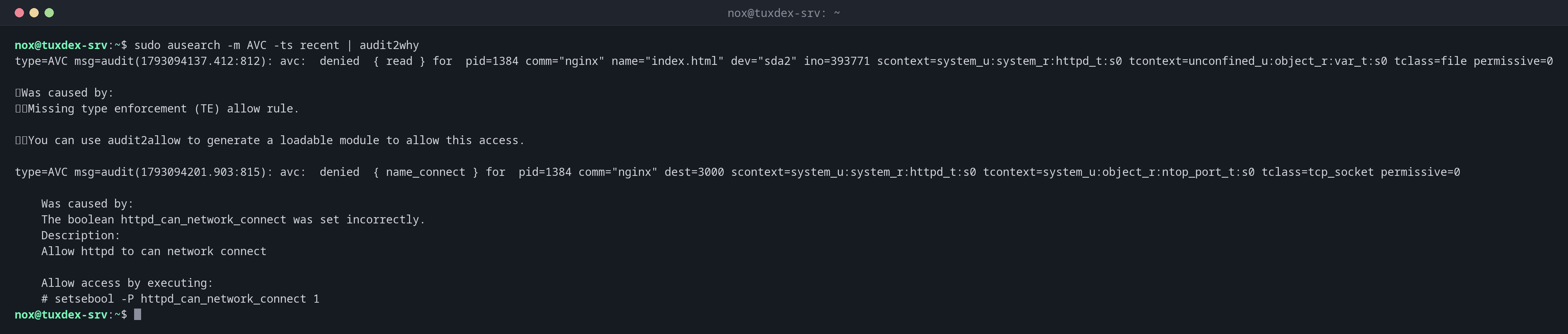
sudo ausearch -m AVC -ts recent | audit2why
type=AVC msg=audit(1793094137.412:812): avc:  denied  { read } for  pid=1384 comm="nginx" name="index.html" dev="sda2" ino=393771 scontext=system_u:system_r:httpd_t:s0 tcontext=unconfined_u:object_r:var_t:s0 tclass=file permissive=0

    Was caused by:
        Missing type enforcement (TE) allow rule.

        You can use audit2allow to generate a loadable module to allow this access.

type=AVC msg=audit(1793094201.903:815): avc:  denied  { name_connect } for  pid=1384 comm="nginx" dest=3000 scontext=system_u:system_r:httpd_t:s0 tcontext=system_u:object_r:ntop_port_t:s0 tclass=tcp_socket permissive=0

    Was caused by:
    The boolean httpd_can_network_connect was set incorrectly.
    Description:
    Allow httpd to can network connect

    Allow access by executing:
    # setsebool -P httpd_can_network_connect 1
Two denials, two different fixes: the file index.html has the label var_t (fix with semanage and restorecon), the connection to port 3000 needs a boolean (fix with setsebool).
Which rules would be needed:
sudo ausearch -m AVC -ts recent | audit2allow
#============= httpd_t ==============

#!!!! This avc can be allowed using the boolean 'httpd_can_network_connect'
allow httpd_t ntop_port_t:tcp_socket name_connect;
allow httpd_t var_t:file read;
Create a module, as the last resort:
sudo ausearch -m AVC -c myapp -ts today | audit2allow -M myapp
cat myapp.te
sudo semodule -i myapp.pp
******************** IMPORTANT ***********************
To make this policy package active, execute:

semodule -i myapp.pp


module myapp 1.0;

require {
    type myapp_t;
    type var_log_t;
    class file { append open };
}

#============= myapp_t ==============
allow myapp_t var_log_t:file { append open };
When do I need it?
- To understand a denial: wrong label, missing boolean or really missing rule?
- For own applications that need access the policy doesn't provide
- To collect all denials of a new application in permissive mode and allow them in one module
audit2why first
Very often, the answer is a boolean or a label, not a new module. audit2why says so
directly, as in the example below.
Don't allow blindly
audit2allow -M allows everything that was denied, including what an attacker tried.
Read the .te file before you load the module, and prefer labels and booleans.
Distribution differences
| Debian | Ubuntu | RHEL | Arch | |
|---|---|---|---|---|
| SELinux | not active (AppArmor instead) | not active (AppArmor instead) | active, enforcing |
not active |
| Package | policycoreutils-python-utils (only if SELinux is set up) |
policycoreutils-python-utils (only if SELinux is set up) |
sudo dnf install policycoreutils-python-utils |
not in the official repositories |
Related commands
semanage · setsebool · restorecon · ausearch