setenforce
On RHEL, Rocky and Alma: switches SELinux between enforcing and permissive until the next reboot.
Syntax
setenforce 1 | 0 | Enforcing | Permissive
Options
| Option | Description |
|---|---|
1, Enforcing |
Apply the rules |
0, Permissive |
Only log, don't block |
The permanent mode is set in /etc/selinux/config with SELINUX=enforcing or SELINUX=permissive. setenforce can't disable SELinux completely.
Examples
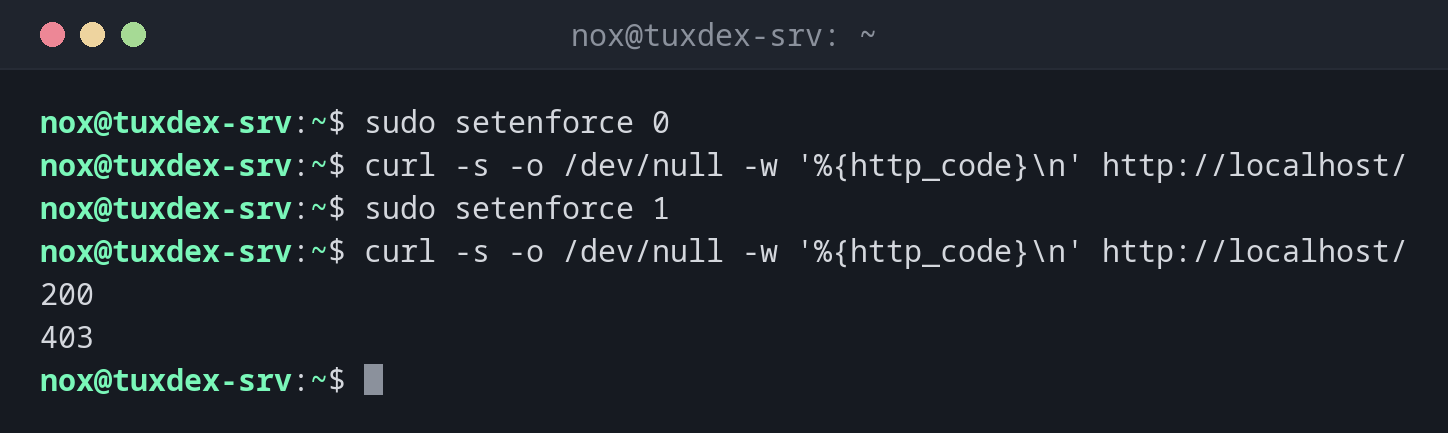
Test whether SELinux is the cause:
sudo setenforce 0
curl -s -o /dev/null -w '%{http_code}\n' http://localhost/
sudo setenforce 1
curl -s -o /dev/null -w '%{http_code}\n' http://localhost/
200
403
With permissive mode the page works, with enforcing it doesn't: SELinux blocks nginx. The fix is in restorecon or semanage.
The permanent setting:
grep ^SELINUX= /etc/selinux/config
SELINUX=enforcing
Only the web server in permissive mode:
sudo semanage permissive -a httpd_t
sudo semanage permissive -l
Customized Permissive Types

httpd_t
When do I need it?
- As a quick test: is SELinux the reason for an error?
- To collect all denials of a new application in permissive mode, then write a policy for them
- To switch back to enforcing right after the test
Permissive for a single domain only
sudo semanage permissive -a httpd_t puts only the web server domain into permissive
mode, everything else stays protected. semanage permissive -d httpd_t undoes it.
Switch it back on
Permissive mode protects nothing. Use it for minutes, not days, and check with
getenforce that it's back on Enforcing.
Distribution differences
| Debian | Ubuntu | RHEL | Arch | |
|---|---|---|---|---|
| SELinux | not active (AppArmor instead) | not active (AppArmor instead) | active, enforcing |
not active |
| Package | selinux-utils (only if SELinux is set up) |
selinux-utils (only if SELinux is set up) |
libselinux-utils, preinstalled |
not in the official repositories |