mariadb
The command line client of MariaDB and MySQL: connect, run SQL and manage users, databases and rights.
Syntax
mariadb [-u USER] [-p] [-h HOST] [DATABASE] [-e 'SQL']
Options
| Option | Description |
|---|---|
-u USER |
Database user |
-p |
Ask for the password (-pSECRET without a space only in tests) |
-h HOST, -P PORT |
Server and port, default local socket |
-e 'SQL' |
Run commands and exit |
-N, -B |
No column names; tab separated (for scripts) |
-t |
Table with borders, also when the output goes into a pipe |
mysql is an alias for mariadb. Inside the client: SHOW DATABASES;, USE DB;, SHOW TABLES;, DESCRIBE TABLE;, \G at the end of a query for vertical output, exit to quit.
Examples
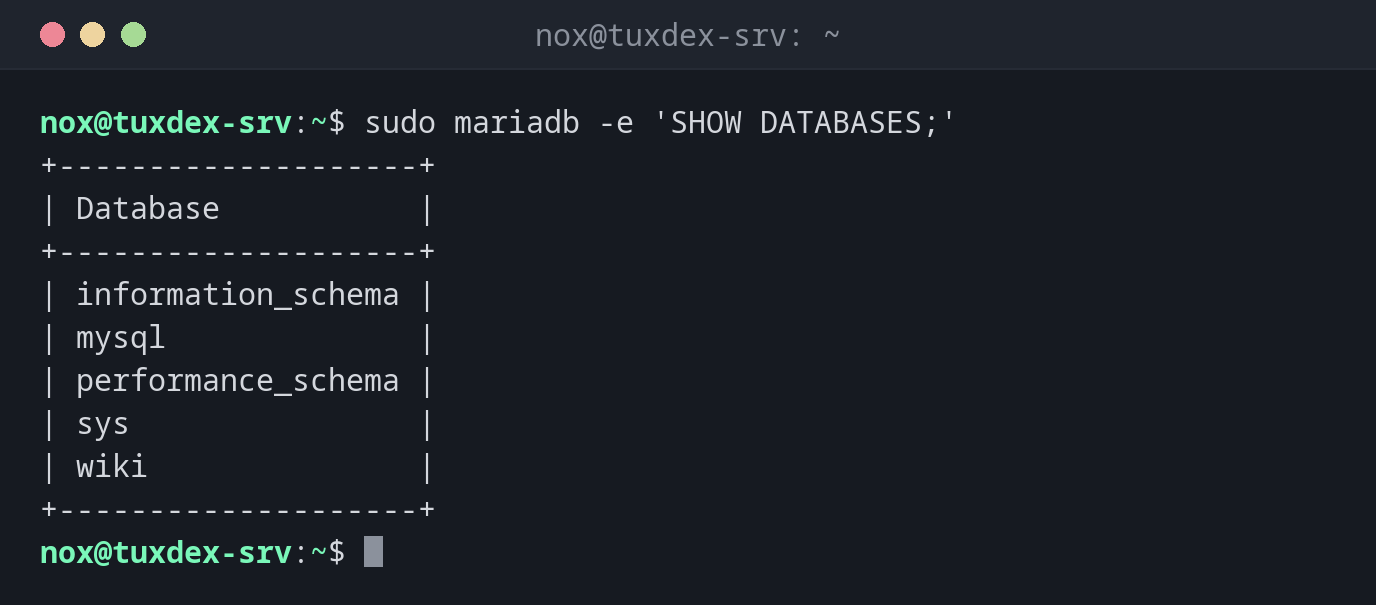
All databases:
sudo mariadb -e 'SHOW DATABASES;'
+--------------------+
| Database           |
+--------------------+
| information_schema |
| mysql              |
| performance_schema |
| sys                |
| wiki               |
+--------------------+
Database and user for an application:
sudo mariadb
Welcome to the MariaDB monitor.  Commands end with ; or \g.
Your MariaDB connection id is 31
Server version: 11.8.6-MariaDB-0+deb13u1 from Debian

Copyright (c) 2000, 2018, Oracle, MariaDB Corporation Ab and others.

Type 'help;' or '\h' for help. Type '\c' to clear the current input statement.

MariaDB [(none)]> CREATE DATABASE wiki CHARACTER SET utf8mb4 COLLATE utf8mb4_unicode_ci;
Query OK, 1 row affected (0.001 sec)

MariaDB [(none)]> CREATE USER 'wiki'@'localhost' IDENTIFIED BY 'secret';
Query OK, 0 rows affected (0.003 sec)

MariaDB [(none)]> GRANT ALL PRIVILEGES ON wiki.* TO 'wiki'@'localhost';
Query OK, 0 rows affected (0.002 sec)
All users with their hosts:
sudo mariadb -e 'SELECT User, Host FROM mysql.user;'
+-------------+-----------+
| User        | Host      |
+-------------+-----------+
| report      | 192.0.2.% |
| mariadb.sys | localhost |
| mysql       | localhost |
| root        | localhost |
| wiki        | localhost |
+-------------+-----------+
Which rights a user has:
sudo mariadb -e "SHOW GRANTS FOR 'report'@'192.0.2.%';"
+---------------------------------------------------------------------------------------------------------------+
| Grants for report@192.0.2.%                                                                                   |
+---------------------------------------------------------------------------------------------------------------+
| GRANT USAGE ON *.* TO `report`@`192.0.2.%` IDENTIFIED BY PASSWORD '*305D7BCA9D65D8D5C4677F05CD2EA2EBE350158F' |
| GRANT SELECT ON `wiki`.* TO `report`@`192.0.2.%`                                                              |
+---------------------------------------------------------------------------------------------------------------+
USAGE only means "may log in". The real right is SELECT on the database wiki.
Log in as the application user:
mariadb -u wiki -p wiki -e 'SELECT * FROM pages;'
Enter password:
+----+---------+---------------------+
| id | title   | updated             |
+----+---------+---------------------+
|  1 | Home    | 2026-10-26 10:42:17 |
|  2 | Install | 2026-10-26 10:42:17 |
|  3 | Backup  | 2026-10-26 10:42:17 |
+----+---------+---------------------+
Wrong password, or no user for this host:
mariadb -u wiki -p wiki
Enter password:
ERROR 1045 (28000): Access denied for user 'wiki'@'localhost' (using password: YES)
Size of the databases in MB:
sudo mariadb -e 'SELECT table_schema AS db, ROUND(SUM(data_length+index_length)/1024/1024,2) AS mb FROM information_schema.tables GROUP BY table_schema;'
+--------------------+------+
| db                 | mb   |
+--------------------+------+
| information_schema | 0.20 |
| mysql              | 3.37 |
| performance_schema | 0.00 |
| sys                | 0.03 |
| wiki               | 0.02 |
+--------------------+------+
When do I need it?
- To create a database and a user for a new application
- To grant or check rights
- In scripts with
-N -B -e
Passwords in ~/.my.cnf
A section [client] with user= and password= in ~/.my.cnf (mode 600) saves the
prompt. As Linux root, sudo mariadb needs no password anyway.
User means name and host
'wiki'@'localhost' and 'wiki'@'%' are different users. If a login fails although
the password is right, check with SELECT User, Host FROM mysql.user; which host fits.
Distribution differences
| Debian | Ubuntu | RHEL | Arch | |
|---|---|---|---|---|
| Package | mariadb-client |
mariadb-client |
mariadb |
mariadb-clients |
Related commands
mariadb-admin · mariadb-secure-installation · mysqldump · psql