xargs
Turns lines of input into arguments for another command, for example to delete or copy a list of files.
Syntax
COMMAND | xargs [OPTION]... COMMAND [ARGUMENTS]...
Options
| Option | Description |
|---|---|
-0, --null |
Input is separated by null characters (for find -print0, safe with spaces) |
-n N |
Pass at most N arguments per call |
-I {} |
Replace {} in the command with each input line (one call per line) |
-P N |
Run up to N calls in parallel |
-r, --no-run-if-empty |
Don't run the command at all if the input is empty |
-t, --verbose |
Show each command before running it |
-p, --interactive |
Ask before each call |
Examples
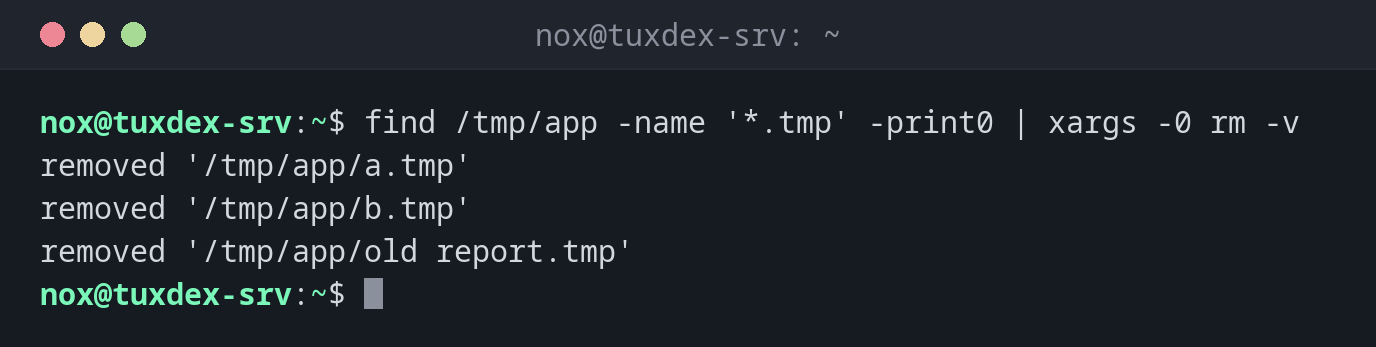
Delete files from a list, safe with spaces in names:
find /tmp/app -name '*.tmp' -print0 | xargs -0 rm -v
removed '/tmp/app/a.tmp'
removed '/tmp/app/b.tmp'
removed '/tmp/app/old report.tmp'
The same without -0:
find /tmp/app -name '*.tmp' | xargs rm -v
removed '/tmp/app/a.tmp'
removed '/tmp/app/b.tmp'
rm: cannot remove '/tmp/app/old': No such file or directory
rm: cannot remove 'report.tmp': No such file or directory
Without -0, xargs splits at spaces, and old report.tmp becomes two wrong names.
Run a command once for each entry:
echo "web1 web2" | xargs -t -n 1 echo Checking
echo Checking web1
Checking web1
echo Checking web2
Checking web2
-t shows each command before it runs.
Place the argument anywhere in the command:
ls *.conf | xargs -I {} cp -v {} {}.bak
'app.conf' -> 'app.conf.bak'
'db.conf' -> 'db.conf.bak'
Avoid an error when the list is empty:
find /tmp/app -name '*.tmp' | xargs rm
find /tmp/app -name '*.tmp' | xargs -r rm
rm: missing operand
Try 'rm --help' for more information.
Without -r, rm is started once even without any file. With -r, nothing happens.
When do I need it?
- To process the results of
find,grep -lorlswith another command - To run the same command on many servers, files or users
- To speed up long tasks by running them in parallel (
-P), for example compressing many log files
Parallel work with -P
find /var/log/app -name '*.log' -print0 | xargs -0 -P 4 -n 1 gzip compresses up to
four files at the same time. On servers with several CPU cores, this is much faster.
Always -print0 with -0
File names can contain spaces and even line breaks. Combine find -print0 with
xargs -0, otherwise names are split and the command hits the wrong files.
xargs rm with an unchecked list
Before you pipe a list into xargs rm, look at it: run the command without
| xargs rm first, or use xargs -p to confirm each call.