yamllint
Checks YAML files for syntax errors, duplicate keys and style problems, whether pipeline, Compose file or playbook.
Syntax
yamllint [OPTIONS] FILE|DIRECTORY...
Options
| Option | Description |
|---|---|
FILE, . |
Files or whole directories |
-f parsable |
One line per problem |
-d relaxed |
Less strict rules, without style warnings like the missing --- |
-c FILE |
Own configuration (otherwise .yamllint in the project) |
-s, --strict |
Also fail on warnings |
Examples
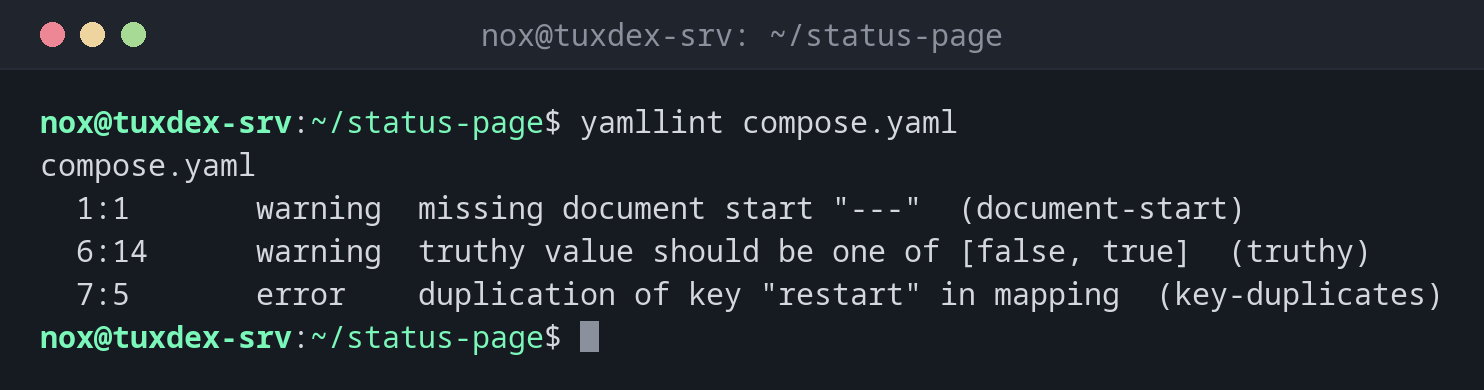
Check a Compose file:
yamllint compose.yaml
compose.yaml
  1:1       warning  missing document start "---"  (document-start)
  6:14      warning  truthy value should be one of [false, true]  (truthy)
  7:5       error    duplication of key "restart" in mapping  (key-duplicates)
The file with the errors:
cat -n compose.yaml
     1  services:
     2    web:
     3      image: nginx:1.28
     4      ports:
     5        - "8080:80"
     6      restart: yes
     7      restart: unless-stopped
One line per problem:
yamllint -f parsable compose.yaml
compose.yaml:1:1: [warning] missing document start "---" (document-start)
compose.yaml:6:14: [warning] truthy value should be one of [false, true] (truthy)
compose.yaml:7:5: [error] duplication of key "restart" in mapping (key-duplicates)
Less strict, only real problems:
yamllint -d relaxed .gitlab-ci.yml && echo OK
OK
When do I need it?
- For every YAML file before it goes into production: CI pipelines,
compose.yaml, Kubernetes manifests, Ansible - To find duplicate keys, where YAML silently uses only the last value
- In pipelines and pre-commit hooks, together with more specific linters
A .yamllint for the project
extends: default plus rules: {document-start: disable, line-length: {max: 120}} in
.yamllint keeps the useful checks and drops the noisy ones.
Duplicate keys are dangerous
In the example below, restart: appears twice. Most programs silently take the last
value, so the configuration doesn't do what the first line says. yamllint reports this as
an error.
Distribution differences
| Debian | Ubuntu | RHEL | Arch | |
|---|---|---|---|---|
| Install | sudo apt install yamllint |
sudo apt install yamllint |
sudo dnf install yamllint (EPEL) |
sudo pacman -S yamllint |