yamllint
Prüft YAML-Dateien auf Syntaxfehler, doppelte Schlüssel und Stilprobleme, egal ob Pipeline, Compose-Datei oder Playbook.
Syntax
yamllint [OPTIONEN] DATEI|VERZEICHNIS...
Optionen
| Option | Beschreibung |
|---|---|
DATEI, . |
Dateien oder ganze Verzeichnisse |
-f parsable |
Eine Zeile pro Problem |
-d relaxed |
Weniger strenge Regeln, ohne Stilwarnungen wie das fehlende --- |
-c DATEI |
Eigene Konfiguration (sonst .yamllint im Projekt) |
-s, --strict |
Auch bei Warnungen scheitern |
Beispiele
Eine Compose-Datei prüfen:
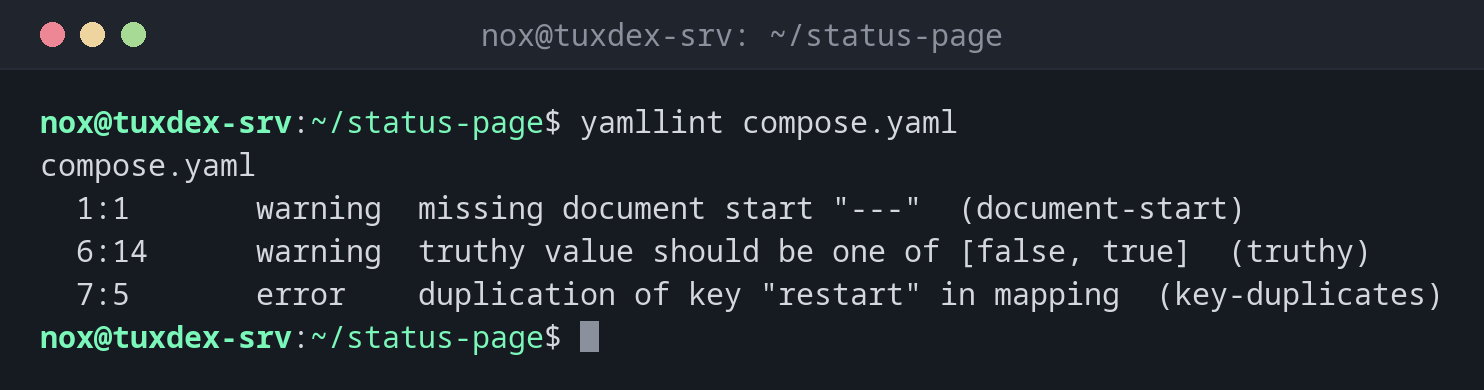
yamllint compose.yaml
compose.yaml
  1:1       warning  missing document start "---"  (document-start)
  6:14      warning  truthy value should be one of [false, true]  (truthy)
  7:5       error    duplication of key "restart" in mapping  (key-duplicates)
Die Datei mit den Fehlern:
cat -n compose.yaml
     1  services:
     2    web:
     3      image: nginx:1.28
     4      ports:
     5        - "8080:80"
     6      restart: yes
     7      restart: unless-stopped
Eine Zeile pro Problem:
yamllint -f parsable compose.yaml
compose.yaml:1:1: [warning] missing document start "---" (document-start)
compose.yaml:6:14: [warning] truthy value should be one of [false, true] (truthy)
compose.yaml:7:5: [error] duplication of key "restart" in mapping (key-duplicates)
Weniger streng, nur echte Probleme:
yamllint -d relaxed .gitlab-ci.yml && echo OK
OK
Wann brauche ich das?
- Für jede YAML-Datei, bevor sie in Produktion geht: CI-Pipelines,
compose.yaml, Kubernetes-Manifeste, Ansible - Um doppelte Schlüssel zu finden, bei denen YAML stillschweigend nur den letzten Wert nimmt
- In Pipelines und pre-commit-Hooks, zusammen mit spezielleren Lintern
Eine .yamllint für das Projekt
extends: default plus rules: {document-start: disable, line-length: {max: 120}} in
.yamllint behält die nützlichen Prüfungen und lässt die lästigen weg.
Doppelte Schlüssel sind gefährlich
Im Beispiel unten steht restart: zweimal. Die meisten Programme nehmen stillschweigend
den letzten Wert, die Konfiguration tut also nicht, was die erste Zeile sagt. yamllint
meldet das als Fehler.
Unterschiede zwischen Distributionen
| Debian | Ubuntu | RHEL | Arch | |
|---|---|---|---|---|
| Installation | sudo apt install yamllint |
sudo apt install yamllint |
sudo dnf install yamllint (EPEL) |
sudo pacman -S yamllint |