mariadb-secure-installation
Sichert eine frische MariaDB-Installation im Dialog ab: Root-Anmeldung, anonyme Benutzer, Root-Zugriff von außen und die Testdatenbank.
Syntax
mariadb-secure-installation
Optionen
| Frage | Empfohlene Antwort |
|---|---|
| Switch to unix_socket authentication | n, wenn root schon den Socket nutzt |
| Change the root password | n bei Socket-Anmeldung, sonst y |
| Remove anonymous users | y |
| Disallow root login remotely | y |
| Remove test database and access to it | y |
| Reload privilege tables now | y |
mysql_secure_installation ist der alte Name. Das Skript muss nur einmal laufen, direkt nach der Installation.
Beispiele
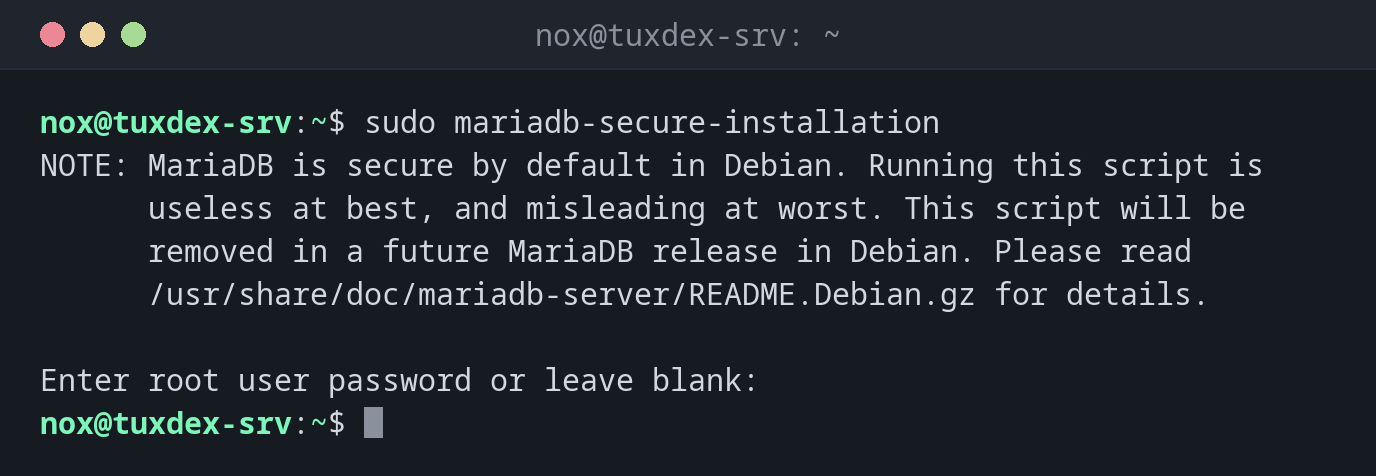
Der Hinweis unter Debian:
sudo mariadb-secure-installation
NOTE: MariaDB is secure by default in Debian. Running this script is
      useless at best, and misleading at worst. This script will be
      removed in a future MariaDB release in Debian. Please read
      /usr/share/doc/mariadb-server/README.Debian.gz for details.

Enter root user password or leave blank:
Ein Durchlauf unter RHEL oder Arch:
sudo mariadb-secure-installation
Enter current password for root (enter for none):
OK, successfully used password, moving on...

Switch to unix_socket authentication [Y/n] n
 ... skipping.

Change the root password? [Y/n] n
 ... skipping.

Remove anonymous users? [Y/n] y
 ... Success!

Disallow root login remotely? [Y/n] y
 ... Success!

Remove test database and access to it? [Y/n] y
 - Dropping test database...
 ... Success!
 - Removing privileges on test database...
 ... Success!

Reload privilege tables now? [Y/n] y
 ... Success!

Cleaning up...

All done!  If you've completed all of the above steps, your MariaDB
installation should now be secure.

Thanks for using MariaDB!
Das Ergebnis prüfen:
sudo mariadb -e "SELECT User, Host FROM mysql.user; SHOW DATABASES LIKE 'test';"
+-------------+-----------+
| User        | Host      |
+-------------+-----------+
| mariadb.sys | localhost |
| mysql       | localhost |
| root        | localhost |
+-------------+-----------+
Kein Benutzer ohne Namen, kein root für andere Hosts, keine Datenbank test.
Wann brauche ich das?
- Direkt nach der Installation von MariaDB unter RHEL oder Arch
- Auf Servern, die vor langer Zeit installiert und nie abgesichert wurden
Unter Debian und Ubuntu nicht nötig
Die Pakete dort sind von Haus aus sicher: root meldet sich nur über den Socket an, und es
gibt weder anonyme Benutzer noch eine Testdatenbank. Das Skript sagt das sogar selbst.
Sich nicht aussperren
Setzt du ein Root-Passwort und schaltest die Socket-Anmeldung ab, funktioniert
sudo mariadb nicht mehr ohne -p. Leg das Passwort in deinem Passwortmanager ab, bevor du
weitermachst.
Unterschiede zwischen Distributionen
| Debian | Ubuntu | RHEL | Arch | |
|---|---|---|---|---|
| Nach der Installation nötig | nein | nein | ja | ja, nach mariadb-install-db |
| Paket | mariadb-server |
mariadb-server |
mariadb-server |
mariadb |