kubectl exec
Führt einen Befehl in einem Container eines laufenden Pods aus, zum Beispiel eine Shell.
Syntax
kubectl exec [-it] POD | TYP/NAME [-c CONTAINER] -- BEFEHL [ARG...]
Optionen
| Option | Beschreibung |
|---|---|
POD, deploy/NAME |
Ein Pod oder ein Pod dieses Deployments |
-it |
Interaktiv mit Terminal, nötig für eine Shell |
-c CONTAINER |
Container in einem Pod mit mehreren Containern |
-n NAMESPACE |
Namespace |
-- |
Alles danach ist der Befehl im Container |
Beispiele
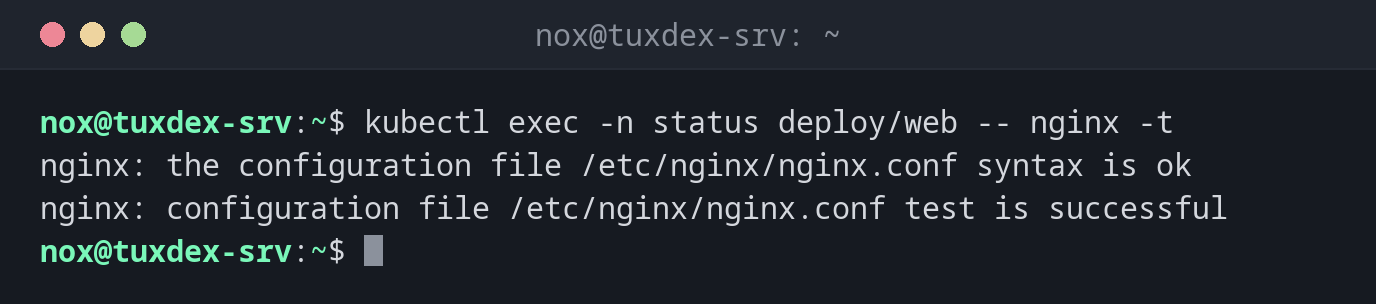
Die nginx-Konfiguration testen:
kubectl exec -n status deploy/web -- nginx -t
nginx: the configuration file /etc/nginx/nginx.conf syntax is ok
nginx: configuration file /etc/nginx/nginx.conf test is successful
Eine Shell im Pod:
kubectl exec -it -n status web-9bc5f7f5b-8ptw2 -- bash
root@web-9bc5f7f5b-8ptw2:/# hostname -i
10.42.0.9
root@web-9bc5f7f5b-8ptw2:/# exit
Prüfen, ob der Service im Cluster aufgelöst wird:
kubectl exec -n status deploy/web -- getent hosts web.status.svc.cluster.local
10.43.196.168 web.status.svc.cluster.local
Wann brauche ich das?
- Um sich in einem Pod umzusehen, wenn etwas nicht funktioniert
- Um Konfiguration oder Netzwerk aus einem Pod heraus zu testen
- Um Wartungsbefehle auszuführen, etwa eine Datenbankmigration
Keine Shell im Image?
Minimale Images haben oft gar keine Shell. kubectl debug -it POD --image=busybox
--target=CONTAINER startet einen Hilfscontainer mit Werkzeugen im selben Pod.
Änderungen sind vorübergehend
Was du in einem Pod änderst, ist weg, sobald der Pod ersetzt wird, und das passiert bei jedem Update. Dauerhafte Änderungen gehören ins Image oder ins Manifest.
Verwandte Befehle
kubectl logs · kubectl port-forward · kubectl describe · docker exec