nginx
Der Webserver nginx: die Konfiguration testen, neu laden und die vollständige Konfiguration zeigen, die nginx tatsächlich nutzt.
Syntax
nginx [-t | -T | -s SIGNAL | -v | -V]
Optionen
| Option | Beschreibung |
|---|---|
-t |
Die Konfiguration testen und beenden |
-T |
Testen und die vollständige Konfiguration ausgeben, mit allen eingebundenen Dateien |
-s reload |
Die Konfiguration neu laden, ohne Verbindungen abzubrechen (wie systemctl reload nginx) |
-s quit, -s stop |
Sauber oder sofort beenden |
-v, -V |
Version oder Version mit Build-Optionen und Modulen |
-c DATEI |
Eine andere Hauptkonfigurationsdatei nutzen |
Auf Servern läuft nginx als systemd-Dienst nginx; dort nimmst du systemctl reload nginx und systemctl status nginx.
Beispiele
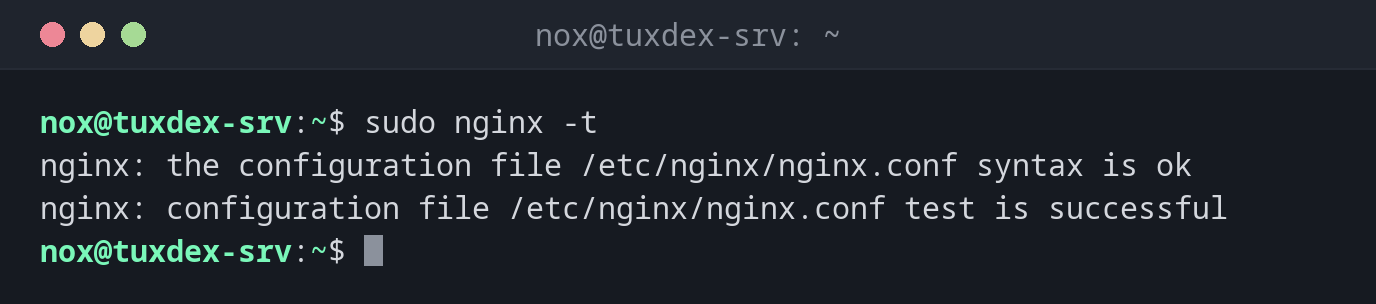
Die Konfiguration testen:
sudo nginx -t
nginx: the configuration file /etc/nginx/nginx.conf syntax is ok
nginx: configuration file /etc/nginx/nginx.conf test is successful
Ein Tippfehler fällt auf, bevor er die Seite lahmlegt:
sudo nginx -t
2026/10/26 10:42:17 [emerg] 3431#3431: invalid number of arguments in "root" directive in /etc/nginx/sites-enabled/status:5
nginx: configuration file /etc/nginx/nginx.conf test failed
In Zeile 5 fehlt das ; am Ende. Das laufende nginx behält die alte Konfiguration.
Testen und neu laden in einem Schritt:
sudo nginx -t && sudo systemctl reload nginx
systemctl is-active nginx
nginx: the configuration file /etc/nginx/nginx.conf syntax is ok
nginx: configuration file /etc/nginx/nginx.conf test is successful
active
Welche Servernamen wo konfiguriert sind:
sudo nginx -T 2>/dev/null | grep -E '^# configuration file|server_name ' | grep -B1 server_name
# configuration file /etc/nginx/sites-enabled/default:
    server_name _;
# configuration file /etc/nginx/sites-enabled/status:
    server_name status.example.com;
Der Reverse Proxy erreicht die Anwendung nicht:
sudo tail -1 /var/log/nginx/error.log
2026/10/26 10:42:17 [error] 813#813: *42 connect() failed (111: Connection refused) while connecting to upstream, client: 198.51.100.23, server: status.example.com, request: "GET /api/health HTTP/1.1", upstream: "http://127.0.0.1:3000/health", host: "status.example.com"
Wann brauche ich das?
- Nach jeder Änderung an einem Server-Block, vor dem Neuladen
- Um herauszufinden, welche Datei einen
server_nameoder einelocationfestlegt - Wenn nginx nicht startet: Der Test nennt Datei und Zeile des Fehlers
Die ganze Konfiguration durchsuchen
sudo nginx -T | grep -n server_name durchsucht alle eingebundenen Dateien auf einmal.
So findest du einen vergessenen zweiten Server-Block für dieselbe Domain.
502 Bad Gateway
nginx selbst funktioniert, aber die Anwendung hinter proxy_pass antwortet nicht. Das
Fehlerlog /var/log/nginx/error.log zeigt Ziel und Grund, etwa Connection refused.
Unterschiede zwischen Distributionen
| Debian | Ubuntu | RHEL | Arch | |
|---|---|---|---|---|
| Installation | sudo apt install nginx |
sudo apt install nginx |
sudo dnf install nginx |
sudo pacman -S nginx |
| Seiten | sites-available/ + sites-enabled/ |
sites-available/ + sites-enabled/ |
conf.d/*.conf |
nginx.conf |
| Nach der Installation gestartet | ja | ja | nein: systemctl enable --now nginx |
nein: systemctl enable --now nginx |