nginx
The nginx web server: test the configuration, reload it and show the complete configuration nginx actually uses.
Syntax
nginx [-t | -T | -s SIGNAL | -v | -V]
Options
| Option | Description |
|---|---|
-t |
Test the configuration and exit |
-T |
Test and print the complete configuration, including all included files |
-s reload |
Reload the configuration without dropping connections (same as systemctl reload nginx) |
-s quit, -s stop |
Stop gracefully, or immediately |
-v, -V |
Version, or version with build options and modules |
-c FILE |
Use another main configuration file |
On servers, nginx runs as the systemd service nginx; use systemctl reload nginx and systemctl status nginx there.
Examples
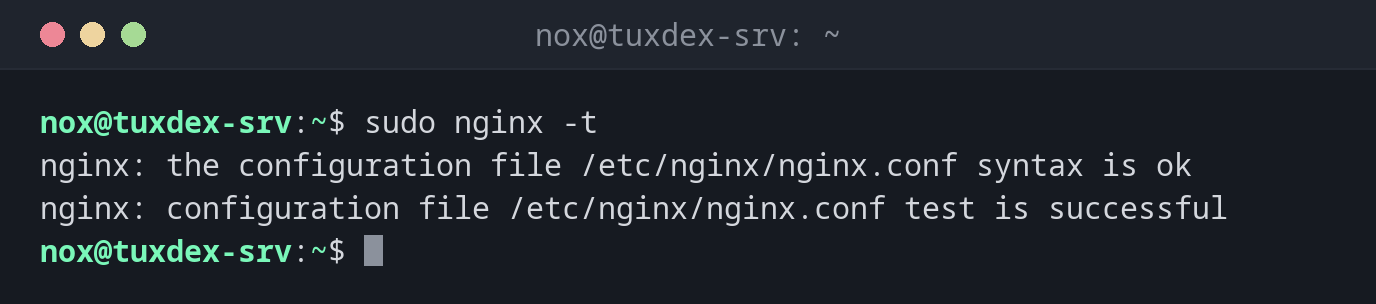
Test the configuration:
sudo nginx -t
nginx: the configuration file /etc/nginx/nginx.conf syntax is ok
nginx: configuration file /etc/nginx/nginx.conf test is successful
A typo is found before it takes the site down:
sudo nginx -t
2026/10/26 10:42:17 [emerg] 3431#3431: invalid number of arguments in "root" directive in /etc/nginx/sites-enabled/status:5
nginx: configuration file /etc/nginx/nginx.conf test failed
Line 5 lacks the ; at the end. The running nginx keeps the old configuration.
Test and reload in one step:
sudo nginx -t && sudo systemctl reload nginx
systemctl is-active nginx
nginx: the configuration file /etc/nginx/nginx.conf syntax is ok
nginx: configuration file /etc/nginx/nginx.conf test is successful
active
Which server names are configured where:
sudo nginx -T 2>/dev/null | grep -E '^# configuration file|server_name ' | grep -B1 server_name
# configuration file /etc/nginx/sites-enabled/default:
    server_name _;
# configuration file /etc/nginx/sites-enabled/status:
    server_name status.example.com;
The reverse proxy can't reach the application:
sudo tail -1 /var/log/nginx/error.log
2026/10/26 10:42:17 [error] 813#813: *42 connect() failed (111: Connection refused) while connecting to upstream, client: 198.51.100.23, server: status.example.com, request: "GET /api/health HTTP/1.1", upstream: "http://127.0.0.1:3000/health", host: "status.example.com"
When do I need it?
- After every change of a server block, before reloading
- To find which file defines a
server_nameor alocation - When nginx doesn't start: the test names file and line of the error
Search the whole configuration
sudo nginx -T | grep -n server_name searches all included files at once. That's how
you find a forgotten second server block for the same domain.
502 Bad Gateway
nginx itself works, but the application behind proxy_pass doesn't answer. The error log
/var/log/nginx/error.log shows the target and the reason, such as Connection refused.
Distribution differences
| Debian | Ubuntu | RHEL | Arch | |
|---|---|---|---|---|
| Install | sudo apt install nginx |
sudo apt install nginx |
sudo dnf install nginx |
sudo pacman -S nginx |
| Sites | sites-available/ + sites-enabled/ |
sites-available/ + sites-enabled/ |
conf.d/*.conf |
nginx.conf |
| Started after install | yes | yes | no: systemctl enable --now nginx |
no: systemctl enable --now nginx |