useradd
Creates a new user in a single command without asking questions, the low-level tool that works the same on every distribution.
Syntax
useradd [OPTION]... USER
Options
| Option | Description |
|---|---|
-m, --create-home |
Create the home directory and copy /etc/skel |
-s SHELL, --shell |
Login shell, e.g. /bin/bash |
-c TEXT, --comment |
Full name or description |
-G GROUPS, --groups |
Additional groups, separated by commas |
-g GROUP, --gid |
Primary group (instead of a new group with the user's name) |
-d DIR, --home-dir |
Home directory |
-u UID, --uid |
Use this UID |
-r, --system |
Create a system user (UID below 1000, no home directory) |
-e DATE, --expiredate |
Date the account expires (YYYY-MM-DD) |
-D, --defaults |
Show the default values |
Examples
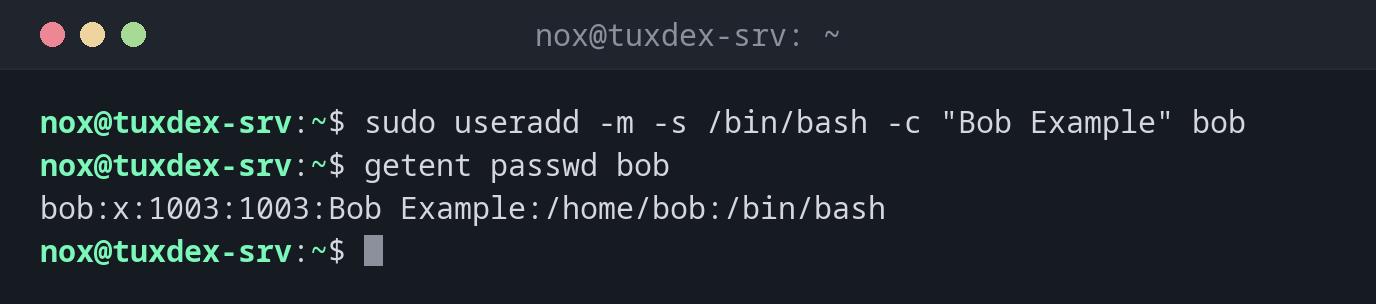
Create a normal user with home directory and Bash:
sudo useradd -m -s /bin/bash -c "Bob Example" bob
getent passwd bob
bob:x:1003:1003:Bob Example:/home/bob:/bin/bash
What happens without -m and -s:
sudo useradd carol
getent passwd carol
ls -d /home/carol
carol:x:1004:1004::/home/carol:/bin/sh
ls: cannot access '/home/carol': No such file or directory
On Debian and Ubuntu, useradd creates no home directory by default and uses /bin/sh as shell.
Create a user with additional groups:
sudo useradd -m -s /bin/bash -G sudo,docker dave
groups dave
dave : dave sudo docker
Create a system user for a service:
sudo useradd -r -s /usr/sbin/nologin -d /opt/myapp myapp
getent passwd myapp
myapp:x:997:997::/opt/myapp:/usr/sbin/nologin
Try to create a user that already exists:
sudo useradd bob
useradd: user 'bob' already exists
When do I need it?
- In scripts, Ansible roles or Dockerfiles, because
useraddnever asks questions - On distributions where
adduseris missing or works differently, for example Arch, RHEL (thereadduseris just another name foruseradd) or Alpine - To create system users for services with exact UID, home directory and shell
Set a password afterwards
useradd doesn't set a password, so the user can't log in with one yet. Set it with
sudo passwd bob, or add an SSH key to ~/.ssh/authorized_keys.
Always use -m for normal users
Without -m, the user has no home directory. Logins then end up in / with a
warning, and programs can't save settings.
Distribution differences
| Debian | Ubuntu | RHEL | Arch | |
|---|---|---|---|---|
Home directory without -m |
not created | not created | created | not created |
Default shell (useradd -D) |
/bin/sh |
/bin/sh |
/bin/bash |
/bin/bash |
| Admin group | sudo |
sudo |
wheel |
wheel |
| Recommended tool | adduser |
adduser |
useradd |
useradd |