smbclient
An FTP-like client for SMB shares: list shares, browse them and copy files, ideal for testing access from the command line.
Syntax
smbclient -L SERVER -U USER
smbclient //SERVER/SHARE -U USER [-c 'COMMANDS']
Options
| Option | Description |
|---|---|
-L SERVER |
List the shares of a server |
-U USER |
Log in as this user (USER%PASSWORD only in tests) |
-c 'CMD; CMD' |
Run commands and exit, for example ls, get, put |
-N |
No password, as a guest |
-m SMB3 |
Highest protocol version to use |
-W DOMAIN |
Workgroup or domain |
In the interactive shell (smb: \>) the most important commands are ls, cd, get, put, mget, mkdir and exit.
Examples
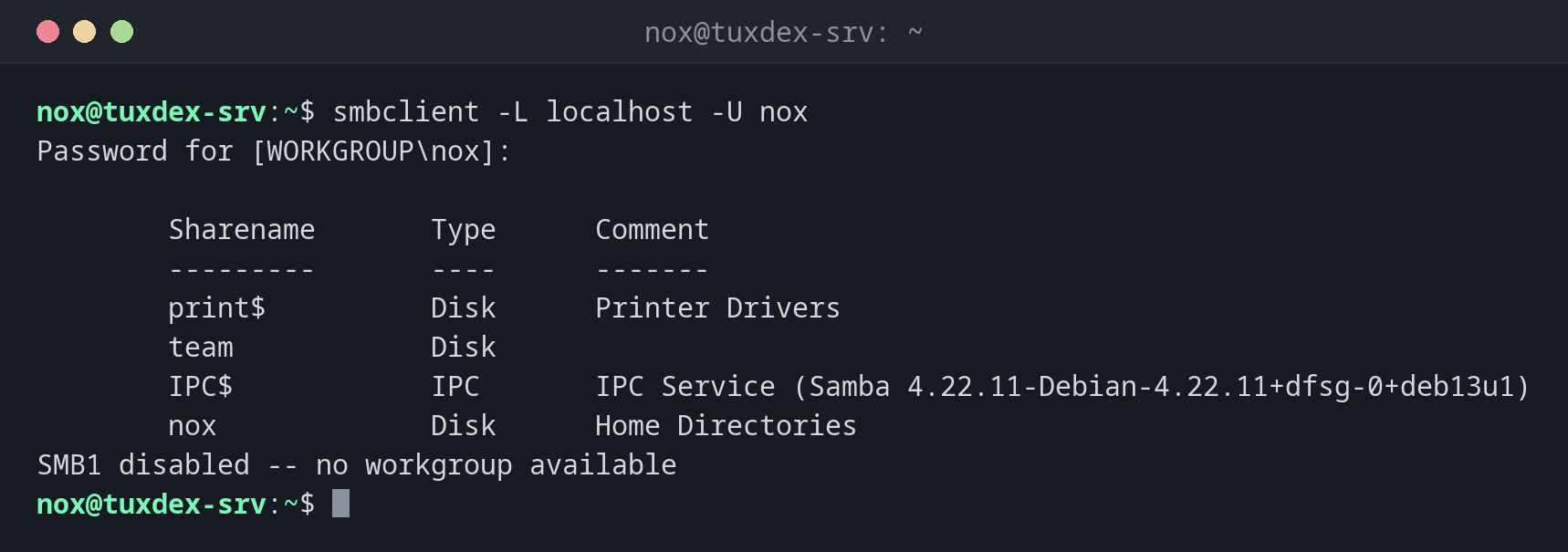
List the shares of a server:
smbclient -L localhost -U nox
Password for [WORKGROUP\nox]:

        Sharename       Type      Comment
        ---------       ----      -------
        print$          Disk      Printer Drivers
        team            Disk
        IPC$            IPC       IPC Service (Samba 4.22.11-Debian-4.22.11+dfsg-0+deb13u1)
        nox             Disk      Home Directories
SMB1 disabled -- no workgroup available
The last line is only a note: browsing the network needs the old SMB1. The shares themselves work over SMB3.
Show the content of a share:
smbclient //192.0.2.10/team -U nox -c 'ls'
Password for [WORKGROUP\nox]:
  .                                   D        0  Mon Oct 26 10:42:17 2026
  ..                                  D        0  Mon Oct 26 10:42:17 2026
  notes.txt                           N        6  Mon Oct 26 10:42:17 2026
  reports                             D        0  Mon Oct 26 10:42:17 2026

                30787492 blocks of size 1024. 22140316 blocks available
Upload a file into a subdirectory:
smbclient //192.0.2.10/team -U nox -c 'cd reports; put report.pdf'
Password for [WORKGROUP\nox]:
putting file report.pdf as \reports\report.pdf (1843.2 kb/s) (average 1843.2 kb/s)
Download a file:
smbclient //192.0.2.10/team -U nox -c 'get notes.txt'
Password for [WORKGROUP\nox]:
getting file \notes.txt of size 6 as notes.txt (5.9 KiloBytes/sec) (average 5.9 KiloBytes/sec)
Wrong password:
smbclient //192.0.2.10/team -U nox -c 'ls'
Password for [WORKGROUP\nox]:
session setup failed: NT_STATUS_LOGON_FAILURE
The share name doesn't exist:
smbclient //192.0.2.10/doku -U nox
Password for [WORKGROUP\nox]:
tree connect failed: NT_STATUS_BAD_NETWORK_NAME
When do I need it?
- To test a new share on the server itself, before anyone uses Windows
- To find out whether a problem is the password, the share name or the permissions
- To copy files from a Windows share in a script
Error codes tell you the cause
NT_STATUS_LOGON_FAILURE: wrong user or password. NT_STATUS_BAD_NETWORK_NAME: the
share doesn't exist. NT_STATUS_ACCESS_DENIED: logged in, but no permissions on the
directory.
No passwords on the command line
-U nox%secret ends up in the shell history and in the process list. In scripts use an
authentication file with -A ~/.smbcredentials (mode 600).
Distribution differences
| Debian | Ubuntu | RHEL | Arch | |
|---|---|---|---|---|
| Package | smbclient |
smbclient |
samba-client |
smbclient |