rpm
The low-level package tool of RHEL, Rocky Linux and AlmaLinux: queries installed packages, shows which files belong to which package, and checks whether files were changed.
Syntax
rpm [OPTION]... [PACKAGE | FILE]...
Options
| Option | Description |
|---|---|
-q PACKAGE |
Is the package installed, and in which version? |
-qa |
List all installed packages |
-qf PATH |
Find the package that a file belongs to |
-qi PACKAGE |
Show details of an installed package |
-ql PACKAGE |
List the files of a package |
-qc PACKAGE |
List only its configuration files |
-V PACKAGE |
Verify the files of a package against the package database |
--last |
Sort the list by installation date, newest first |
Examples
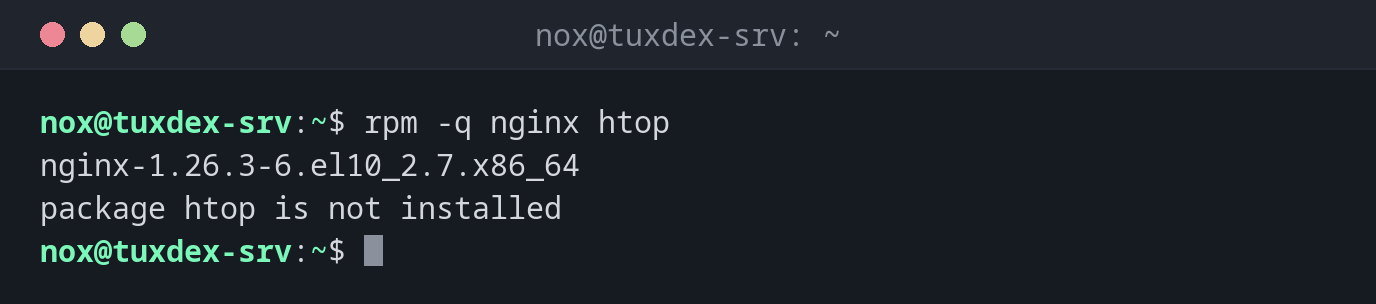
Check whether a package is installed:
rpm -q nginx htop
nginx-1.26.3-6.el10_2.7.x86_64
package htop is not installed
Find out which package a file belongs to:
rpm -qf /usr/sbin/nginx
nginx-core-1.26.3-6.el10_2.7.x86_64
List the configuration files of a package:
rpm -qc nginx-core | head -n 5
/etc/logrotate.d/nginx
/etc/nginx/fastcgi.conf
/etc/nginx/fastcgi.conf.default
/etc/nginx/fastcgi_params
/etc/nginx/fastcgi_params.default
Find files that were changed after the installation:
rpm -V nginx-core
S.5....T. c /etc/nginx/nginx.conf
| Letter | Meaning |
|---|---|
S |
Size differs |
5 |
Content (checksum) differs |
T |
Modification time differs |
c |
It is a configuration file |
A changed configuration file is normal. A changed program file like
/usr/sbin/nginx is a warning sign.
Show the most recently installed packages:
rpm -qa --last | head -n 4
rocky-logos-httpd-100.5-3.el10.noarch         Mon Oct 26 10:41:37 2026
nginx-filesystem-1.26.3-6.el10_2.7.noarch     Mon Oct 26 10:41:37 2026
nginx-core-1.26.3-6.el10_2.7.x86_64           Mon Oct 26 10:41:37 2026
nginx-1.26.3-6.el10_2.7.x86_64                Mon Oct 26 10:41:37 2026
When do I need it?
- To find out which package a file or command comes from
- To see which configuration files of a package you have changed
- After a security incident: have program files been modified?
Install packages with dnf
rpm -i can install single .rpm files, but doesn't resolve dependencies.
sudo dnf install ./package.rpm does that and fetches missing dependencies from the
repositories.
rpm -V is not an intrusion detection
An attacker with root rights can also change the package database. rpm -V finds
accidental and simple changes, but it doesn't replace a dedicated tool like AIDE.
Distribution differences
| Debian | Ubuntu | RHEL | Arch | |
|---|---|---|---|---|
| Low-level package tool | dpkg |
dpkg |
rpm |
pacman |
| Which package owns a file? | dpkg -S |
dpkg -S |
rpm -qf |
pacman -Qo |
| Check files of a package | dpkg --verify |
dpkg --verify |
rpm -V |
pacman -Qkk |