vgs
Lists the volume groups of LVM: the pools of storage that logical volumes are taken from.
vgcreatecreates one,vgextendadds disks to it.
Syntax
vgs [OPTION]... [VG]...
Options
| Option | Description |
|---|---|
| (none) | All volume groups with size and free space |
vgcreate VG PV... |
Create a volume group from physical volumes |
vgextend VG PV |
Add a physical volume to a volume group |
vgdisplay VG |
Detailed information about a volume group |
Examples
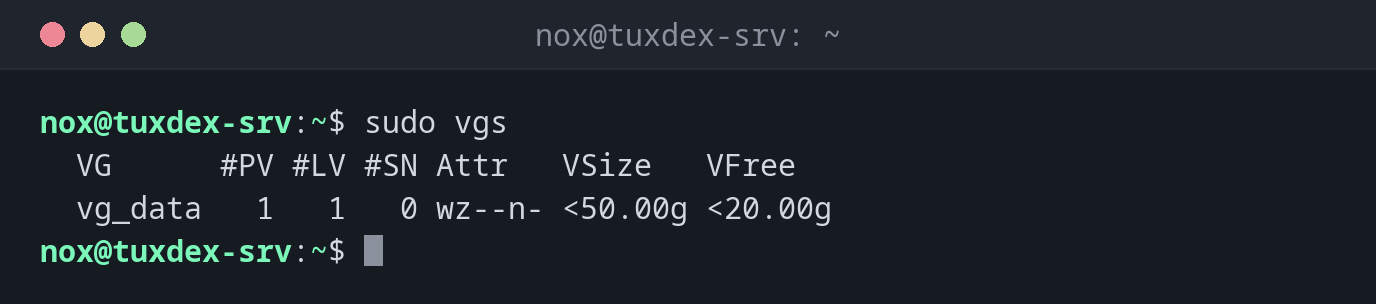
Show the volume groups:
sudo vgs
  VG      #PV #LV #SN Attr   VSize   VFree
  vg_data   1   1   0 wz--n- <50.00g <20.00g
Add a new disk to the volume group:
sudo vgextend vg_data /dev/sdd
sudo vgs
  Volume group "vg_data" successfully extended
  VG      #PV #LV #SN Attr   VSize  VFree
  vg_data   2   1   0 wz--n- 99.99g 69.99g
The group now has two disks and almost 70 GiB free.
Create a new volume group:
sudo vgcreate vg_backup /dev/sde
Volume group "vg_backup" successfully created
When do I need it?
- To see how much space is left for new or larger logical volumes
- When
lvextendreports too little free space: extend the group with a new disk - When setting up LVM on a new server
The columns
#PV physical volumes, #LV logical volumes, #SN snapshots, VFree space that isn't
assigned to any logical volume yet.