zip
Packs and compresses files into a ZIP archive, the format that Windows and macOS open without extra software.
Syntax
zip [OPTION]... ARCHIVE FILE...
Options
| Option | Description |
|---|---|
-r |
Include directories recursively |
-q |
Quiet, no list of files |
-e |
Encrypt with a password (asks for it) |
-x PATTERN |
Exclude matching files |
-u |
Update: only add new and changed files |
-9 |
Strongest compression |
Examples
Pack a directory:
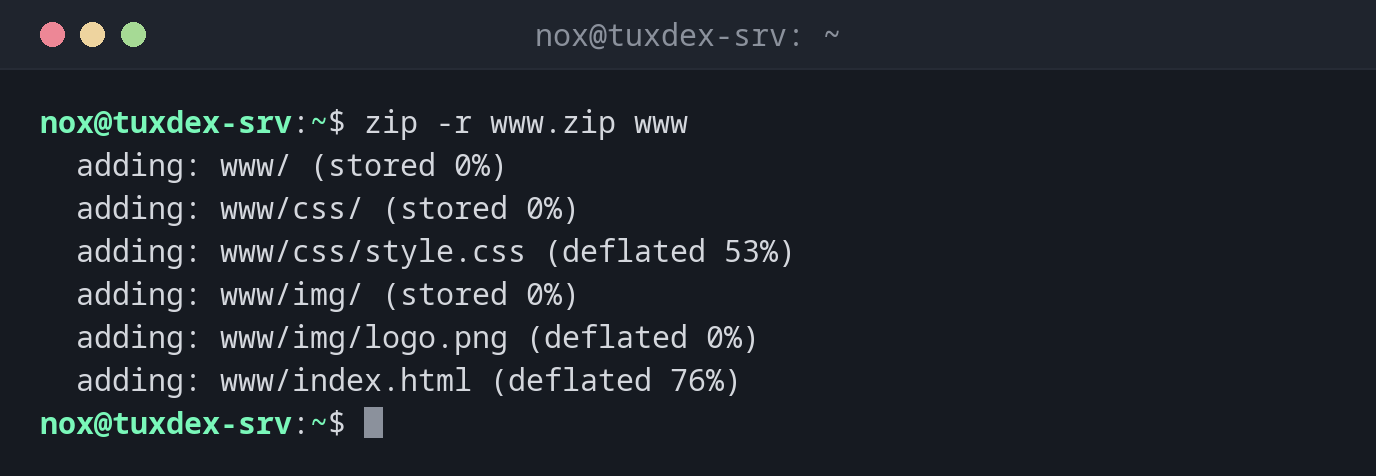
zip -r www.zip www
  adding: www/ (stored 0%)
  adding: www/css/ (stored 0%)
  adding: www/css/style.css (deflated 53%)
  adding: www/img/ (stored 0%)
  adding: www/img/logo.png (deflated 0%)
  adding: www/index.html (deflated 76%)
deflated 76% means: the file became 76 % smaller.
Leave out files:
zip -r -q www-noimg.zip www -x "www/img/*"
ls -l www-noimg.zip
-rw-r--r-- 1 nox nox 8634 Oct 26 10:42 www-noimg.zip
Add changed files to an existing archive:
zip -r -u www.zip www
updating: www/index.html (deflated 76%)
When do I need it?
- To send files to customers or colleagues who work with Windows
- For uploads to systems that expect ZIP, such as some web applications
- To pack a single directory quickly without thinking about tar options
Already compressed files
deflated 0% for logo.png: images, videos and archives are already compressed. ZIP
just stores them, which is fine.
Not always installed
If the command is missing, install the package zip with the package manager of your
distribution.
Weak encryption
zip -e uses an old encryption that is easy to break. For confidential data, use 7z
with AES or encrypt the archive with gpg.