wg-quick
Brings a WireGuard tunnel up or down from a configuration file, including addresses, routes and DNS.
Syntax
wg-quick up | down | save | strip INTERFACE
Options
| Option | Description |
|---|---|
up wg0 |
Read /etc/wireguard/wg0.conf, create the interface, set addresses and routes |
down wg0 |
Remove the interface and its routes again |
save wg0 |
Write the running state (for example peers added with wg set) into the file |
strip wg0 |
Print only the part of the file that wg itself understands |
systemctl enable --now wg-quick@wg0 |
Start the tunnel now and at every boot |
Besides the wg settings, the [Interface] section understands Address, DNS, MTU, PostUp and PostDown, for example for NAT rules.
Examples
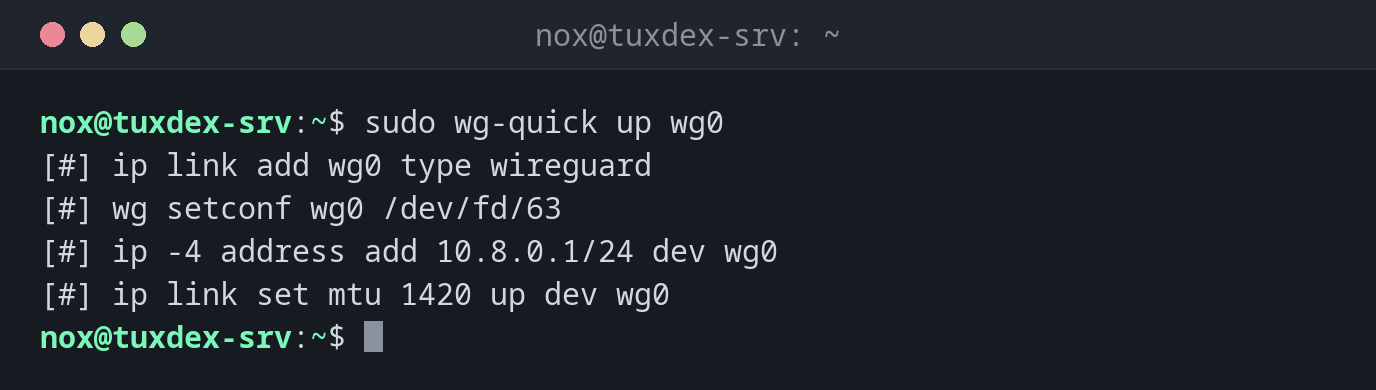
Bring the tunnel up:
sudo wg-quick up wg0
[#] ip link add wg0 type wireguard
[#] wg setconf wg0 /dev/fd/63
[#] ip -4 address add 10.8.0.1/24 dev wg0
[#] ip link set mtu 1420 up dev wg0
wg-quick shows every command it runs. The configuration is in the basics.
Start at every boot:
sudo systemctl enable --now wg-quick@wg0
ip -br address show wg0
Created symlink '/etc/systemd/system/multi-user.target.wants/wg-quick@wg0.service' → '/usr/lib/systemd/system/wg-quick@.service'.
wg0              UNKNOWN        10.8.0.1/24
Test the tunnel from the laptop:
ping -c 3 10.8.0.1
PING 10.8.0.1 (10.8.0.1) 56(84) bytes of data.
64 bytes from 10.8.0.1: icmp_seq=1 ttl=64 time=18.4 ms
64 bytes from 10.8.0.1: icmp_seq=2 ttl=64 time=18.1 ms
64 bytes from 10.8.0.1: icmp_seq=3 ttl=64 time=18.3 ms

--- 10.8.0.1 ping statistics ---
3 packets transmitted, 3 received, 0% packet loss, time 2003ms
rtt min/avg/max/mdev = 18.112/18.267/18.402/0.119 ms
Save peers added at runtime:
sudo wg-quick save wg0
sudo grep -c '^\[Peer\]' /etc/wireguard/wg0.conf
2
Bring the tunnel down:
sudo wg-quick down wg0
[#] ip link delete dev wg0
When do I need it?
- To start a tunnel by hand for a test
- To start the VPN automatically at boot with systemd
- To save peers that were added on the running system
Restart after config changes
After editing wg0.conf, sudo systemctl restart wg-quick@wg0 applies it. To change
peers without interrupting connections, use
sudo wg syncconf wg0 <(wg-quick strip wg0).
DNS = needs resolvconf
A DNS = line in the client configuration needs resolvconf or systemd-resolved.
Without it, wg-quick up fails with resolvconf: command not found.
Distribution differences
| Debian | Ubuntu | RHEL | Arch | |
|---|---|---|---|---|
| Install | sudo apt install wireguard-tools |
sudo apt install wireguard-tools |
sudo dnf install wireguard-tools |
sudo pacman -S wireguard-tools |
Related commands
wg · systemctl · ip · resolvectl