psql
The command line client of PostgreSQL: connect to a database, run SQL and inspect databases, roles and tables with backslash commands.
Syntax
psql [-h HOST] [-p PORT] [-U USER] [-d DATABASE] [-c 'SQL']
Options
| Option | Description |
|---|---|
-h HOST |
Connect over TCP instead of the local socket |
-U USER, -d DB |
Database role and database |
-c 'SQL' |
Run one command and exit |
-f FILE |
Run the SQL commands from a file |
-l |
List all databases |
-t, -A |
Only rows, no header; unaligned (for scripts) |
Inside psql: \l databases, \du roles, \dt tables, \d TABLE structure, \c DB switch database, \x vertical output, \conninfo current connection, \q quit.
Examples
All databases on the server:
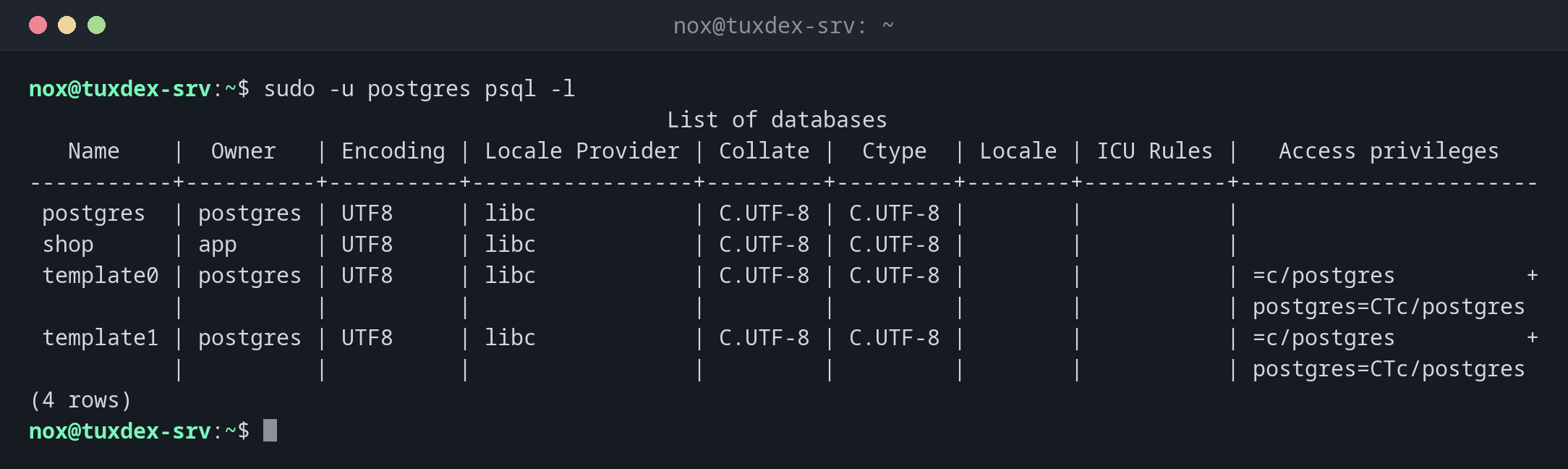
sudo -u postgres psql -l
                                                 List of databases
   Name    |  Owner   | Encoding | Locale Provider | Collate |  Ctype  | Locale | ICU Rules |   Access privileges
-----------+----------+----------+-----------------+---------+---------+--------+-----------+-----------------------
 postgres  | postgres | UTF8     | libc            | C.UTF-8 | C.UTF-8 |        |           |
 shop      | app      | UTF8     | libc            | C.UTF-8 | C.UTF-8 |        |           |
 template0 | postgres | UTF8     | libc            | C.UTF-8 | C.UTF-8 |        |           | =c/postgres          +
           |          |          |                 |         |         |        |           | postgres=CTc/postgres
 template1 | postgres | UTF8     | libc            | C.UTF-8 | C.UTF-8 |        |           | =c/postgres          +
           |          |          |                 |         |         |        |           | postgres=CTc/postgres
(4 rows)
Roles and their attributes:
sudo -u postgres psql -c '\du'
                             List of roles
 Role name |                         Attributes
-----------+------------------------------------------------------------
 app       |
 nox       |
 postgres  | Superuser, Create role, Create DB, Replication, Bypass RLS
Connect as an application user with a password:
psql -h localhost -U app -d shop -c '\dt'
Password for user app:
        List of relations
 Schema |  Name  | Type  | Owner
--------+--------+-------+-------
 public | orders | table | app
(1 row)
Run a query:
psql -h localhost -U app -d shop -c 'SELECT customer, total FROM orders ORDER BY total DESC;'
Password for user app:
 customer | total
----------+--------
 Ben      | 120.00
 Anna     |  49.90
 Clara    |  15.50
(3 rows)
Only the value, for scripts:
sudo -u postgres psql -d shop -tAc 'SELECT count(*) FROM orders'
3
Peer authentication fails:
psql -d shop -U app
psql: error: connection to server on socket "/var/run/postgresql/.s.PGSQL.5432" failed: FATAL: Peer authentication failed for user "app"
Over the socket, PostgreSQL only lets the Linux user app in as role app. Connect over TCP with a password instead: psql -h localhost -U app -d shop.
Size of all databases:
sudo -u postgres psql -c 'SELECT datname, pg_size_pretty(pg_database_size(datname)) FROM pg_database ORDER BY 1;'
  datname  | pg_size_pretty
-----------+----------------
 postgres  | 7510 kB
 shop      | 7606 kB
 template0 | 7353 kB
 template1 | 7510 kB
(4 rows)
When do I need it?
- To look into a database: which tables, how many rows, who owns what
- To create roles, grant rights or change settings as an admin
- In scripts and health checks with
-tAc
Passwords for scripts in ~/.pgpass
A line localhost:5432:shop:app:secret in ~/.pgpass (mode 600) saves the password
prompt. Never put passwords into the command line or PGPASSWORD in shared scripts.
Every statement runs at once
psql commits every statement immediately. Before a risky UPDATE or DELETE type
BEGIN;, check the result, then COMMIT; or ROLLBACK;.
Distribution differences
| Debian | Ubuntu | RHEL | Arch | |
|---|---|---|---|---|
| Package | postgresql-client |
postgresql-client |
postgresql |
postgresql-libs |
Related commands
createuser · createdb · pg_isready · pg_dump