fail2ban-client
Controls fail2ban, which watches the logs for failed logins and blocks the attackers' IP addresses in the firewall for a while.
Syntax
fail2ban-client COMMAND [ARGUMENT]...
Your settings belong into /etc/fail2ban/jail.local, never into jail.conf, which package updates overwrite.
Options
| Command | Description |
|---|---|
status |
Running jails (watched services) |
status JAIL |
Failed attempts and banned addresses of a jail |
set JAIL banip IP |
Ban an address by hand |
set JAIL unbanip IP |
Lift a ban |
banned |
All banned addresses of all jails |
reload |
Read the configuration again |
ping |
Check whether the fail2ban server is running |
Examples
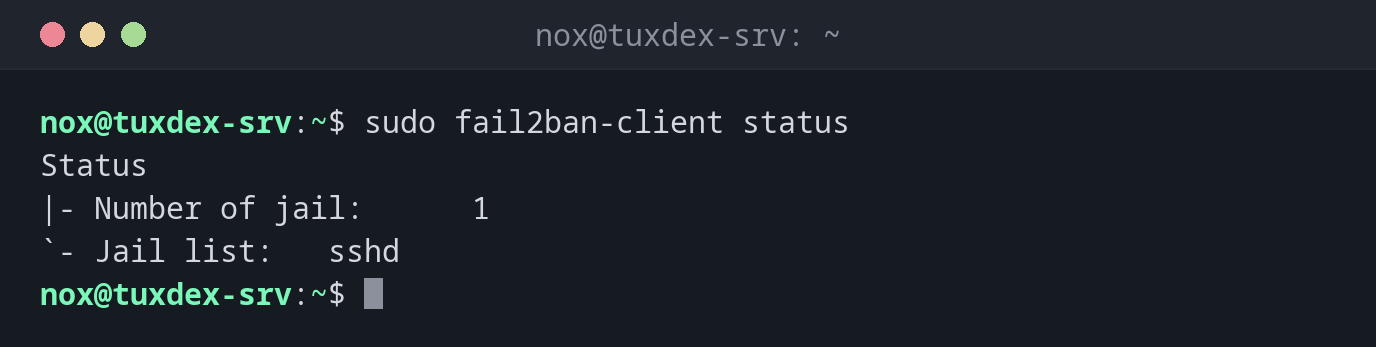
Show the running jails:
sudo fail2ban-client status
Status
|- Number of jail:      1
`- Jail list:   sshd
Show the state of the SSH jail:
sudo fail2ban-client status sshd
Status for the jail: sshd
|- Filter
|  |- Currently failed: 3
|  |- Total failed:     412
|  `- Journal matches:  _SYSTEMD_UNIT=ssh.service + _COMM=sshd
`- Actions
   |- Currently banned: 2
   |- Total banned:     37
   `- Banned IP list:   198.51.100.66 198.51.100.81
412 failed logins so far, 37 bans, two addresses are blocked right now.
Lift a ban, for example for a colleague who mistyped:
sudo fail2ban-client set sshd unbanip 198.51.100.66
1
1 means: one address was unbanned.
Ban an address by hand:
sudo fail2ban-client set sshd banip 198.51.100.99
1
A simple configuration:
cat /etc/fail2ban/jail.local
[DEFAULT]
bantime  = 1h
findtime = 10m
maxretry = 5
ignoreip = 127.0.0.1/8 ::1 192.0.2.45

[sshd]
enabled = true
ignoreip contains addresses that are never banned, such as your own office. After a
change, run sudo fail2ban-client reload.
When do I need it?
- On every server with SSH reachable from the internet, against brute force attacks
- When a user is locked out after typing the password wrong several times
- To see how many attacks hit the server
Keys make fail2ban less important
With PasswordAuthentication no in sshd, password guessing can't
succeed at all. fail2ban then mainly keeps the logs clean and saves resources.
Don't lock yourself out
Add your own fixed IP address to ignoreip. Otherwise a few typos are enough, and
fail2ban blocks you for the duration of bantime.
Distribution differences
| Debian | Ubuntu | RHEL | Arch | |
|---|---|---|---|---|
| Package | fail2ban, SSH jail active after installation |
fail2ban |
fail2ban from EPEL |
fail2ban |
| Logs read from | journal | journal or /var/log/auth.log |
journal or /var/log/secure |
journal |
Related commands
sshd · journalctl · nft