gpg
GnuPG encrypts and signs files and messages with key pairs, and verifies signatures, for example of downloads and packages.
Syntax
gpg [OPTIONS] COMMAND [FILE]
Options
| Option | Description |
|---|---|
--quick-generate-key "NAME <MAIL>" |
Create a new key pair |
-e -r RECIPIENT FILE |
Encrypt for a recipient (their public key) |
-d FILE |
Decrypt; -o FILE writes the result to a file |
-c FILE |
Encrypt with a password only, without keys |
--clearsign FILE, --detach-sign FILE |
Sign a file, readable or as a separate .sig |
--verify FILE |
Check a signature |
--list-keys, --list-secret-keys |
Show the keys in the key ring |
--export -a NAME, --import FILE |
Export or import a public key |
--fingerprint NAME |
Show the fingerprint, to compare a key over a second channel |
Examples
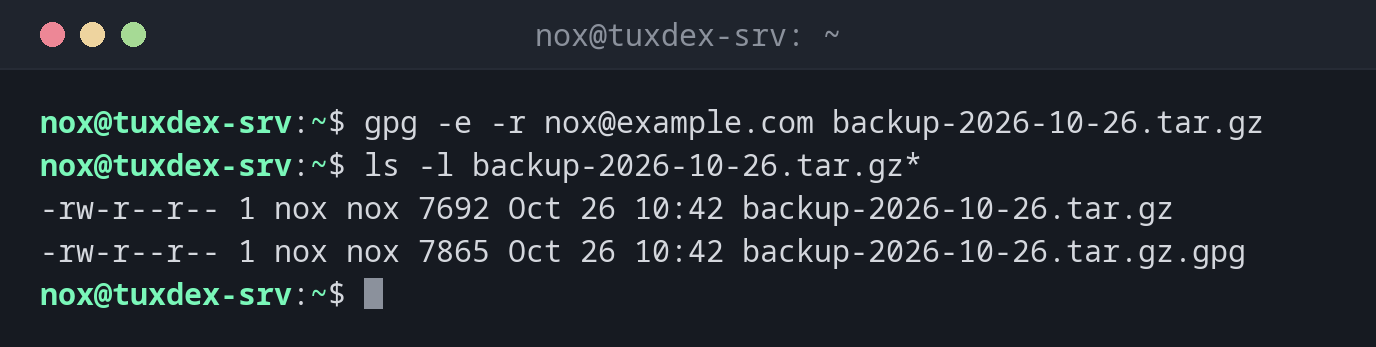
Encrypt a backup for yourself:
gpg -e -r nox@example.com backup-2026-10-26.tar.gz
ls -l backup-2026-10-26.tar.gz*
-rw-r--r-- 1 nox nox 7692 Oct 26 10:42 backup-2026-10-26.tar.gz
-rw-r--r-- 1 nox nox 7865 Oct 26 10:42 backup-2026-10-26.tar.gz.gpg
Create a key pair:
gpg --quick-generate-key "Nox <nox@example.com>" ed25519 sign,cert 2y
gpg --quick-add-key 4C96F1E5945D053F80BE1E5A0F1C19588BB972E3 cv25519 encr 2y
gpg --list-keys
gpg: revocation certificate stored as '/home/nox/.gnupg/openpgp-revocs.d/4C96F1E5945D053F80BE1E5A0F1C19588BB972E3.rev'
/home/nox/.gnupg/pubring.kbx
----------------------------
pub   ed25519 2026-10-26 [SC] [expires: 2028-10-25]
      4C96F1E5945D053F80BE1E5A0F1C19588BB972E3
uid           [ultimate] Nox <nox@example.com>
sub   cv25519 2026-10-26 [E] [expires: 2028-10-25]
[SC] is the main key for signing and certifying, [E] the subkey for encryption. gpg asks for a passphrase for the key.
Decrypt:
gpg -d -o restored.tar.gz backup-2026-10-26.tar.gz.gpg
gpg: encrypted with cv25519 key, ID 55665602289A0C80, created 2026-10-26
      "Nox <nox@example.com>"
Verify a signature:
gpg --verify release-notes.txt.asc
gpg: Signature made Mon Oct 26 10:42:17 2026 CET
gpg:                using EDDSA key 4C96F1E5945D053F80BE1E5A0F1C19588BB972E3
gpg: Good signature from "Nox <nox@example.com>" [ultimate]
Encrypt with a password only:
gpg -c -o db-dump.sql.gpg db-dump.sql
Enter passphrase: ********
Repeat passphrase: ********
When do I need it?
- To encrypt backups before they go to another server or the cloud
- To verify downloads, for example an ISO image with its
.ascsignature - To sign files so that others can be sure they come from you
Backups only with the public key
A backup server only needs your public key to encrypt. The private key stays elsewhere, so a compromised backup server can't read the backups.
Back up the private key and the revocation certificate
Without the private key, encrypted backups are lost. Export it with
gpg --export-secret-keys -a to a safe place, and keep the revocation certificate from
~/.gnupg/openpgp-revocs.d/ too.
Related commands
age · ssh-keygen · tar · sha256sum