k3s
A complete Kubernetes distribution in a single binary, installed with one command and run as a systemd service.
Syntax
curl -sfL https://get.k3s.io | [ENV=VALUE...] sh -s - [OPTIONS]
k3s COMMAND
Options
| Option | Description |
|---|---|
INSTALL_K3S_VERSION=v1.34.1+k3s1 |
Install exactly this version instead of the newest stable one |
--write-kubeconfig-mode 644 |
Make /etc/rancher/k3s/k3s.yaml readable for all users |
--disable traefik |
Don't install the included ingress controller Traefik |
K3S_URL=https://SERVER:6443, K3S_TOKEN=… |
Join an additional server as an agent node |
k3s kubectl, k3s crictl, k3s ctr |
The included tools (kubectl, crictl and ctr are also links to k3s) |
k3s check-config |
Check whether the kernel has everything k3s needs |
k3s-uninstall.sh |
Remove k3s completely, including all data |
The configuration can also be written to /etc/rancher/k3s/config.yaml, for example write-kubeconfig-mode: "0644".
Examples
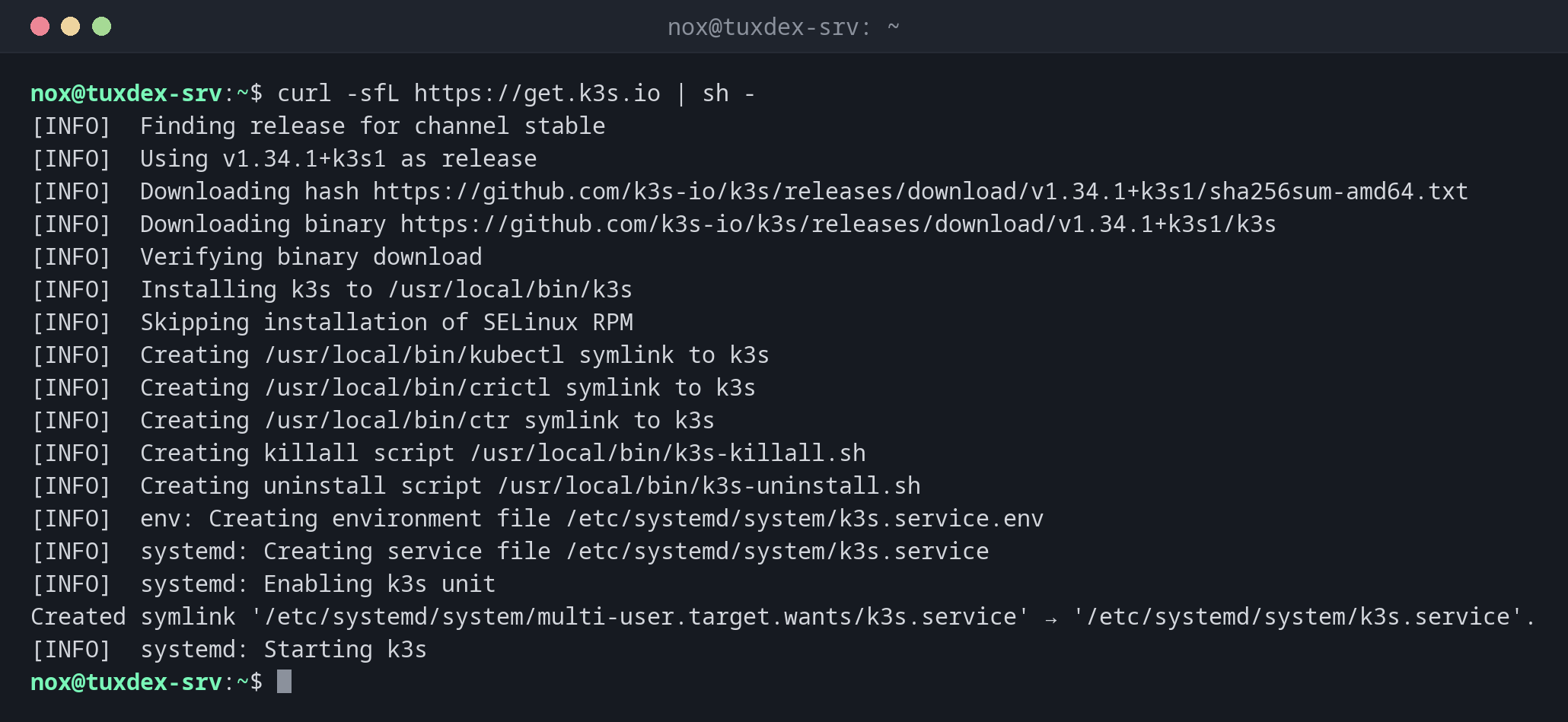
Install k3s:
curl -sfL https://get.k3s.io | sh -
[INFO]  Finding release for channel stable
[INFO]  Using v1.34.1+k3s1 as release
[INFO]  Downloading hash https://github.com/k3s-io/k3s/releases/download/v1.34.1+k3s1/sha256sum-amd64.txt
[INFO]  Downloading binary https://github.com/k3s-io/k3s/releases/download/v1.34.1+k3s1/k3s
[INFO]  Verifying binary download
[INFO]  Installing k3s to /usr/local/bin/k3s
[INFO]  Skipping installation of SELinux RPM
[INFO]  Creating /usr/local/bin/kubectl symlink to k3s
[INFO]  Creating /usr/local/bin/crictl symlink to k3s
[INFO]  Creating /usr/local/bin/ctr symlink to k3s
[INFO]  Creating killall script /usr/local/bin/k3s-killall.sh
[INFO]  Creating uninstall script /usr/local/bin/k3s-uninstall.sh
[INFO]  env: Creating environment file /etc/systemd/system/k3s.service.env
[INFO]  systemd: Creating service file /etc/systemd/system/k3s.service
[INFO]  systemd: Enabling k3s unit
Created symlink '/etc/systemd/system/multi-user.target.wants/k3s.service' → '/etc/systemd/system/k3s.service'.
[INFO]  systemd: Starting k3s
Check the cluster:
sudo kubectl get nodes -o wide
NAME           STATUS   ROLES           AGE   VERSION        INTERNAL-IP   EXTERNAL-IP   OS-IMAGE                       KERNEL-VERSION        CONTAINER-RUNTIME
tuxdex-srv     Ready    control-plane   2m    v1.34.1+k3s1   192.0.2.10    <none>        Debian GNU/Linux 13 (trixie)   6.12.48+deb13-amd64   containerd://2.1.4-k3s2
The service and the version:
systemctl is-active k3s
k3s --version
active
k3s version v1.34.1+k3s1 (24fc436e)
go version go1.24.6
The containers on the node, without Kubernetes:
sudo k3s crictl ps
CONTAINER           IMAGE               CREATED             STATE               NAME                     ATTEMPT             POD ID              POD                                       NAMESPACE
c55e2e4b44b11       fda7399e81045       2 hours ago         Running             nginx                    0                   b0ae7914d2596       web-9bc5f7f5b-8ptw2                       status
7074c9daf310f       fda7399e81045       2 hours ago         Running             nginx                    0                   279870aab17b8       web-9bc5f7f5b-m8l96                       status
4d4e184aa0d6c       3a1e150bf4c56       2 hours ago         Running             traefik                  0                   c5141082d8e70       traefik-6f986b958c-v9bwd                  kube-system
763d3fa5c629b       0392ee0389032       2 hours ago         Running             coredns                  0                   7d651a7e76583       coredns-7896679cc-2dcm2                   kube-system
crictl talks directly to containerd. It helps when kubectl itself doesn't respond.
Add a second server as agent:
sudo cat /var/lib/rancher/k3s/server/node-token
curl -sfL https://get.k3s.io | K3S_URL=https://192.0.2.10:6443 K3S_TOKEN=K10…::server:4f… sh -
K10a3c1f6b9e2d4870c5f1e8a7b3d6c9f2e1a4b8d7c0f3e6a9b2d5c8f1e4a7b0d3c6::server:4f8e2b7a1c9d3e6f0a5b8c2d7e4f1a9b
[INFO]  Finding release for channel stable
[INFO]  Using v1.34.1+k3s1 as release
...
[INFO]  systemd: Starting k3s-agent
The first command runs on the existing server, the second on the new one.
When do I need it?
- To set up a Kubernetes cluster on a single server for learning, testing or small services
- For small clusters, edge devices and homelabs, where a full Kubernetes would be too heavy
- To add more servers to an existing k3s cluster
What's included
k3s brings containerd, CoreDNS, Traefik as ingress, a load balancer for services, the metrics server and storage on the local disk. A fresh install is ready to use.
Updates
Running the install script again with a new INSTALL_K3S_VERSION updates k3s. Only
update one minor version at a time (1.33 to 1.34, not 1.32 to 1.34) and read the
release notes first.
Distribution differences
| Debian | Ubuntu | RHEL | Arch | |
|---|---|---|---|---|
| SELinux | not used | not used | the script installs k3s-selinux |
not used |
| Firewall for other machines | open 6443/tcp | ufw allow 6443/tcp, allow 10.42.0.0/16 and 10.43.0.0/16 |
add 6443/tcp and the networks 10.42.0.0/16 and 10.43.0.0/16 to firewalld, or disable it |
as configured |