file
Detects the type of a file from its content, no matter what the file name or extension says.
Syntax
file [OPTION]... FILE...
Options
| Option | Description |
|---|---|
-b, --brief |
Only print the type, without the file name |
-i, --mime |
Print the MIME type and character set (e.g. text/plain; charset=utf-8) |
-L, --dereference |
Follow symbolic links and check the target |
-z, --uncompress |
Look inside compressed files |
-s, --special-files |
Also read block devices and partitions (e.g. /dev/vda1) |
Examples
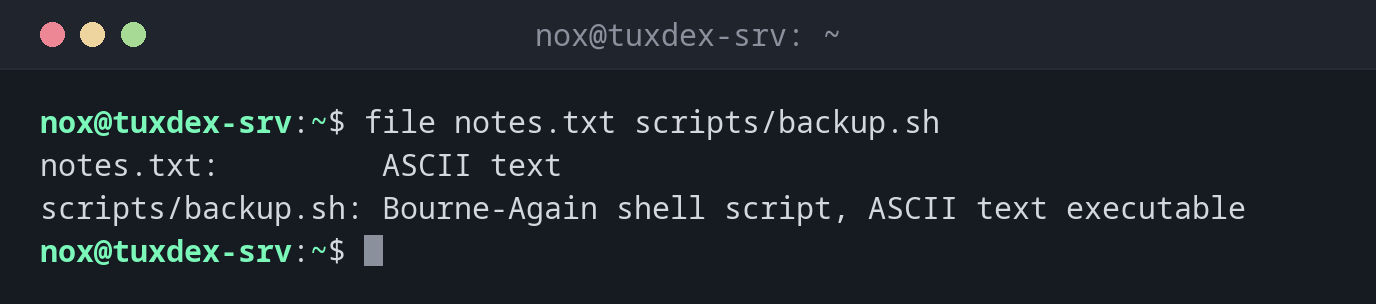
Check the type of several files:
file notes.txt scripts/backup.sh
notes.txt:         ASCII text
scripts/backup.sh: Bourne-Again shell script, ASCII text executable
Check what is in a backup:
file backup/*
backup/db-2026-10-20.sql.gz:  gzip compressed data, was "db-2026-10-20.sql", last modified: Tue Oct 20 12:00:12 2026, from Unix, original size modulo 2^32 1073741824
backup/etc-2026-10-20.tar.gz: gzip compressed data, from Unix, original size modulo 2^32 432013312
Find a script with Windows line endings:
file deploy.sh
deploy.sh: Bourne-Again shell script, ASCII text executable, with CRLF line terminators
Find out what a symbolic link points to:
file /bin/sh
file -L /bin/sh
/bin/sh: symbolic link to dash
/bin/sh: ELF 64-bit LSB pie executable, x86-64, version 1 (SYSV), dynamically linked, interpreter /lib64/ld-linux-x86-64.so.2, BuildID[sha1]=4f6c1a2e9b3d8c7f5e0a1b2c3d4e5f6a7b8c9d0e, for GNU/Linux 3.2.0, stripped
Detect a file with the wrong extension:
file logo.txt
logo.txt: PNG image data, 1254 x 1254, 8-bit/color RGB, non-interlaced
Show the MIME type and character set:
file -i notes.txt
notes.txt: text/plain; charset=us-ascii
When do I need it?
- When a script fails with
/bin/bash^M: bad interpreter:fileshowswith CRLF line terminators, the file was saved on Windows - To check uploads or downloads whose name or extension you don't trust
- To find out whether a file is text or binary before opening it with an editor
- To check backups and archives before restoring them
Fix Windows line endings
Convert a file with CRLF line endings to Linux format with
sed -i 's/\r$//' deploy.sh. The package dos2unix offers the same as a separate
command.
Not a security check
file only looks at the first bytes of a file and uses known patterns. It is useful
for orientation, but not proof that an uploaded file is harmless.