git stash
Puts uncommitted changes aside so you can do something else, and brings them back later.
Syntax
git stash [push [-u] [-m "MESSAGE"]]
git stash list | show | pop | apply | drop
Options
| Option | Description |
|---|---|
push, (none) |
Put the changes aside; the working directory is clean afterwards |
-m MESSAGE |
Description of the stash |
-u, --include-untracked |
Also put new, untracked files aside |
list |
List all stashes |
show [-p] |
Show what a stash contains; with -p the full diff |
pop |
Bring the latest stash back and remove it from the list |
apply |
Bring a stash back, but keep it in the list |
drop, clear |
Delete one stash, or all of them |
Examples
Put changes aside:
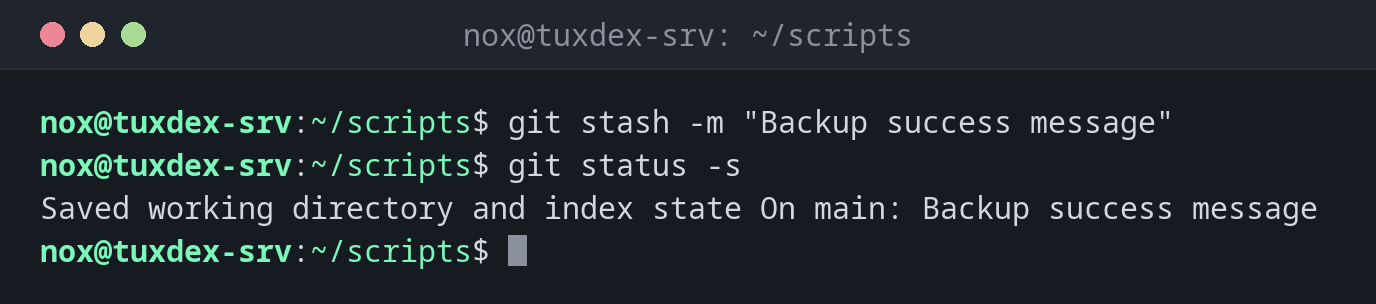
git stash -m "Backup success message"
git status -s
Saved working directory and index state On main: Backup success message
git status -s shows nothing: the working directory is clean.
List the stashes:
git stash list
stash@{0}: On main: Backup success message
stash@{1}: WIP on main: fcdca2b Add service check
See what a stash contains:
git stash show -p stash@{0}
diff --git a/backup.sh b/backup.sh
index 8791eb2..895c5d1 100644
--- a/backup.sh
+++ b/backup.sh
@@ -1,3 +1,4 @@
 #!/usr/bin/env bash
 set -euo pipefail
 nice -n 10 tar --zstd -cf "/mnt/backup/www-$(date +%F).tar.zst" -C /srv www
+echo "backup done"
Pull despite local changes:
git stash
git pull -q
git stash pop
Saved working directory and index state WIP on main: fcdca2b Add service check
On branch main
Your branch is up to date with 'origin/main'.

Changes not staged for commit:
  (use "git add <file>..." to update what will be committed)
  (use "git restore <file>..." to discard changes in working directory)
        modified:   backup.sh

no changes added to commit (use "git add" and/or "git commit -a")
Dropped refs/stash@{0} (3aa763307131275684a45b04398b6790a46878c4)
When do I need it?
- When an urgent fix comes up in the middle of your work
- When
git pullorgit switchrefuses because of local changes - To try something out quickly and then go back to the previous state
Don't forget new files
Without -u, git stash only takes changes to files Git already tracks. New files stay
in the working directory.
A stash isn't a backup
Stashes only exist in your local repository and are never pushed. Changes you want to keep belong in a commit, on a branch of their own if necessary.