case
Compares a value with several patterns and runs the block of the first match. Clearer than a long
if/elifchain.
Syntax
case VALUE in
    PATTERN1) … ;;
    PATTERN2|PATTERN3) … ;;
    *) … ;;
esac
Options
| Part | Meaning |
|---|---|
PATTERN) |
A pattern with *, ? and […], like file names |
A|B) |
Several alternatives |
;; |
End of the block |
*) |
Everything else, the default case |
esac |
End of case |
Examples
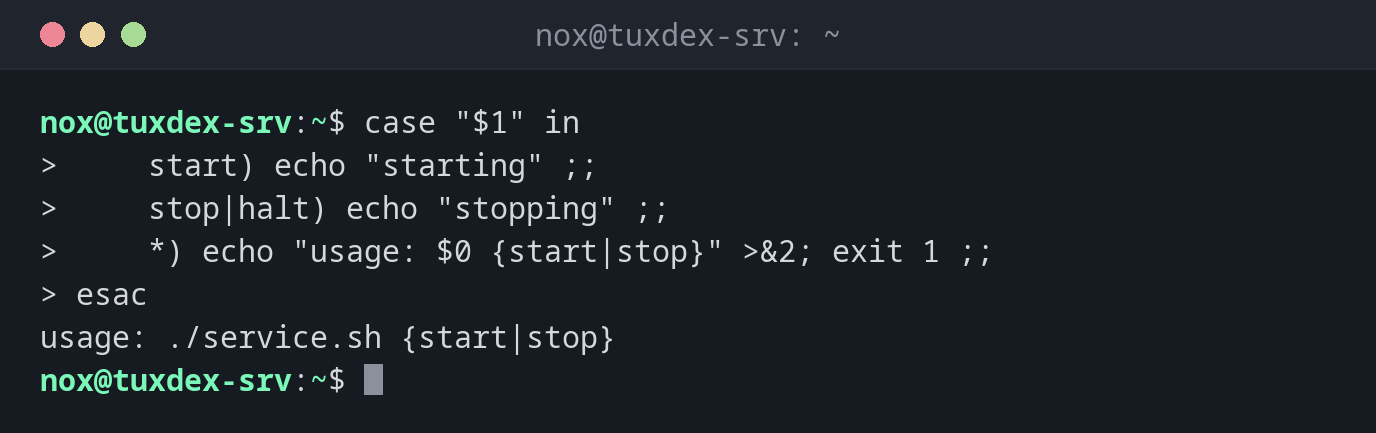
Subcommands of a script:
case "$1" in
    start) echo "starting" ;;
    stop|halt) echo "stopping" ;;
    *) echo "usage: $0 {start|stop}" >&2; exit 1 ;;
esac
usage: ./service.sh {start|stop}
The script was called without an argument, so the *) case applies.
Choose the unpack command by file extension:
file=backup.tar.zst
case "$file" in
    *.tar.gz|*.tgz) echo "tar -xzf" ;;
    *.tar.zst) echo "tar --zstd -xf" ;;
    *.zip) echo "unzip" ;;
    *) echo "unknown format" ;;
esac
tar --zstd -xf
Accept several answers:
read -r -p "Continue? [y/n] " a
case "$a" in
    [yY]|[yY][eE][sS]) echo "continuing" ;;
    *) echo "aborted" ;;
esac
Continue? [y/n] yes
continuing
When do I need it?
- For scripts with subcommands like
start,stop,status - To react to file extensions or host name patterns
- For menus and answers like
y,yes,n
Always a *) case
A final *) catches unexpected values, typically with a usage message and exit 1.