sort
Sorts lines alphabetically, by number, by size or by a specific column.
Syntax
sort [OPTION]... [FILE]...
Options
| Option | Description |
|---|---|
-n, --numeric-sort |
Sort by number (9 before 10) |
-h, --human-numeric-sort |
Sort sizes like 4.0K, 98M, 1.2G correctly |
-r, --reverse |
Reverse the order |
-u, --unique |
Only output each line once |
-t CHAR |
Use CHAR as column separator (default: spaces) |
-k N |
Sort by column N |
-f, --ignore-case |
Ignore upper and lower case |
-o FILE |
Write the result to FILE (may be the input file) |
Examples
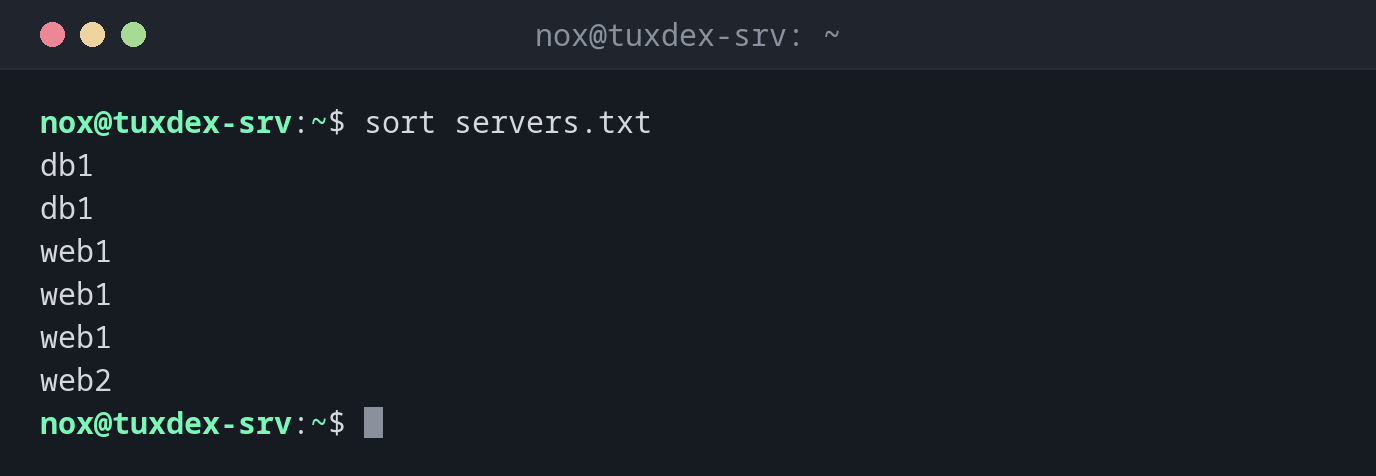
Sort lines alphabetically:
sort servers.txt
db1
db1
web1
web1
web1
web2
Remove duplicates while sorting:
sort -u servers.txt
db1
web1
web2
Sort numbers correctly:
sort ports.txt
sort -n ports.txt
22
443
80
8080
22
80
443
8080
Without -n, sort compares character by character, so 443 comes before 80. With
-n, the values are compared as numbers.
Find the largest directories:
du -sh /srv/* | sort -hr
1.2G    /srv/backup
512M    /srv/www
98M     /srv/logs
4.0K    /srv/README
Sort by a column:
sort -t: -k3 -n /etc/passwd | cut -d: -f1,3
root:0
daemon:1
bin:2
www-data:33
nox:1000
-t: splits the lines at :, -k3 -n sorts numerically by the third column, the user ID.
Sort a CSV file by name, without the header line:
tail -n +2 users.csv | sort -t, -k2
2,alice,alice@example.com,user
3,bob,bob@example.com,user
1,nox,nox@example.com,admin
When do I need it?
- To find the largest files and directories when the disk is full (
du -sh * | sort -h) - To prepare lists for
uniq, which only finds duplicates that are next to each other - To sort log entries, users or IP addresses by a column
- To compare lists, for example installed packages on two servers
-u instead of sort | uniq
sort -u gives the same result as sort | uniq, in one step.
The order depends on the language setting
With a German or English locale, sort mixes upper and lower case and ignores some
special characters. Scripts that need a stable result should run LC_ALL=C sort.
sort file > file empties the file
The shell empties the target file before sort starts reading it. The result is
an empty file. To sort a file in place, use sort -o file file.