kubectl apply
Creates or updates objects from manifest files, so that the cluster matches what the files describe.
Syntax
kubectl apply -f FILE|DIRECTORY|URL [OPTIONS]
Options
| Option | Description |
|---|---|
-f FILE |
Manifest file, a directory or a URL; -f - reads from standard input |
-R, --recursive |
Also read the subdirectories of a directory |
-k DIRECTORY |
Apply a Kustomize directory |
--dry-run=server |
Have the server check everything without changing anything |
--prune -l LABEL |
Delete objects with this label that are no longer in the files |
kubectl diff -f FILE shows beforehand what apply would change.
Examples
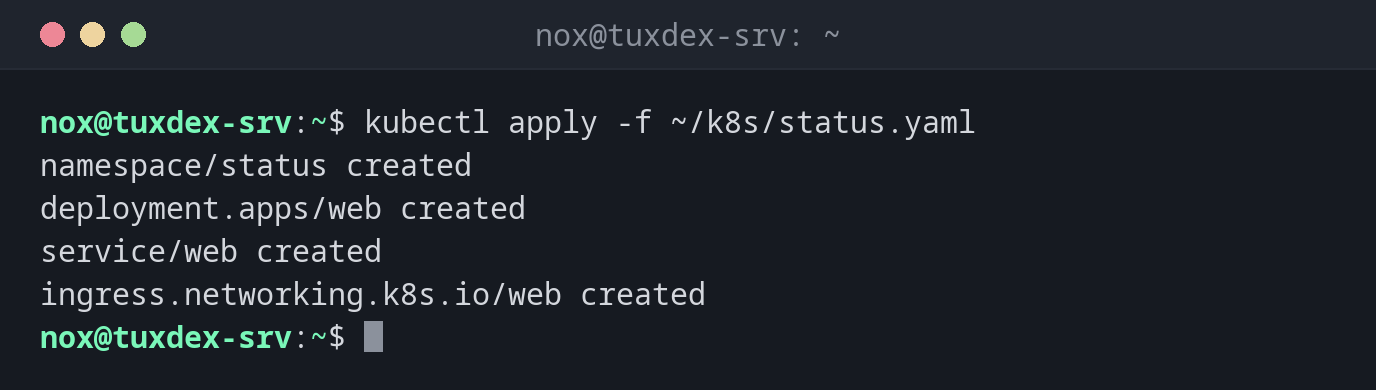
Roll out the status page:
kubectl apply -f ~/k8s/status.yaml
namespace/status created
deployment.apps/web created
service/web created
ingress.networking.k8s.io/web created
The file is shown in the basics.
Apply again without changes:
kubectl apply -f ~/k8s/status.yaml
namespace/status unchanged
deployment.apps/web unchanged
service/web unchanged
ingress.networking.k8s.io/web unchanged
See a change before applying it:
sed -i 's/replicas: 2/replicas: 3/' ~/k8s/status.yaml
kubectl diff -f ~/k8s/status.yaml
diff -u -N /tmp/LIVE-1873412233/apps.v1.Deployment.status.web /tmp/MERGED-2201857604/apps.v1.Deployment.status.web
--- /tmp/LIVE-1873412233/apps.v1.Deployment.status.web  2026-10-26 10:42:17.000000000 +0100
+++ /tmp/MERGED-2201857604/apps.v1.Deployment.status.web  2026-10-26 10:42:17.000000000 +0100
@@ -6,7 +6,7 @@
   name: web
   namespace: status
 spec:
   progressDeadlineSeconds: 600
-  replicas: 2
+  replicas: 3
   revisionHistoryLimit: 10
   selector:
     matchLabels:
Apply a whole directory:
kubectl apply -R -f ~/k8s/
namespace/status unchanged
deployment.apps/web configured
service/web unchanged
ingress.networking.k8s.io/web unchanged
configmap/web-config created
When do I need it?
- To roll out an application described in YAML files
- After every change of a manifest, such as a new image version or more replicas
- In Git-based workflows, where the manifests in the repository are the truth
Manifests in Git
Keep your manifests in a Git repository and only change the cluster with
kubectl apply. Then the history shows every change, and a cluster can be rebuilt from
the files at any time.
Manual changes are overwritten
Changes made with kubectl edit or kubectl scale are reset by the next
kubectl apply to what the file says. Change the file instead.
Related commands
kubectl create · kubectl delete · kubectl rollout · git diff