modprobe
Loads and unloads kernel modules, including the modules they depend on.
Syntax
modprobe [-r] [-v] MODULE [PARAMETER=VALUE...]
Options
| Option | Description |
|---|---|
MODULE |
Load the module and its dependencies |
-r |
Unload the module (and unused dependencies) |
-v |
Show what is loaded |
-n |
Only show what would happen (dry run) |
PARAMETER=VALUE |
Pass a parameter to the module |
-c |
Show the effective configuration |
Permanent settings:
| File | Effect |
|---|---|
/etc/modules-load.d/NAME.conf |
Load these modules at every boot (one name per line) |
/etc/modprobe.d/NAME.conf |
Options (options MODULE PARAM=VALUE) and blocking (blacklist MODULE) |
Examples
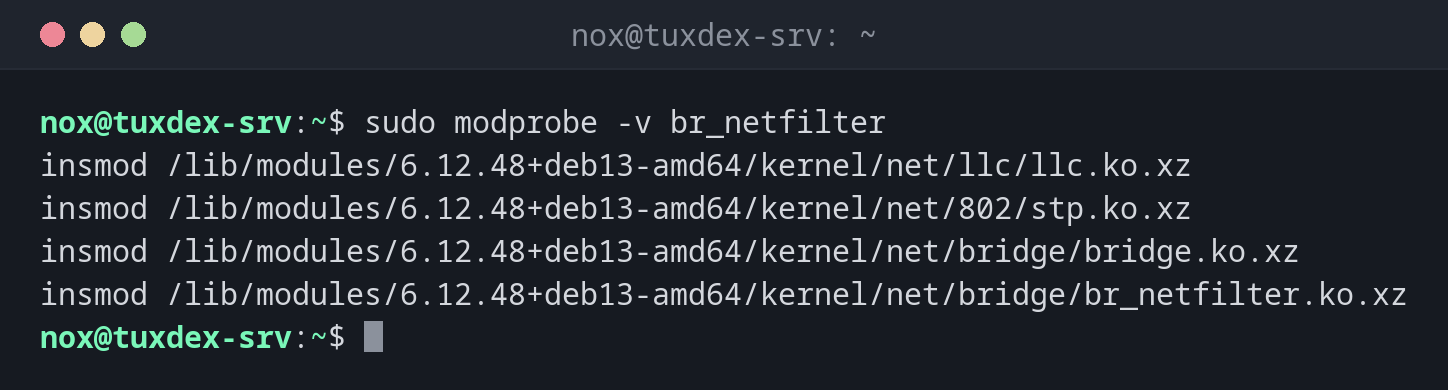
Load a module and see what happens:
sudo modprobe -v br_netfilter
insmod /lib/modules/6.12.48+deb13-amd64/kernel/net/llc/llc.ko.xz
insmod /lib/modules/6.12.48+deb13-amd64/kernel/net/802/stp.ko.xz
insmod /lib/modules/6.12.48+deb13-amd64/kernel/net/bridge/bridge.ko.xz
insmod /lib/modules/6.12.48+deb13-amd64/kernel/net/bridge/br_netfilter.ko.xz
modprobe loads the dependencies llc, stp and bridge first.
Load modules at every boot:
printf 'overlay\nbr_netfilter\n' | sudo tee /etc/modules-load.d/k8s.conf
overlay
br_netfilter
Block USB storage on a server:
printf 'blacklist usb-storage\ninstall usb-storage /bin/false\n' | sudo tee /etc/modprobe.d/no-usb-storage.conf
sudo modprobe usb-storage; echo "exit code: $?"
blacklist usb-storage
install usb-storage /bin/false
exit code: 1
Unload a module:
sudo modprobe -r -v br_netfilter
rmmod br_netfilter
rmmod bridge
rmmod stp
rmmod llc
When do I need it?
- To load a module that isn't loaded automatically, such as
br_netfilterfor Kubernetes - To block a module that causes problems or isn't wanted, such as
usb-storageon servers - To reload a driver with other parameters
Load at boot for Kubernetes and containers
k3s and other Kubernetes setups need overlay and br_netfilter. Put both names into
/etc/modules-load.d/k8s.conf, then they're available after every reboot.
blacklist doesn't stop dependencies
blacklist MODULE only prevents automatic loading by alias. To block a module
reliably, add install MODULE /bin/false as well.