lnav
The log file navigator: merges several log files into one timeline, highlights errors, filters and even answers SQL queries about logs.
Syntax
lnav [OPTION]... [FILE | DIRECTORY]...
Options
| Option | Description |
|---|---|
FILE..., DIRECTORY |
Open these logs, also compressed .gz files |
-r |
Open directories recursively |
-t |
Prefix lines from standard input with a time stamp |
-n |
Headless: no interface, e.g. with -c for scripts |
-c COMMAND |
Run a command, e.g. a filter or SQL query |
Keys inside lnav: E / Shift+E next and previous error, W next warning, / search, :filter-in PATTERN show only matching lines, ; SQL query, Q quit.
Examples
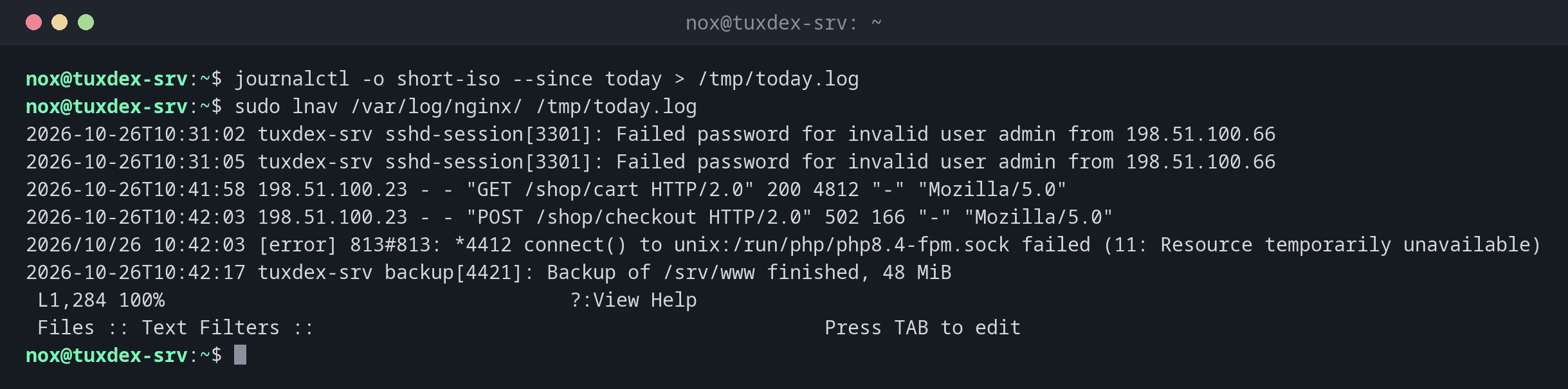
Open several logs in one timeline:
journalctl -o short-iso --since today > /tmp/today.log
sudo lnav /var/log/nginx/ /tmp/today.log
2026-10-26T10:31:02 tuxdex-srv sshd-session[3301]: Failed password for invalid user admin from 198.51.100.66
2026-10-26T10:31:05 tuxdex-srv sshd-session[3301]: Failed password for invalid user admin from 198.51.100.66
2026-10-26T10:41:58 198.51.100.23 - - "GET /shop/cart HTTP/2.0" 200 4812 "-" "Mozilla/5.0"
2026-10-26T10:42:03 198.51.100.23 - - "POST /shop/checkout HTTP/2.0" 502 166 "-" "Mozilla/5.0"
2026/10/26 10:42:03 [error] 813#813: *4412 connect() to unix:/run/php/php8.4-fpm.sock failed (11: Resource temporarily unavailable)
2026-10-26T10:42:17 tuxdex-srv backup[4421]: Backup of /srv/www finished, 48 MiB
 L1,284 100%                                   ?:View Help
 Files :: Text Filters ::                                            Press TAB to edit
The checkout fails with 502 because PHP-FPM doesn't accept more connections. Both
lines are next to each other, although they come from two files.
Inside lnav: show only matching lines with :filter-in:
:filter-in " 502 "
2026-10-26T10:42:03 198.51.100.23 - - "POST /shop/checkout HTTP/2.0" 502 166 "-" "Mozilla/5.0"
2026-10-26T10:42:09 192.0.2.45 - - "POST /shop/checkout HTTP/2.0" 502 166 "-" "Mozilla/5.0"
 L41 100%                                      ?:View Help
 Files :: Text Filters ::                                            Press TAB to edit
Inside lnav: count server errors per client with SQL:
;SELECT c_ip, count(*) AS hits FROM access_log WHERE sc_status >= 500 GROUP BY c_ip ORDER BY hits DESC
 c_ip           hits
198.51.100.23     14
192.0.2.45         3
When do I need it?
- When a problem involves several services and you want to see their logs in one timeline
- To jump through errors and warnings quickly
- To analyse web server logs with SQL, without exporting them first
Open a whole directory
lnav /var/log/nginx opens all files, including rotated and compressed ones, and sorts
them by time.
Journal as well
journalctl -o short-iso -f | lnav shows the journal in lnav, with highlighting and
error jumps.
Distribution differences
| Debian | Ubuntu | RHEL | Arch | |
|---|---|---|---|---|
| Package | lnav |
lnav |
from EPEL | lnav |
Related commands
less · goaccess · journalctl