mtr
Combines
pingandtraceroute: measures the way to a host continuously and shows packet loss and response times for every router.
Syntax
mtr [OPTION]... HOST
Without options, mtr shows a live view that updates every second. Quit with Q.
Options
| Option | Description |
|---|---|
-r, --report |
Report mode: measure, then print the result once |
-c NUMBER |
Number of rounds, default 10 in report mode |
-n |
Don't resolve router names |
-w |
Wide report: show full host names |
-T -P PORT |
Use TCP to this port instead of ICMP |
-4, -6 |
Force IPv4 or IPv6 |
Examples
Create a report for a host:
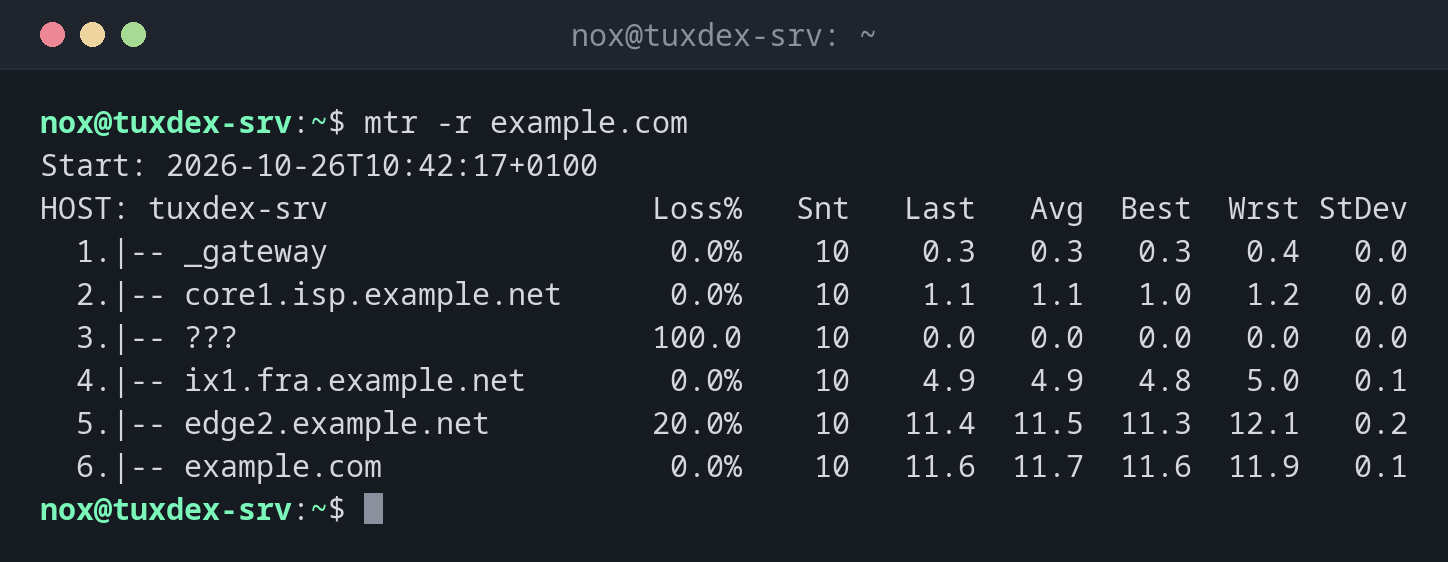
mtr -r example.com
Start: 2026-10-26T10:42:17+0100
HOST: tuxdex-srv                  Loss%   Snt   Last   Avg  Best  Wrst StDev
  1.|-- _gateway                   0.0%    10    0.3   0.3   0.3   0.4   0.0
  2.|-- core1.isp.example.net      0.0%    10    1.1   1.1   1.0   1.2   0.0
  3.|-- ???                       100.0    10    0.0   0.0   0.0   0.0   0.0
  4.|-- ix1.fra.example.net        0.0%    10    4.9   4.9   4.8   5.0   0.1
  5.|-- edge2.example.net         20.0%    10   11.4  11.5  11.3  12.1   0.2
  6.|-- example.com                0.0%    10   11.6  11.7  11.6  11.9   0.1
| Column | Meaning |
|---|---|
Loss% |
Lost packets at this hop |
Snt |
Packets sent |
Last, Avg, Best, Wrst |
Last, average, best and worst response time in ms |
StDev |
Fluctuation of the times: high values mean an unstable connection |
Hop 5 loses 20 %, but the target loses nothing. The router only answers mtr slowly
and still forwards all packets. Only loss that continues up to the target is a real
problem.
Without name resolution and with more rounds:
mtr -r -n -c 10 example.com
Start: 2026-10-26T10:42:17+0100
HOST: tuxdex-srv                  Loss%   Snt   Last   Avg  Best  Wrst StDev
  1.|-- 192.0.2.1                  0.0%    10    0.3   0.3   0.3   0.4   0.0
  2.|-- 198.51.100.1               0.0%    10    1.1   1.1   1.0   1.2   0.0
  3.|-- ???                       100.0    10    0.0   0.0   0.0   0.0   0.0
  4.|-- 198.51.100.65              0.0%    10    4.9   4.9   4.8   5.0   0.1
  5.|-- 198.51.100.129            20.0%    10   11.4  11.5  11.3  12.1   0.2
  6.|-- 198.51.100.7               0.0%    10   11.6  11.7  11.6  11.9   0.1
Measure through firewalls with TCP:
sudo mtr -r -T -P 443 example.com
Start: 2026-10-26T10:42:17+0100
HOST: tuxdex-srv                  Loss%   Snt   Last   Avg  Best  Wrst StDev
  1.|-- _gateway                   0.0%    10    0.3   0.3   0.3   0.4   0.0
  2.|-- core1.isp.example.net      0.0%    10    1.1   1.1   1.0   1.2   0.0
  3.|-- ???                       100.0    10    0.0   0.0   0.0   0.0   0.0
  4.|-- ix1.fra.example.net        0.0%    10    4.9   4.9   4.8   5.0   0.1
  5.|-- edge2.example.net         20.0%    10   11.4  11.5  11.3  12.1   0.2
  6.|-- example.com                0.0%    10   11.6  11.7  11.6  11.9   0.1
When do I need it?
- When a connection is slow or drops now and then
- To find out whether packet loss happens in your own network, at your provider or at the target
- As evidence for your hosting provider: the report shows exactly where packets are lost
Measure longer for sporadic problems
mtr -r -c 300 example.com measures for five minutes. Problems that only occur now
and then show up much more reliably than with ten rounds.
Loss in the middle isn't always a problem
Many routers answer test packets with low priority. Loss at a single hop that doesn't continue to the following hops can usually be ignored.
Distribution differences
| Debian | Ubuntu | RHEL | Arch | |
|---|---|---|---|---|
| Package | mtr-tiny (or mtr with a graphical interface) |
mtr-tiny |
mtr |
mtr |
| Installed by default | no | yes | no | no |