git merge
Merges the changes of another branch into the current branch.
Syntax
git merge [OPTIONS] BRANCH
Options
| Option | Description |
|---|---|
BRANCH |
The branch whose commits are merged into the current one |
--ff-only |
Only merge if no merge commit is needed (fast-forward), otherwise abort |
--no-ff |
Always create a merge commit, even if a fast-forward would be possible |
--squash |
Combine all changes of the branch into a single new commit |
-m MESSAGE |
Message of the merge commit |
--abort |
Cancel a merge with conflicts and restore the previous state |
Examples
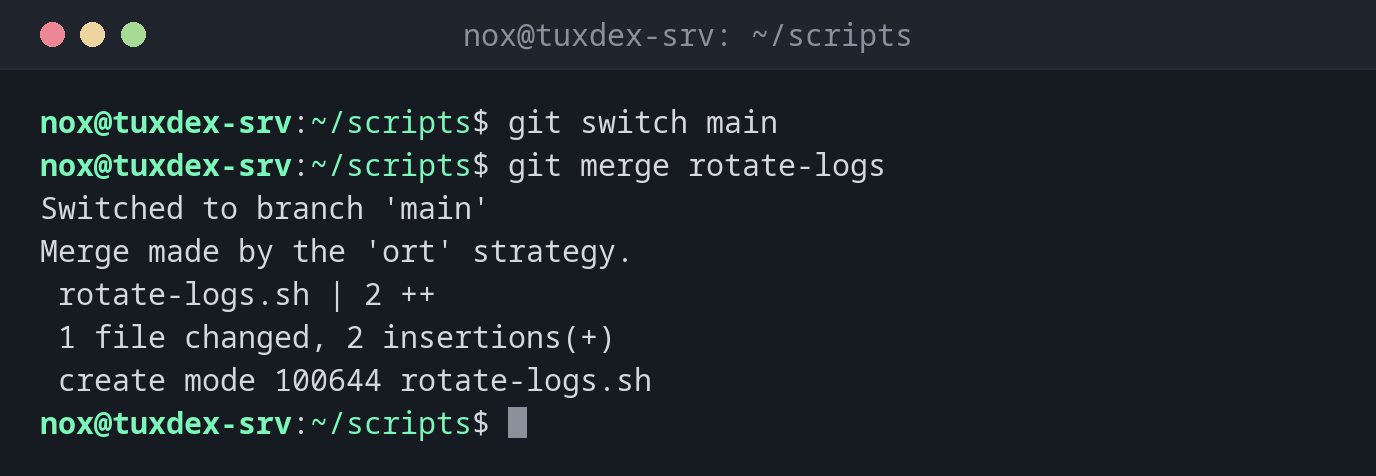
Merge a finished branch into main:
git switch main
git merge rotate-logs
Switched to branch 'main'
Merge made by the 'ort' strategy.
 rotate-logs.sh | 2 ++
 1 file changed, 2 insertions(+)
 create mode 100644 rotate-logs.sh
A fast-forward without merge commit:
git merge fix-paths
Updating 6e6f0af..5f9cfee
Fast-forward
 check-disk.sh | 2 +-
 1 file changed, 1 insertion(+), 1 deletion(-)
A conflict: both branches changed the same line:
git merge fix-paths
cat check-disk.sh
Auto-merging check-disk.sh
CONFLICT (content): Merge conflict in check-disk.sh
Automatic merge failed; fix conflicts and then commit the result.
#!/usr/bin/env bash
<<<<<<< HEAD
df -hT / /srv/data /mnt/backup
=======
df -h / /srv/data /mnt/backup /var
>>>>>>> fix-paths
Above ======= is the version of the current branch, below it the one from fix-paths. Edit the file so that only the right line remains, without the markers.
Complete the merge after resolving the conflict:
git add check-disk.sh
git commit --no-edit
[main 8d2f6a1] Merge branch 'fix-paths'
Cancel the merge instead:
git merge --abort
git status
On branch main
Your branch is up to date with 'origin/main'.

nothing to commit, working tree clean
When do I need it?
- When a change on its own branch is finished and tested
- To bring changes from the server into your branch (that's what
git pulldoes)
Fast-forward or merge commit
If main hasn't moved on since the branch was created, Git simply moves main
forward (fast-forward). Otherwise it creates a merge commit with two parents.
Remove all conflict markers
Git doesn't check whether <<<<<<<, ======= and >>>>>>> are still in the file.
A configuration file with these lines breaks the service. Check with
grep -n '^<<<<<<<' FILE before you commit.