hexdump
Shows the bytes of a file in hexadecimal, including all characters that are invisible in a text editor.
Syntax
hexdump [OPTION]... FILE...
Options
| Option | Description |
|---|---|
-C |
Canonical format: offset, hex bytes and readable characters side by side |
-n N |
Only read the first N bytes |
-s N |
Skip the first N bytes |
-v |
Show all lines, even repeated ones (otherwise shown as *) |
Examples
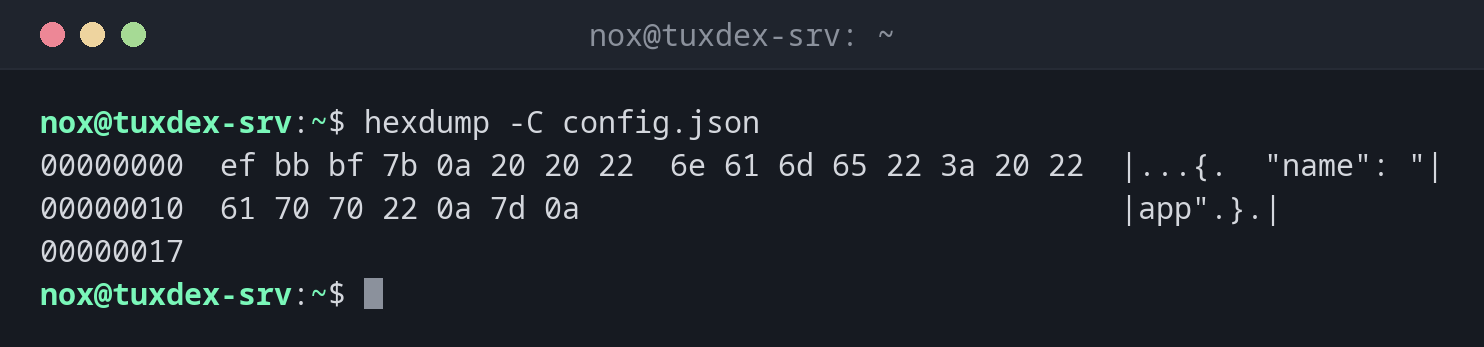
Find a byte order mark (BOM) in a configuration file:
hexdump -C config.json
00000000  ef bb bf 7b 0a 20 20 22  6e 61 6d 65 22 3a 20 22  |...{.  "name": "|
00000010  61 70 70 22 0a 7d 0a                              |app".}.|
00000017
The bytes ef bb bf at the beginning are a UTF-8 BOM. Many programs choke on it, although
an editor doesn't show it.
| Column | Meaning |
|---|---|
00000000 |
Position (offset) of the first byte in the line, in hex |
ef bb bf 7b … |
The bytes as hexadecimal numbers, 16 per line |
|...{. "name": "| |
The same bytes as characters, . for anything not printable |
Find Windows line endings in a script:
hexdump -C deploy.sh
00000000  23 21 2f 62 69 6e 2f 62  61 73 68 0d 0a 65 63 68  |#!/bin/bash..ech|
00000010  6f 20 22 44 65 70 6c 6f  79 22 0d 0a              |o "Deploy"..|
0000001c
0d 0a is a Windows line ending (CR LF). On Linux, a line ends with 0a only.
Look only at the beginning of a file:
hexdump -C -n 16 backup/db-2026-10-20.sql.gz
00000000  1f 8b 08 08 cc 57 d7 6a  00 03 64 62 2d 32 30 32  |.....W.j..db-202|
00000010
1f 8b is the signature of every gzip file. This is how file recognises file types.
A file that contains only zeros:
hexdump -C zero.bin
00000000  00 00 00 00 00 00 00 00  00 00 00 00 00 00 00 00  |................|
*
00000400
The * means: the previous line repeats until offset 400 (1024 bytes).
When do I need it?
- When a configuration or script fails although it looks correct in the editor: BOM, Windows line endings, tabs or non-breaking spaces become visible
- To check the signature of a file (gzip, PNG, ELF) and find damaged or wrongly named files
- To check whether a disk or file really contains only zeros, for example after wiping it
Always use -C
Without options, hexdump shows the bytes in 2-byte groups in a confusing order.
hexdump -C is the format everyone expects. On Debian and Ubuntu, hd is a short
form for it.
Distribution differences
| Debian | Ubuntu | RHEL | Arch | |
|---|---|---|---|---|
| Package | bsdextrautils |
bsdextrautils |
util-linux (always installed) |
util-linux (always installed) |
If hexdump is missing on Debian or Ubuntu, install it with
sudo apt install bsdextrautils. An alternative is xxd from the package of the same
name (on RHEL part of vim-common).