mv
Moves files and directories to another place, or renames them.
Syntax
mv [OPTION]... SOURCE... DESTINATION
Options
| Option | Description |
|---|---|
-i, --interactive |
Ask before overwriting an existing file |
-u, --update |
Only move if the source is newer than the destination |
-v, --verbose |
Show every moved file |
-b, --backup |
Rename an existing destination file to FILE~ before overwriting it |
-t, --target-directory=DIR |
Move all sources into DIR |
-T, --no-target-directory |
Treat the destination as a normal file, never as a directory |
Examples
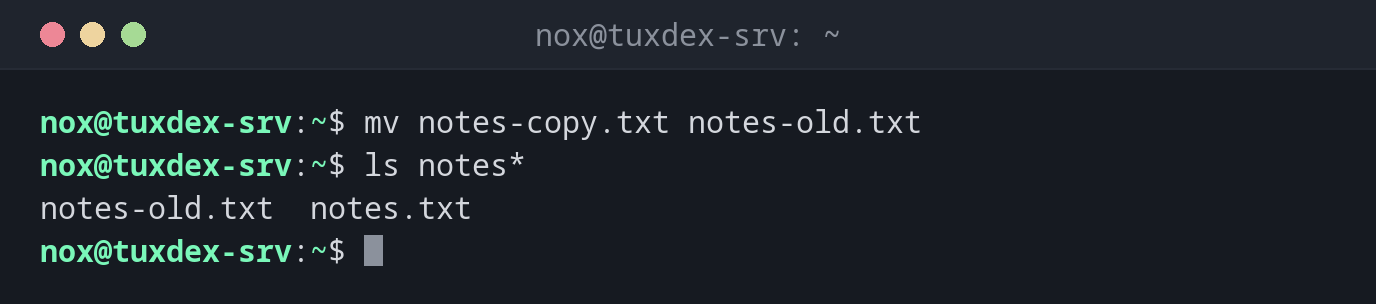
Rename a file:
mv notes-copy.txt notes-old.txt
ls notes*
notes-old.txt notes.txt
Move a file into a directory:
mv -v report.txt backup/
renamed 'report.txt' -> 'backup/report.txt'
Move several files at once:
mv -v *.log /tmp/
renamed 'access.log' -> '/tmp/access.log'
renamed 'app.log' -> '/tmp/app.log'
renamed 'error.log' -> '/tmp/error.log'
Rename a directory:
mv scripts-old scripts-2026
ls -d scripts*
scripts scripts-2026
Keep the old version when overwriting:
mv -b app.conf.new app.conf
ls app.conf*
app.conf app.conf~
Ask before overwriting:
mv -i notes-old.txt notes.txt
mv: overwrite 'notes.txt'?
When do I need it?
- To rename files and directories (Linux has no separate rename command for this)
- To put a new configuration in place after testing it (
mv app.conf.new app.conf) - To archive old log files or backups in another directory
- To roll out new versions of a website or application by swapping directories
Fast within one file system
Inside the same file system, mv only changes the name in the directory. Even a
100 GB file is moved instantly. Between different file systems (e.g. to a USB drive),
mv has to copy the data and then delete the original.
mv overwrites without asking
If a file with the destination name exists, it is replaced and cannot be restored.
Use -i or -b when you are not sure.
Existing destination directory
mv scripts-old scripts-2026 renames the directory. If scripts-2026 already exists,
scripts-old is moved into it and becomes scripts-2026/scripts-old.