kubectl scale
Changes the number of pods of a deployment or StatefulSet.
Syntax
kubectl scale TYPE/NAME --replicas=N [-n NAMESPACE]
Options
| Option | Description |
|---|---|
deployment/NAME |
The deployment (also statefulset/NAME) |
--replicas=N |
Desired number of pods; 0 stops the application without deleting it |
--current-replicas=N |
Only scale if there are exactly N pods right now |
-n NAMESPACE |
Namespace |
kubectl autoscale deployment web --min=2 --max=5 --cpu-percent=70 adapts the number automatically to the load.
Examples
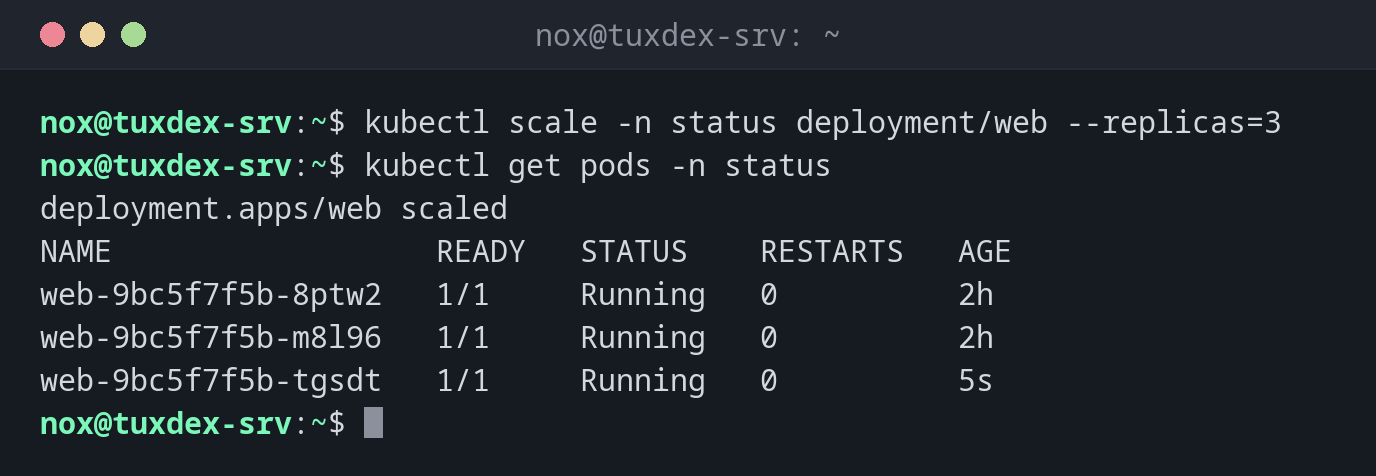
Three instead of two pods:
kubectl scale -n status deployment/web --replicas=3
kubectl get pods -n status
deployment.apps/web scaled
NAME                  READY   STATUS    RESTARTS   AGE
web-9bc5f7f5b-8ptw2   1/1     Running   0          2h
web-9bc5f7f5b-m8l96   1/1     Running   0          2h
web-9bc5f7f5b-tgsdt   1/1     Running   0          5s
Stop the application during maintenance:
kubectl scale -n status deployment/web --replicas=0
kubectl get deploy -n status
deployment.apps/web scaled
NAME   READY   UP-TO-DATE   AVAILABLE   AGE
web    0/0     0            0           2h
Scale automatically with the load:
kubectl autoscale -n status deployment web --min=2 --max=5 --cpu-percent=70
kubectl get hpa -n status
horizontalpodautoscaler.autoscaling/web autoscaled
NAME   REFERENCE        TARGETS              MINPODS   MAXPODS   REPLICAS   AGE
web    Deployment/web   cpu: 6%/70%          2         5         2          15s
When do I need it?
- To handle more load in the short term
- To stop an application temporarily with
--replicas=0, for example during maintenance - To test how an application behaves with several copies
apply resets the number
The next kubectl apply sets the number back to replicas: in the manifest. For a
lasting change, edit the file.