restic
Fast, encrypted and deduplicated backups to a local disk, another server or cloud storage.
Syntax
restic -r REPOSITORY COMMAND [OPTIONS]
Options
| Option | Description |
|---|---|
init |
Create a new repository |
backup PATH... |
Back up; only changed data is stored again |
--exclude PATTERN, --exclude-file FILE |
With backup: leave out files |
snapshots |
List the backups |
restore ID --target DIR |
Restore a snapshot; latest for the newest, --include for single files |
ls, diff, find |
Look into snapshots, compare them, search files |
forget --keep-daily 7 ... --prune |
Delete old snapshots by a retention policy and free the space |
check |
Verify the repository; --read-data-subset 10% also reads data |
mount DIR |
Mount all snapshots as a file system for browsing |
Repository and password usually come from environment variables: RESTIC_REPOSITORY and RESTIC_PASSWORD_FILE. Repository addresses look like /mnt/backup/restic, sftp:backup@backup.example.com:/srv/restic or s3:https://s3.example.com/bucket.
Examples
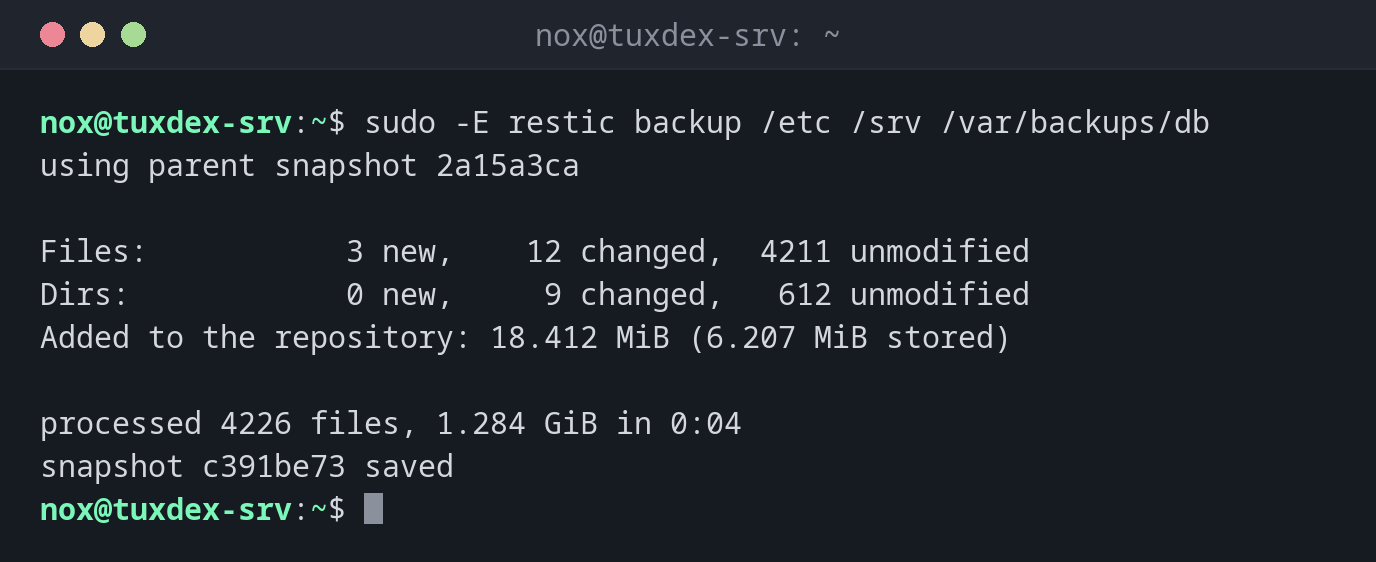
Back up for the second time, only changes are stored:
sudo -E restic backup /etc /srv /var/backups/db
using parent snapshot 2a15a3ca

Files:           3 new,    12 changed,  4211 unmodified
Dirs:            0 new,     9 changed,   612 unmodified
Added to the repository: 18.412 MiB (6.207 MiB stored)

processed 4226 files, 1.284 GiB in 0:04
snapshot c391be73 saved
Of 1.28 GiB, only 6 MiB had to be stored: the rest was already in the repository.
Create a repository:
export RESTIC_REPOSITORY=/mnt/backup/restic RESTIC_PASSWORD_FILE=/root/.restic-pass
sudo -E restic init
created restic repository d97428fbea at /mnt/backup/restic

Please note that knowledge of your password is required to access
the repository. Losing your password means that your data is
irrecoverably lost.
List the snapshots:
sudo -E restic snapshots
ID        Time                 Host        Tags        Paths               Size
------------------------------------------------------------------------------------
2a15a3ca  2026-10-25 02:40:01  tuxdex-srv              /etc                1.281 GiB
                                                       /srv
                                                       /var/backups/db

c391be73  2026-10-26 02:40:02  tuxdex-srv              /etc                1.284 GiB
                                                       /srv
                                                       /var/backups/db
------------------------------------------------------------------------------------
2 snapshots
What changed between two snapshots:
sudo -E restic diff 2a15a3ca c391be73 | head -6
comparing snapshot 2a15a3ca to c391be73:

M    /etc/nginx/conf.d/status.conf
M    /srv/www/index.html
+    /srv/www/img/new.jpg
+    /var/backups/db/statusdb-2026-10-26.dump
Restore a single file:
sudo -E restic restore latest --target /tmp/restore --include /etc/nginx/conf.d/status.conf
restoring snapshot c391be73 of [/etc /srv /var/backups/db] at 2026-10-26 02:40:02.001926226 +0100 CET by root@tuxdex-srv to /tmp/restore
Summary: Restored 5 / 1 files/dirs (412 B / 412 B) in 0:00
The file ends up under /tmp/restore/etc/nginx/conf.d/status.conf, the original stays untouched. Compare first, then copy it back.
Delete old snapshots and check the repository:
sudo -E restic forget --keep-daily 7 --keep-weekly 4 --keep-monthly 6 --prune | tail -3
sudo -E restic check | tail -2
this removes 3 snapshots and 0 B of data
[0:00] 100.00%  3 / 3 files deleted
done
[0:00] 100.00%  9 / 9 snapshots
no errors were found
When do I need it?
- For the daily backup of
/etc,/srvand the database dumps - To keep a copy offsite, for example in S3-compatible storage
- To restore a single file from last Tuesday in seconds
Password from a file
Put the password in /root/.restic-pass with mode 600 and set
RESTIC_PASSWORD_FILE=/root/.restic-pass. Then cron jobs and timers don't need the
password on the command line.
forget without --prune frees nothing
restic forget only removes the snapshot entries. The data is only deleted with
--prune or a later restic prune.
Distribution differences
| Debian | Ubuntu | RHEL | Arch | |
|---|---|---|---|---|
| Install | sudo apt install restic |
sudo apt install restic |
sudo dnf install restic (EPEL) |
sudo pacman -S restic |