smartctl
Reads the self-monitoring data (S.M.A.R.T.) of hard disks and SSDs and starts self-tests. Warns early when a disk is about to fail.
Syntax
smartctl [OPTION]... DEVICE
The package is called smartmontools. It also contains the service smartd, which checks the disks regularly and can send mail.
Options
| Option | Description |
|---|---|
-H |
Overall health: PASSED or FAILED |
-i |
Model, serial number, capacity |
-A |
The SMART attributes, e.g. reallocated sectors and temperature |
-a |
Everything at once |
-t short, -t long |
Start a short or a long self-test |
-l selftest |
Results of the last self-tests |
Examples
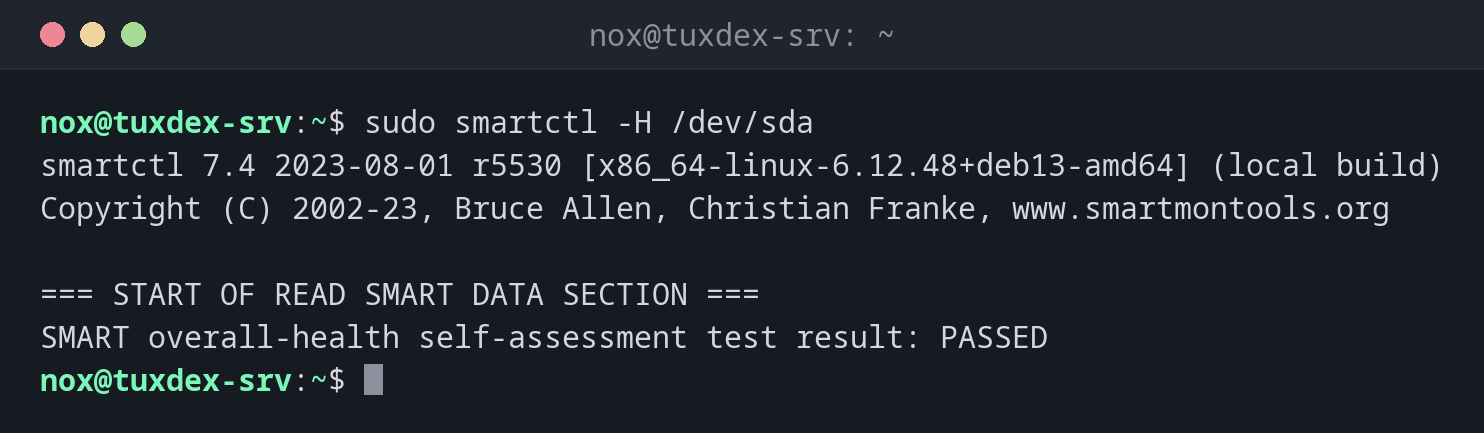
Check the overall health of a disk:
sudo smartctl -H /dev/sda
smartctl 7.4 2023-08-01 r5530 [x86_64-linux-6.12.48+deb13-amd64] (local build)
Copyright (C) 2002-23, Bruce Allen, Christian Franke, www.smartmontools.org

=== START OF READ SMART DATA SECTION ===
SMART overall-health self-assessment test result: PASSED
Show model and serial number:
sudo smartctl -i /dev/sda
smartctl 7.4 2023-08-01 r5530 [x86_64-linux-6.12.48+deb13-amd64] (local build)
Copyright (C) 2002-23, Bruce Allen, Christian Franke, www.smartmontools.org

=== START OF INFORMATION SECTION ===
Model Family:     Samsung based SSDs
Device Model:     Samsung SSD 870 EVO 1TB
Serial Number:    S6PUNX0T812345K
User Capacity:    1,000,204,886,016 bytes [1.00 TB]
Rotation Rate:    Solid State Device
SMART support is: Available - device has SMART capability.
SMART support is: Enabled
Show the most important attributes:
sudo smartctl -A /dev/sda
smartctl 7.4 2023-08-01 r5530 [x86_64-linux-6.12.48+deb13-amd64] (local build)
Copyright (C) 2002-23, Bruce Allen, Christian Franke, www.smartmontools.org

=== START OF READ SMART DATA SECTION ===
SMART Attributes Data Structure revision number: 1
Vendor Specific SMART Attributes with Thresholds:
ID# ATTRIBUTE_NAME          FLAG     VALUE WORST THRESH TYPE      UPDATED  WHEN_FAILED RAW_VALUE
  5 Reallocated_Sector_Ct   0x0033   100   100   010    Pre-fail  Always       -       0
  9 Power_On_Hours          0x0032   097   097   000    Old_age   Always       -       12842
 12 Power_Cycle_Count       0x0032   099   099   000    Old_age   Always       -       43
177 Wear_Leveling_Count     0x0013   098   098   000    Pre-fail  Always       -       21
194 Temperature_Celsius     0x0022   066   052   000    Old_age   Always       -       34
199 UDMA_CRC_Error_Count    0x003e   100   100   000    Old_age   Always       -       0
RAW_VALUE is the real value: 12842 operating hours, 34 °C, no reallocated sectors.
Start a short self-test:
sudo smartctl -t short /dev/sda
smartctl 7.4 2023-08-01 r5530 [x86_64-linux-6.12.48+deb13-amd64] (local build)
Copyright (C) 2002-23, Bruce Allen, Christian Franke, www.smartmontools.org

=== START OF OFFLINE IMMEDIATE AND SELF-TEST SECTION ===
Sending command: "Execute SMART Short self-test routine immediately in off-line mode".
Drive command "Execute SMART Short self-test routine immediately in off-line mode" successful.
Testing has begun.
Please wait 2 minutes for test to complete.
Test will complete after Mon Oct 26 10:44:17 2026 CET
Use smartctl -X to abort test.
On a virtual server:
sudo smartctl -i /dev/sda
smartctl 7.4 2023-08-01 r5530 [x86_64-linux-6.12.48+deb13-amd64] (local build)
Copyright (C) 2002-23, Bruce Allen, Christian Franke, www.smartmontools.org

=== START OF INFORMATION SECTION ===
Vendor:               QEMU
Product:              QEMU HARDDISK
Revision:             2.5+
User Capacity:        42,949,672,960 bytes [42.9 GB]
Logical block size:   512 bytes
Device type:          disk
Local Time is:        Mon Oct 26 10:42:17 2026 CET
SMART support is:     Unavailable - device lacks SMART capability.
When do I need it?
- On physical servers, to notice failing disks before data is lost
- When a disk reports read errors in
journalctl -k - Before reusing an old disk
Watch these attributes
Reallocated_Sector_Ct, Current_Pending_Sector and Offline_Uncorrectable should be
0. If they rise, replace the disk soon, even if the overall health still says PASSED.
Not on virtual servers
Virtual disks have no SMART data. On a VM or cloud server, the hosting provider monitors the physical disks.