createdb
Creates a new PostgreSQL database, usually with its own role as owner.
Syntax
createdb [-O OWNER] [-E ENCODING] [-T TEMPLATE] [-e] NAME
Options
| Option | Description |
|---|---|
-O ROLE |
Owner of the new database |
-E UTF8 |
Character encoding |
-T template0 |
Copy from a clean template (needed for another encoding or locale) |
--locale= |
Sort order and character classes, e.g. C.UTF-8 |
-e |
Show the SQL that is sent to the server |
createdb is a wrapper for CREATE DATABASE. Delete a database with dropdb NAME.
Examples
A database for an application:
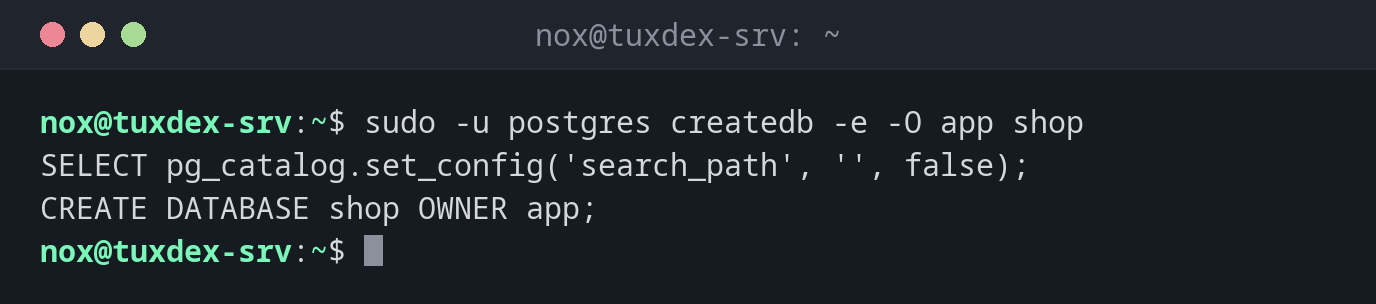
sudo -u postgres createdb -e -O app shop
SELECT pg_catalog.set_config('search_path', '', false);
CREATE DATABASE shop OWNER app;
The database already exists:
sudo -u postgres createdb shop
createdb: error: database creation failed: ERROR: database "shop" already exists
A locale that the system doesn't have:
sudo -u postgres createdb -O app -T template0 --locale=de_DE.UTF-8 wiki
createdb: error: database creation failed: ERROR:  invalid LC_COLLATE locale name: "de_DE.UTF-8"
HINT:  If the locale name is specific to ICU, use ICU_LOCALE.
Generate the locale first (on Debian with sudo dpkg-reconfigure locales), restart PostgreSQL, then try again. C.UTF-8 is always there.
Delete a database:
sudo -u postgres dropdb -e shop2
SELECT pg_catalog.set_config('search_path', '', false);
DROP DATABASE shop2;
When do I need it?
- When setting up a new application
- To create an empty database before restoring a backup with
pg_restore
Owner instead of single rights
If the application role owns the database (-O app), it may create its own tables there
and needs no further GRANT. Other roles get only what they need.
dropdb asks no questions
dropdb shop deletes the database with all data at once. Make a fresh
pg_dump first, and use dropdb -i for a confirmation prompt.
Distribution differences
| Debian | Ubuntu | RHEL | Arch | |
|---|---|---|---|---|
| Package | postgresql-client |
postgresql-client |
postgresql |
postgresql-libs |
Related commands
createuser · psql · pg_dump · localectl