usermod
Changes an existing user: groups, shell, home directory, name, lock and expiry date.
Syntax
usermod [OPTION]... USER
Options
| Option | Description |
|---|---|
-aG GROUPS |
Add the user to additional groups (keep the existing ones) |
-G GROUPS |
Replace all additional groups with this list |
-g GROUP |
Change the primary group |
-s SHELL |
Change the login shell |
-d DIR -m |
Change the home directory and move its contents |
-l NEW_NAME |
Rename the user |
-c TEXT |
Change the full name or description |
-L / -U |
Lock / unlock the password |
-e DATE |
Let the account expire on DATE (YYYY-MM-DD) |
Examples
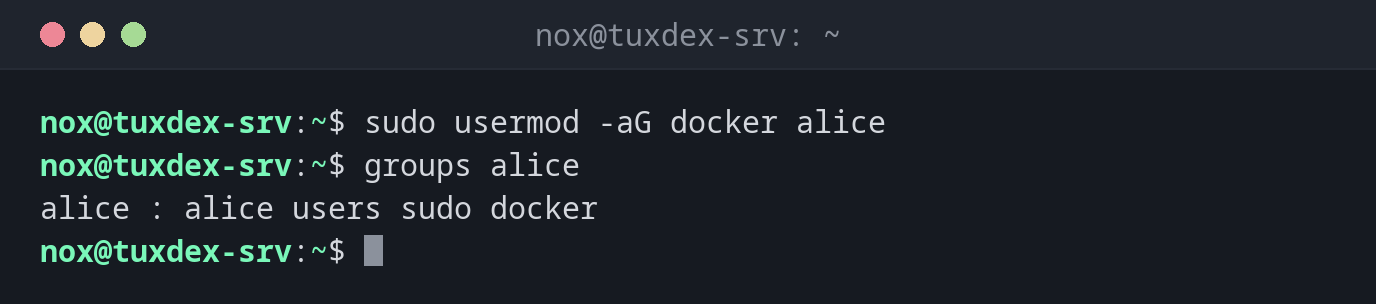
Add a user to a group:
sudo usermod -aG docker alice
groups alice
alice : alice users sudo docker
What -G without -a does:
sudo usermod -G docker alice
groups alice
alice : alice docker
The groups users and sudo are gone. -G alone replaces all additional groups.
Prevent a user from logging in to a shell:
sudo usermod -s /usr/sbin/nologin deploy
getent passwd deploy
deploy:x:1002:1002:Deploy User:/home/deploy:/usr/sbin/nologin
Lock the password of a user:
sudo usermod -L alice
sudo passwd -S alice
alice L 2026-10-26 0 99999 7 -1
The L means locked. Logins with an SSH key still work, see the warning below.
Rename a user and move the home directory:
sudo usermod -l alicia -d /home/alicia -m alice
getent passwd alicia
alicia:x:1001:1001:Alice Example,,,:/home/alicia:/bin/bash
Try to change a user who is logged in:
sudo usermod -l alicia alice
usermod: user alice is currently used by process 2345
Renaming or changing the UID only works when the user has no running processes.
When do I need it?
- To give a user access to
sudo,docker,www-dataor a shared group - To disable an account temporarily, for example when someone leaves the team
- To change the shell of service users to
/usr/sbin/nologin - To rename an account or move its home directory
-L doesn't block SSH keys
usermod -L only locks the password. Logins with an SSH key keep working. To lock
an account completely, also use usermod -e 1 (account expired) or
usermod -s /usr/sbin/nologin.
-G without -a removes groups
usermod -G docker alice removes alice from all other additional groups,
including sudo. If that was your own admin account, you lose sudo. Always write
-aG.