exit
Ends a script with an exit code:
0for success, everything else for an error. Callers, cron and monitoring evaluate this code.
Syntax
exit [CODE]
Without exit, a script ends with the exit code of its last command.
Options
| Code | Usual meaning |
|---|---|
0 |
Success |
1 |
General error |
2 |
Wrong usage, e.g. missing arguments |
126, 127 |
Command not executable, command not found |
128 + N |
Ended by signal N, e.g. 130 for Ctrl+C |
$? |
Exit code of the last command |
Examples
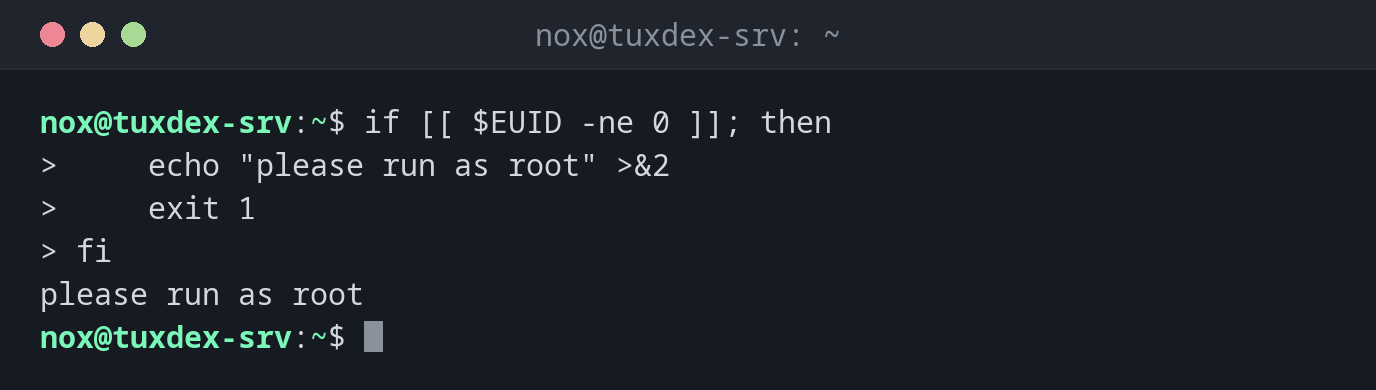
Check a requirement and stop:
if [[ $EUID -ne 0 ]]; then
    echo "please run as root" >&2
    exit 1
fi
please run as root
Check the exit code of a script:
./backup-www /nope; echo "exit code: $?"
10:42:17 Source /nope does not exist
exit code: 1
A command that doesn't exist:
backupp; echo $?
bash: backupp: command not found
127
When do I need it?
- At the end of every check: did it work or not?
- To stop a script early when a requirement is missing
- So that cron, systemd and monitoring can recognise failed runs
Fail early
Check requirements at the start and stop with a clear message and exit 1. That's easier
to debug than an error halfway through.
exit in a sourced file
In a file loaded with source, exit closes your whole shell. Use return there.