setfacl
Sets access control lists (ACLs): gives single users or groups permissions in addition to owner, group and others.
Syntax
setfacl [OPTION]... ENTRY FILE...
Options
| Option | Description |
|---|---|
-m ENTRY, --modify |
Add or change an entry, e.g. u:alice:r or g:developers:rwx |
-x ENTRY, --remove |
Remove an entry, e.g. u:alice |
-b, --remove-all |
Remove all additional entries |
-d, --default |
Change the default ACL of a directory (inherited by new files) |
-R, --recursive |
Apply to all files and directories below as well |
-k, --remove-default |
Remove the default ACL |
Entries are written as TYPE:NAME:PERMISSIONS: u for a user, g for a group,
followed by r, w and x.
Examples
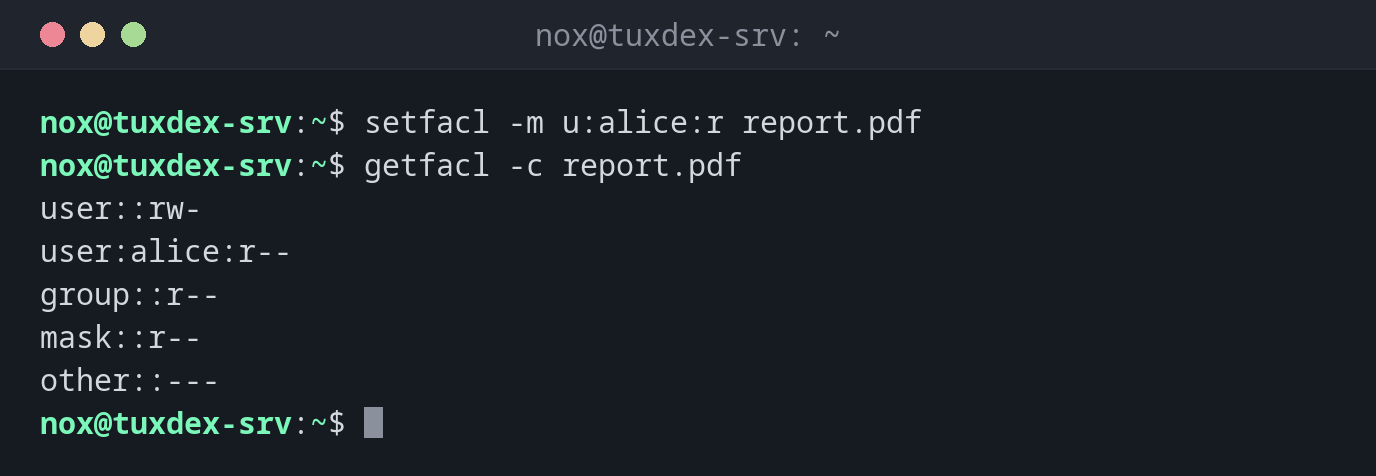
Give a single user read access:
setfacl -m u:alice:r report.pdf
getfacl -c report.pdf
user::rw-
user:alice:r--
group::r--
mask::r--
other::---
Give a group full access to a directory:
sudo setfacl -m g:developers:rwx /srv/shared
ls -ld /srv/shared
drwxrwx---+ 2 root root 4096 Oct 26 10:42 /srv/shared
The + shows that the directory now has an ACL.
Let new files inherit the permissions:
sudo setfacl -d -m g:developers:rwx /srv/shared
getfacl -c -d /srv/shared
getfacl: Removing leading '/' from absolute path names
user::rwx
group::r-x
group:developers:rwx
mask::rwx
other::---
Every file created in /srv/shared from now on gets the entry for developers.
Give the web server read access to an existing directory tree:
sudo setfacl -R -m u:www-data:rX /srv/app/public
getfacl -c /srv/app/public/index.html
getfacl: Removing leading '/' from absolute path names
user::rw-
user:www-data:r--
group::r--
mask::r--
other::---
Remove a single entry:
setfacl -x u:alice report.pdf
getfacl -c report.pdf
user::rw-
group::r--
mask::r--
other::---
Remove all additional entries:
sudo setfacl -b /srv/shared
ls -ld /srv/shared
drwxr-x--- 2 root root 4096 Oct 26 10:42 /srv/shared
When do I need it?
- When a second user or service needs access, but you don't want to change owner or group, for example a backup user that reads a web directory
- For shared directories where several teams need different permissions
- When new files must automatically get certain permissions (default ACL), no matter
which
umaskthe creating program uses
X instead of x
A capital X only gives execute permission to directories (and files that are
already executable). setfacl -R -m u:www-data:rX DIR makes a tree readable without
making every file executable.
chmod changes the mask
After a chmod g-w on a file with ACLs, the mask is reduced as well, and the extra
entries may lose rights. getfacl then shows #effective:. Check the ACL after
every chmod.