w
Shows who is logged in and what they are currently doing, plus uptime and load.
Syntax
w [OPTION]... [USER]
Options
| Option | Description |
|---|---|
-h, --no-header |
Don't print the header line (time, uptime, load) |
-s, --short |
Short format without login time, JCPU and PCPU |
-f, --from |
Toggle the FROM column (remote host) on or off |
-i, --ip-addr |
Show IP addresses instead of host names in FROM |
-p, --pids |
Show the PID of the process in WHAT |
-o, --old-style |
Old output format: blank idle time under one minute |
USER |
Show only the sessions of this user |
Examples
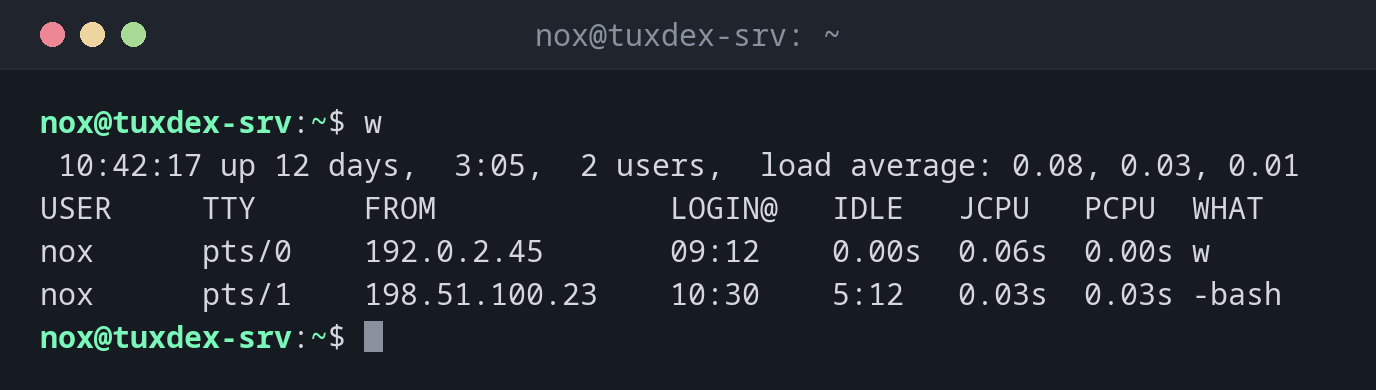
Show all sessions:
w
 10:42:17 up 12 days,  3:05,  2 users,  load average: 0.08, 0.03, 0.01
USER     TTY      FROM             LOGIN@   IDLE   JCPU   PCPU  WHAT
nox      pts/0    192.0.2.45       09:12    0.00s  0.06s  0.00s w
nox      pts/1    198.51.100.23    10:30    5:12   0.03s  0.03s -bash
The first line is the same as uptime. Below it you see one line per session:
| Column | Meaning |
|---|---|
USER |
Logged-in user |
TTY |
Terminal of the session |
FROM |
Remote address of the login |
LOGIN@ |
Login time |
IDLE |
Time since the last input |
JCPU |
CPU time of all processes on this terminal |
PCPU |
CPU time of the current process (WHAT) |
WHAT |
Currently running command |
Show only the session list without the header:
w -h
nox      pts/0    192.0.2.45       09:12    0.00s  0.06s  0.00s w -h
nox      pts/1    198.51.100.23    10:30    5:12   0.03s  0.03s -bash
Short format:
w -s
 10:42:17 up 12 days,  3:05,  2 users,  load average: 0.08, 0.03, 0.01
USER     TTY      FROM              IDLE WHAT
nox      pts/0    192.0.2.45        0.00s w -s
nox      pts/1    198.51.100.23     5:12  -bash
Show only the sessions of one user:
w nox
 10:42:17 up 12 days,  3:05,  2 users,  load average: 0.08, 0.03, 0.01
USER     TTY      FROM             LOGIN@   IDLE   JCPU   PCPU  WHAT
nox      pts/0    192.0.2.45       09:12    0.00s  0.06s  0.00s w nox
nox      pts/1    198.51.100.23    10:30    5:12   0.03s  0.03s -bash
When do I need it?
- Before a reboot: is someone still working, or is a session just idle for hours?
- To see what other admins are doing right now, for example if someone is running an
apt upgradeat the same time as you - To find forgotten sessions with a long
IDLEtime - As a quick overview after login: uptime, load and active users in one command
w vs. who
who only shows who is logged in. w also shows what they are
doing and how long they have been idle, plus the uptime and load.
Check before you reboot
A session running apt, dpkg or a database migration must not be interrupted by
a reboot. Look at the WHAT column first.