touch
Creates an empty file, or updates the timestamps of an existing file.
Syntax
touch [OPTION]... FILE...
Options
| Option | Description |
|---|---|
-c, --no-create |
Do not create the file if it does not exist |
-a |
Only change the access time |
-m |
Only change the modification time |
-d, --date=STRING |
Use this time instead of now (e.g. "2026-10-01 12:00") |
-t STAMP |
Use this time in the format [[CC]YY]MMDDhhmm[.ss] |
-r, --reference=FILE |
Use the timestamps of FILE |
Examples
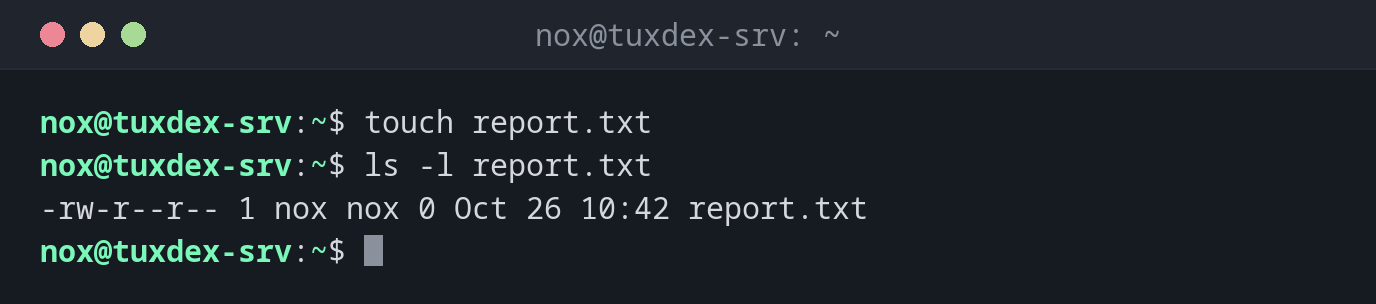
Create an empty file:
touch report.txt
ls -l report.txt
-rw-r--r-- 1 nox nox 0 Oct 26 10:42 report.txt
Create several files at once:
touch app.log error.log access.log
ls *.log
access.log app.log error.log
Update the time of an existing file:
ls -l notes.txt
touch notes.txt
ls -l notes.txt
-rw-r--r-- 1 nox nox 812 Oct 26 09:15 notes.txt
-rw-r--r-- 1 nox nox 812 Oct 26 10:42 notes.txt
The content stays the same, only the timestamp changes.
Set a specific date:
touch -d "2026-10-01 12:00" old.txt
ls -l old.txt
-rw-r--r-- 1 nox nox 0 Oct 1 12:00 old.txt
Only update files that already exist:
touch -c missing.txt
ls missing.txt
ls: cannot access 'missing.txt': No such file or directory
When do I need it?
- To create an empty file quickly, for example a log file a service expects to exist
- To create flag files that switch something on, like a maintenance mode
(
touch /var/www/example.com/maintenance.flag) - To test cleanup scripts or
find -mtimewith files of a specific age (touch -d) - To check whether you have write permission in a directory
Many files with brace expansion
Bash expands {1..3} into a list: touch test{1..3}.txt creates test1.txt,
test2.txt and test3.txt in one go.
No error for existing files
touch never overwrites content. But it also does not tell you that a file
already existed, it just silently changes the timestamp. Backup tools that work
with timestamps may then copy the file again.