smbpasswd
Manages Samba users: add a Linux user to Samba, set the password, disable or delete the account.
Syntax
smbpasswd [-a | -x | -d | -e] [USER]
Options
| Option | Description |
|---|---|
-a USER |
Add a user to Samba and set the password |
USER |
As root: set a new password for the user |
-d, -e |
Disable or enable the account |
-x USER |
Delete the user from Samba |
-s |
Read the password from stdin, without a prompt (for scripts) |
Without arguments, a user changes their own Samba password. Samba keeps its own passwords: the Linux password from passwd isn't used.
Examples
Add a user to Samba:
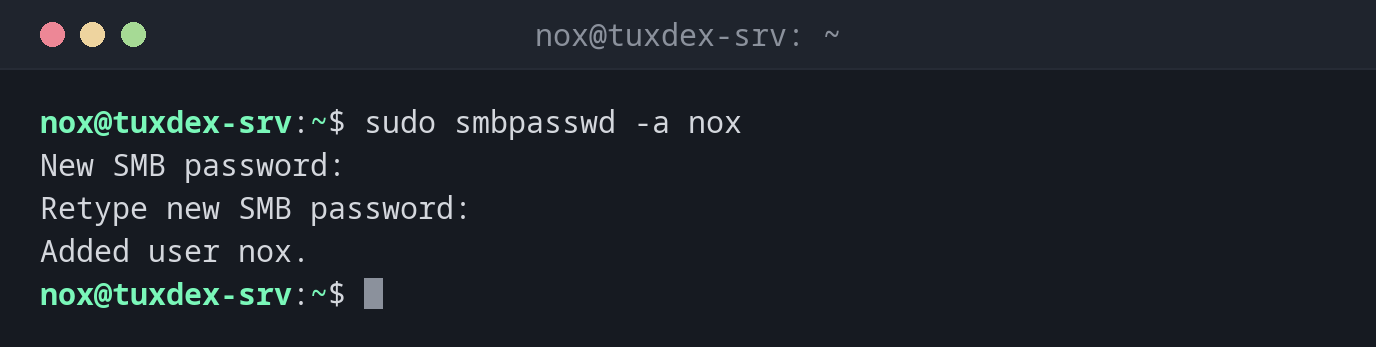
sudo smbpasswd -a nox
New SMB password:
Retype new SMB password:
Added user nox.
The user doesn't exist on the system:
sudo smbpasswd -a anna
New SMB password:
Retype new SMB password:
Failed to add entry for user anna.
First sudo useradd -M -s /usr/sbin/nologin anna, then smbpasswd -a again.
Reset a forgotten password:
sudo smbpasswd nox
New SMB password:
Retype new SMB password:
Disable an account and enable it again:
sudo smbpasswd -d nox
sudo smbpasswd -e nox
Disabled user nox.
Enabled user nox.
All Samba users:
sudo pdbedit -L
nox:1000:
anna:1001:
Delete a user from Samba:
sudo smbpasswd -x anna
Deleted user anna.
When do I need it?
- When a new colleague needs access to a share
- When someone forgot the password for the share
- When someone leaves: disable or delete the account
List all Samba users
sudo pdbedit -L lists all users in the Samba database, sudo pdbedit -L -v nox
shows details such as the account flags.
The Linux user must exist
smbpasswd -a only works for users that exist on the system. Create them first with
useradd, ideally with -s /usr/sbin/nologin if they
only need the share.
Distribution differences
| Debian | Ubuntu | RHEL | Arch | |
|---|---|---|---|---|
| Package | samba-common-bin |
samba-common-bin |
samba-common-tools |
samba |