ssh-copy-id
Copies your public SSH key to a server into
~/.ssh/authorized_keys, so you can log in with the key instead of a password.
Syntax
ssh-copy-id [OPTION]... [USER@]HOST
Options
| Option | Description |
|---|---|
-i FILE |
Copy this public key instead of the default |
-p PORT |
SSH port of the server |
-n |
Dry run: only show which keys would be copied |
-f |
Copy even if the key seems to be there already |
Examples
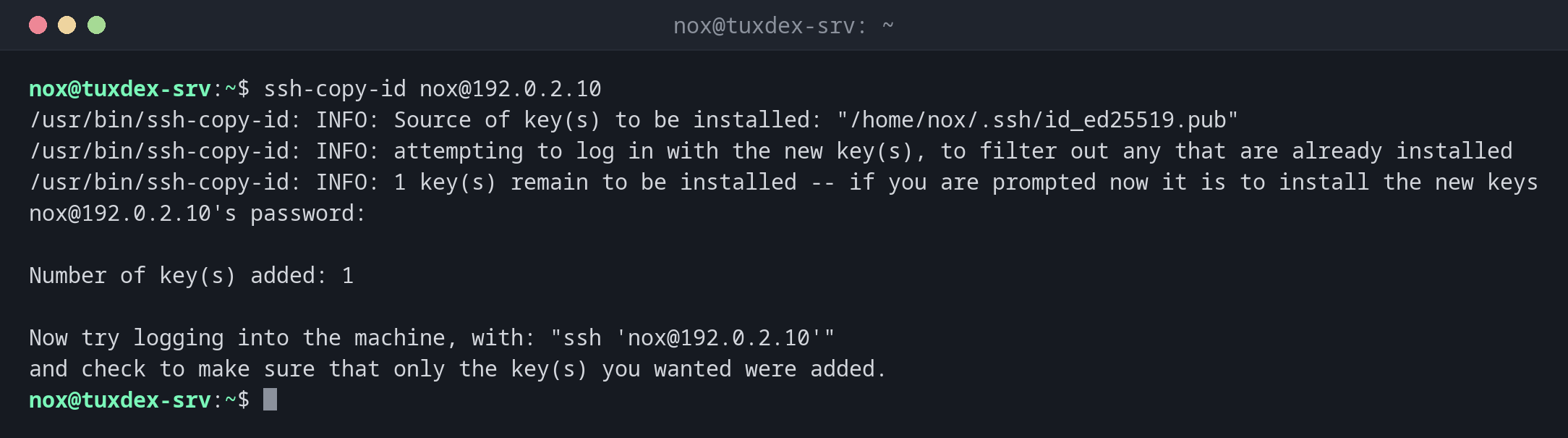
Copy the key to a server:
ssh-copy-id nox@192.0.2.10
/usr/bin/ssh-copy-id: INFO: Source of key(s) to be installed: "/home/nox/.ssh/id_ed25519.pub"
/usr/bin/ssh-copy-id: INFO: attempting to log in with the new key(s), to filter out any that are already installed
/usr/bin/ssh-copy-id: INFO: 1 key(s) remain to be installed -- if you are prompted now it is to install the new keys
nox@192.0.2.10's password:

Number of key(s) added: 1

Now try logging into the machine, with: "ssh 'nox@192.0.2.10'"
and check to make sure that only the key(s) you wanted were added.
You enter the password one last time. After that, the login works with the key.
Test the login with the key:
ssh nox@192.0.2.10 hostname
Enter passphrase for key '/home/nox/.ssh/id_ed25519':
tuxdex-srv
The key is already on the server:
ssh-copy-id nox@192.0.2.10
/usr/bin/ssh-copy-id: INFO: Source of key(s) to be installed: "/home/nox/.ssh/id_ed25519.pub"
/usr/bin/ssh-copy-id: INFO: attempting to log in with the new key(s), to filter out any that are already installed

/usr/bin/ssh-copy-id: WARNING: All keys were skipped because they already exist on the remote system.
                (if you think this is a mistake, you may want to use -f option)
Only show what would be copied:
ssh-copy-id -n nox@192.0.2.10
/usr/bin/ssh-copy-id: INFO: Source of key(s) to be installed: "/home/nox/.ssh/id_ed25519.pub"
=-=-=-=-=-=-=-=
Would have added the following key(s):

ssh-ed25519 AAAAC3NzaC1lZDI1NTE5AAAAIAWZDtTcIe235G0EzeAQj/BESDJnWT39gRghXyiMZZal nox@tuxdex-srv
=-=-=-=-=-=-=-=
Check what is on the server:
ssh nox@192.0.2.10 cat .ssh/authorized_keys
ssh-ed25519 AAAAC3NzaC1lZDI1NTE5AAAAIAWZDtTcIe235G0EzeAQj/BESDJnWT39gRghXyiMZZal nox@tuxdex-srv
When do I need it?
- After creating a key, to put it on each server
- When you get access to a new server that still uses password login
- Before switching off password login on the server
Without ssh-copy-id
If ssh-copy-id isn't available, for example on Windows, use
cat ~/.ssh/id_ed25519.pub | ssh nox@192.0.2.10 "mkdir -p ~/.ssh && cat >> ~/.ssh/authorized_keys".
Only copy the public key
ssh-copy-id only copies .pub files. Never copy the private key to a server. It
belongs only on the computer you work from.
Related commands
ssh-keygen · ssh · sshd