git tag
Gives a commit a permanent name, usually a version number such as v1.0.
Syntax
git tag [-a NAME [-m "MESSAGE"] [COMMIT]]
Options
| Option | Description |
|---|---|
| (none) | List all tags |
-a NAME |
Create an annotated tag with author, date and message |
-m MESSAGE |
Message of the tag |
COMMIT |
Tag this commit instead of the current one |
-l PATTERN |
Only list tags that match the pattern, such as "v1.*" |
-n |
Also show the message of each tag |
-d NAME |
Delete a local tag |
Examples
Tag the current state as a new version:
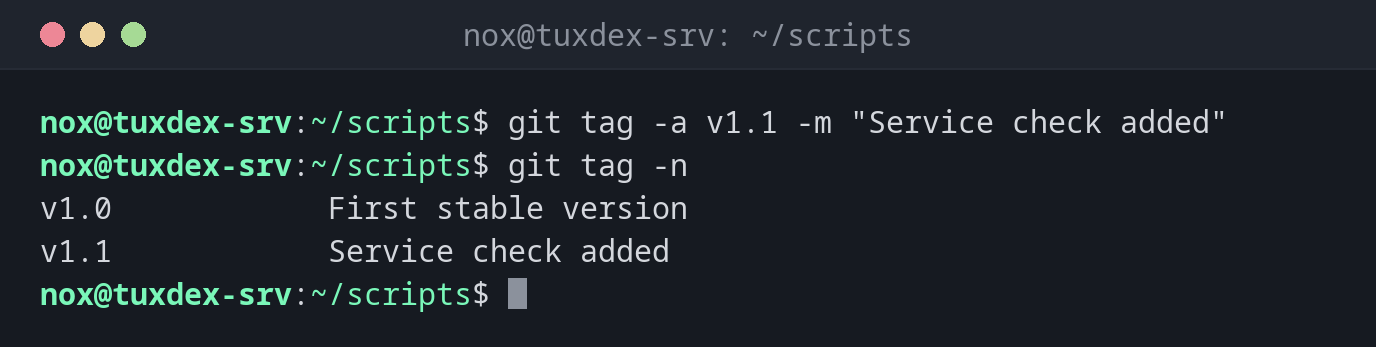
git tag -a v1.1 -m "Service check added"
git tag -n
v1.0            First stable version
v1.1            Service check added
Tag an older commit:
git tag -a v0.9 0487470 -m "First scripts"
git tag -l "v0*"
v0.9
Show what a tag points to:
git show --no-patch v1.0
tag v1.0
Tagger: Nox <nox@example.com>
Date:   Thu Oct 22 11:05:13 2026 +0200

First stable version

commit 3fcc96a03d03b18b18a33eaf4ad512124ab1d11e (tag: v1.0)
Author: Nox <nox@example.com>
Date:   Thu Oct 22 11:05:13 2026 +0200

    Also check /mnt/backup
Send a tag to the server:
git push origin v1.1
Enumerating objects: 1, done.
Counting objects: 100% (1/1), done.
Writing objects: 100% (1/1), 172 bytes | 172.00 KiB/s, done.
Total 1 (delta 0), reused 0 (delta 0), pack-reused 0 (from 0)
To git.example.com:nox/scripts.git
 * [new tag]         v1.1 -> v1.1
When do I need it?
- To mark the state that runs in production, so you can find it again at any time
- To give scripts or roles version numbers that others can refer to
- To quickly go back to a known good state after a failed change
git push doesn't send tags
A plain git push only sends branches. Push a tag with git push origin v1.1, or all
annotated tags along with the commits using git push --follow-tags.
Related commands
git log · git push · git switch · git diff