age
A simple, modern tool for encrypting files, with short keys and no configuration.
Syntax
age -r RECIPIENT [-o OUTPUT] FILE
age -d -i KEYFILE [-o OUTPUT] FILE
age-keygen [-o KEYFILE]
Options
| Option | Description |
|---|---|
age-keygen -o FILE |
Create a key pair; the file contains the secret key, the public key is printed |
-r RECIPIENT |
Encrypt for this public key (age1…); several -r are possible |
-R FILE |
Recipients from a file, also SSH public keys (~/.ssh/id_ed25519.pub) |
-p, --passphrase |
Encrypt with a passphrase instead of keys |
-d -i KEYFILE |
Decrypt with a secret key, also an SSH private key |
-o FILE |
Output file |
-a, --armor |
Text output instead of binary, for mails and YAML |
Examples
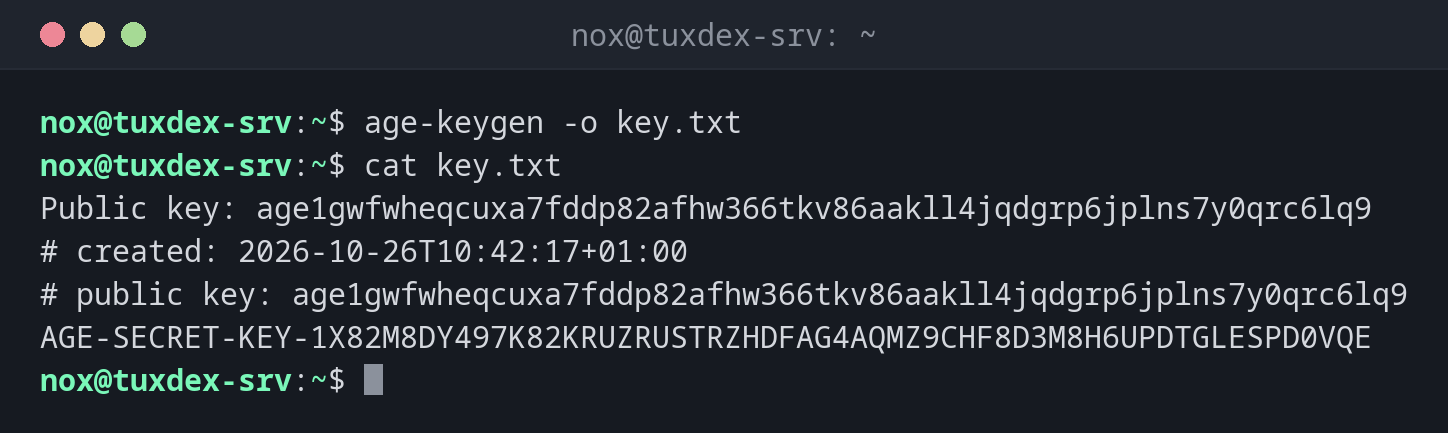
Create a key pair:
age-keygen -o key.txt
cat key.txt
Public key: age1gwfwheqcuxa7fddp82afhw366tkv86aakll4jqdgrp6jplns7y0qrc6lq9
# created: 2026-10-26T10:42:17+01:00
# public key: age1gwfwheqcuxa7fddp82afhw366tkv86aakll4jqdgrp6jplns7y0qrc6lq9
AGE-SECRET-KEY-1X82M8DY497K82KRUZRUSTRZHDFAG4AQMZ9CHF8D3M8H6UPDTGLESPD0VQE
Encrypt a backup for the public key:
age -r age1gwfwheqcuxa7fddp82afhw366tkv86aakll4jqdgrp6jplns7y0qrc6lq9 \
  -o backup-2026-10-26.tar.gz.age backup-2026-10-26.tar.gz
ls -l backup-2026-10-26.tar.gz.age
-rw-r--r-- 1 nox nox 7892 Oct 26 10:42 backup-2026-10-26.tar.gz.age
Only the public key is needed for this, so the secret key.txt doesn't have to be on the server.
Decrypt with the key file:
age -d -i key.txt -o backup.tar.gz backup-2026-10-26.tar.gz.age
ls -l backup.tar.gz
-rw-r--r-- 1 nox nox 7692 Oct 26 10:43 backup.tar.gz
Encrypt with a passphrase:
age -p -o secrets.txt.age secrets.txt
Enter passphrase (leave empty to autogenerate a secure one):
Confirm passphrase:
When do I need it?
- For backups that are encrypted on the server and only decrypted elsewhere
- For secrets in scripts and repositories, for example together with
sops - When gpg is too complicated and you only want to encrypt files
Use existing SSH keys
age can encrypt directly for SSH public keys: age -R ~/.ssh/authorized_keys encrypts
for everyone who may log in, and they decrypt with age -d -i ~/.ssh/id_ed25519.
The key file is the only way back
There is no password recovery. Store key.txt outside the server, for example in your
password manager, before you encrypt the first backup with it.
Distribution differences
| Debian | Ubuntu | RHEL | Arch | |
|---|---|---|---|---|
| Install | sudo apt install age |
sudo apt install age |
sudo dnf install age (EPEL) |
sudo pacman -S age |
Related commands
gpg · ssh-keygen · tar · ansible-vault